
Microsoft Copilot Pro is worth it if you spend serious time in Word, Excel, or PowerPoint. I’ll walk you through exactly how to get it, what you actually need, and what to expect after you subscribe.
You can get Copilot Pro at microsoft.com/copilot for $20 per month per person. You sign up with a Microsoft account, pick your payment method, and you’re done in under five minutes. That’s the core of it.
What Is Microsoft Copilot Pro
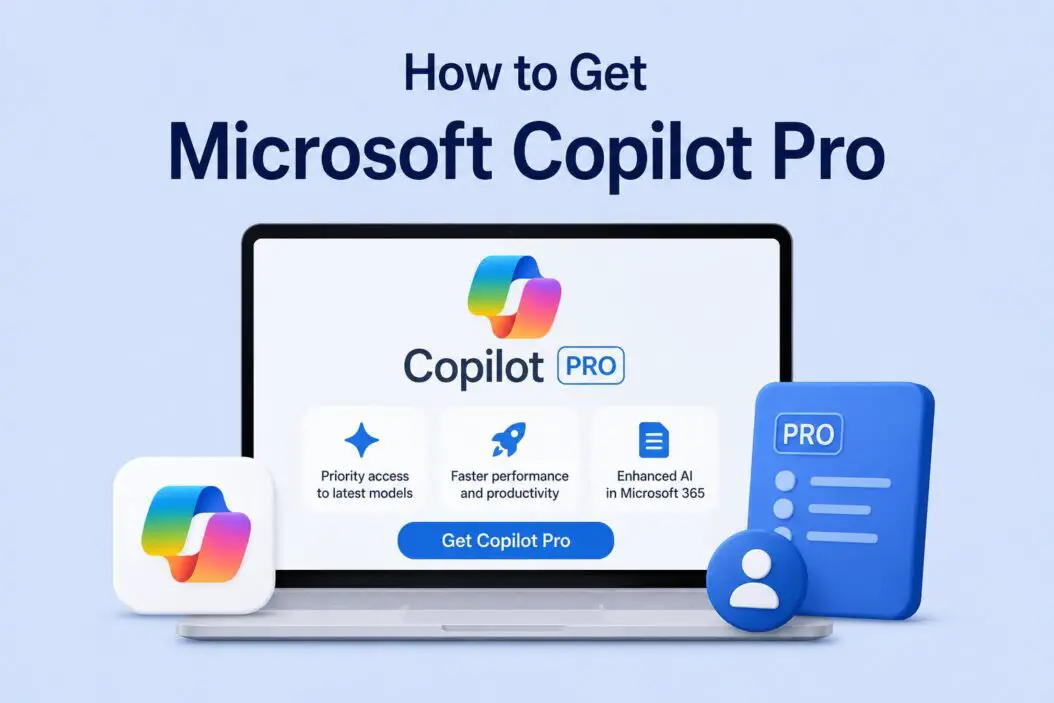
Copilot Pro is Microsoft’s paid AI subscription for individuals. It gives you priority access to the latest OpenAI models, faster image generation, and most importantly, AI features inside Microsoft 365 apps like Word, Excel, Outlook, and PowerPoint.
It is different from the free Copilot you get at copilot.microsoft.com. The free version gives you basic AI chat. Copilot Pro gives you that plus deep integration with your Office apps.
In 2026, the AI behind Copilot Pro got significantly more capable. Microsoft upgraded it to GPT-5, which automatically routes your request to the right model depending on complexity. Simple tasks get fast responses. Complex reasoning gets deeper processing. You don’t pick the mode manually anymore, Copilot figures it out.
If you’re not using Microsoft 365 apps regularly, Copilot Pro is probably not for you. But if you write documents, build spreadsheets, or sit in Outlook all day, it changes how you work.
What You Need Before You Subscribe
Before you open your wallet, make sure you have these things ready.
A Microsoft account. This can be a personal Outlook, Hotmail, or Live email. If you don’t have one, create it free at account.microsoft.com.
A payment method. Microsoft accepts credit cards, debit cards, and PayPal. Make sure your card supports international transactions if you’re outside the US.
Microsoft 365 apps installed (optional but important). Copilot Pro subscription gives you priority AI access on its own. But to use Copilot inside Word, Excel, PowerPoint, and Outlook, you need a Microsoft 365 Personal or Family subscription as well. That costs extra, around $6.99 per month for Personal.
Microsoft also launched M365 Premium at $19.99 per month in October 2025, which bundles Microsoft 365 apps, Copilot, and 1TB storage together. If you don’t already have Microsoft 365, that bundle may work out cheaper than buying both separately.
So the real cost for the full experience is roughly $27 per month if you go the separate route, or around $20 with the M365 Premium bundle.
How to Get Copilot Pro Step by Step
This takes about three minutes if you already have a Microsoft account.
Step 1: Go to the official page
Open your browser and go to microsoft.com/copilot. Scroll down until you see the Copilot Pro plan. You’ll see a “Get Copilot Pro” or “Start free trial” button depending on your region and account status.
Step 2: Sign in to your Microsoft account
Click the button. Microsoft will ask you to sign in. Use your existing Microsoft account or create one on the spot.
Step 3: Choose your subscription
You’ll see the pricing clearly. In 2026, Copilot Pro is $20 per month. There’s no annual discount option as of now for individuals. You pay monthly.
Step 4: Enter payment details
Add your credit card or PayPal. Microsoft will charge you immediately for the first month. You’ll also see the renewal date clearly on the confirmation screen.
Step 5: Confirm and activate
After payment, your Copilot Pro features activate almost instantly. You’ll see a confirmation email from Microsoft within a few minutes.
Step 6: Connect it to Microsoft 365 (if you have it)
If you already have Microsoft 365 Personal or Family, open any Office app like Word. You’ll see the Copilot button appear in the toolbar. If you don’t see it, sign out of your Microsoft account inside the app and sign back in.
What You Get With Copilot Pro
Here’s a clear breakdown of what changes after you subscribe.
| Feature | Free Copilot | Copilot Pro |
|---|---|---|
| AI model access | Standard, lower priority | Priority, latest models incl. GPT-5 |
| Speed during peak hours | Slow | Fast |
| Agent Mode (Word, Excel, PPT) | No | Yes |
| Image generation (Designer) | Limited | 100 boosts per day |
| Copilot in Word | No | Yes |
| Copilot in Excel | No | Yes |
| Copilot in PowerPoint | No | Yes |
| Copilot in Outlook | No | Yes |
| Copilot in OneNote | No | Yes |
| Copilot in OneDrive | No | Yes |
| Custom AI agents | No | Yes |
The biggest wins are inside Microsoft 365 apps. In Word, you can ask Copilot to draft a report, rewrite a section, or summarize a long document. In Excel, it can write formulas, spot trends in your data, and explain what your numbers mean. In PowerPoint, it builds full slide decks from a prompt.
Copilot Pro Inside Microsoft 365 Apps
Let me be specific here because this is what most people actually want to know.
In Word
You type a prompt and Copilot writes a full draft. You can say “Write a one-page proposal for a new marketing campaign targeting small businesses.” It produces something you can actually edit. It also rewrites, shortens, and adjusts tone on request.
What’s new in 2026 is Agent Mode. Copilot now takes direct action inside your document rather than just suggesting edits. It can restructure content, apply formatting, and execute multi-step tasks without you manually approving each step.
In Excel
This is where it gets genuinely impressive. You can describe what you want in plain English. “Show me which months had sales above average” and it highlights the cells or builds the formula for you. Agent Mode in Excel can now merge data sources, identify variances, and draft summary reports, handling tasks that used to require several manual steps.
In PowerPoint
You give it a topic or paste in a Word document and it creates a full slide deck with layouts, headings, and talking points. The designs aren’t always perfect, but it’s a solid starting point.
In Outlook
Copilot summarizes long email threads so you don’t have to read every message. It drafts replies and adjusts tone between formal and casual. In 2026, it can also create calendar events directly from email content and route messages, not just suggest what to write.
In OneDrive
This is a newer addition. Copilot inside OneDrive now summarizes documents, reviews PDFs, and compares files without you needing to open them in a separate app. Useful when you’re trying to find the right file fast.
What AI Models Power Copilot Pro in 2026
The model situation has changed a lot. GPT-5 is now what powers Copilot Pro for individuals. It introduces automatic model routing, meaning it selects the fastest or deepest reasoning approach based on what you’re asking. You don’t need to toggle between modes.
GPT-5 also handles much larger context windows. It can process entire documents, multi-hour meeting transcripts, and large projects without losing track of earlier details in the conversation.
For enterprise users on Microsoft 365 Copilot, GPT-5.4 Thinking and GPT-5.3 Instant are available with model choice built in.
Copilot is also no longer exclusively OpenAI-powered. In March 2026, Microsoft added Anthropic’s Claude models alongside GPT. You can now choose from GPT-4o, Claude Sonnet 4.5, or Claude Opus 4.1 when building custom agents in Copilot Studio. Microsoft has said it plans to move toward model-agnostic routing over time, meaning it will pick whichever AI model best handles your specific task automatically.
How to Get Copilot Pro on Mobile
You can also use Copilot Pro on your phone.
On iPhone or iPad: Download the Microsoft Copilot app from the App Store. Sign in with your Microsoft account. Your Pro subscription carries over automatically.
On Android: Same process. Get the app from Google Play, sign in, and Pro features activate right away.
The mobile experience is mostly chat-based. You won’t get the full Word or Excel Agent Mode on mobile, but you get priority model access and image generation.
Copilot Pro vs Microsoft 365 Copilot
People confuse these two. They are different products.
| Copilot Pro | Microsoft 365 Copilot | |
|---|---|---|
| Who it’s for | Individuals | Business teams |
| Price | $20/month per person | $18/user/month (promo until June 2026), then $21 |
| Max users | 1 | Up to 300 (Business tier) |
| Requires | Microsoft account | Microsoft 365 Business subscription |
| Where to buy | Microsoft.com | Through IT or Microsoft partner |
| Personal use | Yes | Not the primary use case |
If you’re a regular person or a freelancer, Copilot Pro is what you want. Microsoft 365 Copilot is an enterprise product sold through business contracts. There are at least seven products with “Copilot” in the name. Don’t let that confuse you. For individuals, it’s always Copilot Pro.
Countries Where Copilot Pro Is Available
Copilot Pro launched in over 220 markets. It’s available in the US, UK, Canada, Australia, most of Europe, and many parts of Asia, including India and Pakistan.
Pricing varies by region. In Pakistan and some other markets, Microsoft has introduced local pricing that’s significantly lower than $20 USD. Check the pricing page in your country before assuming you’ll pay US rates.
If the subscription page shows your local currency, that’s the price you’ll pay. Microsoft handles the conversion.
How to Cancel Copilot Pro
If it’s not what you expected, canceling is straightforward.
Go to account.microsoft.com, click “Services and subscriptions,” find Copilot Pro, and click “Cancel.” Your access continues until the end of the current billing period. You won’t get a refund for unused days, but you won’t be charged again.
Is Copilot Pro Worth It in 2026
That depends on how you use Microsoft apps.
If you spend several hours a week writing in Word, analyzing data in Excel, or building presentations in PowerPoint, $20 per month pays for itself fast. The time savings on a single detailed report or data summary can be worth more than a month’s subscription. Agent Mode alone changes how much you can hand off to the AI.
If you mostly use Copilot for casual AI chat, the free version is enough. There’s no reason to pay $20 just for chatting.
For students, freelancers, and knowledge workers inside the Microsoft ecosystem, Copilot Pro is genuinely useful. For everyone else, it’s optional.
Microsoft has a solid overview of what Copilot Pro includes on their official Copilot page, and you can also read how others are using it in real workflows on The Verge’s Microsoft coverage if you want honest third-party takes before committing.
Troubleshooting Common Issues
Copilot button not showing in Word or Excel: Sign out of your Microsoft account in the app and sign back in. Make sure both your Copilot Pro and Microsoft 365 subscriptions are active under the same account.
Payment declined: Some banks block recurring international subscriptions. Call your bank and ask them to allow it, or use PayPal as an alternative.
Copilot Pro features not activating after payment: Wait 10 minutes and restart the app. If it still doesn’t work, go to account.microsoft.com and confirm the subscription shows as active.
Using wrong account: This is common. People have multiple Microsoft accounts and pay for Copilot Pro on one but have Office apps signed in with another. Make sure everything is under one account.
Conclusion
Getting Copilot Pro is simple. Go to microsoft.com/copilot, sign in, pay $20 per month, and you’re in. The real value comes when you pair it with Microsoft 365 and use it inside Word, Excel, PowerPoint, and Outlook daily.
In 2026, this is a meaningfully better product than it was a year ago. GPT-5 with automatic model routing, Agent Mode that takes real action inside your files, Claude models available in Copilot Studio, and deeper OneDrive integration are all live. It’s not the same Copilot Pro from 2024.
It won’t replace thinking. But it handles the repetitive, time-consuming parts of document work faster than anything else inside the Microsoft ecosystem right now.
If you’re already paying for Microsoft 365, adding Copilot Pro for $20 more is an easy decision. If you’re starting from scratch, budget around $27 per month for the full experience and decide after the first 30 days whether it’s earning its place.
Frequently Asked Questions
Can I use Copilot Pro without a Microsoft 365 subscription?
You can. Copilot Pro by itself gives you priority GPT-5 access, faster image generation through Designer, and the ability to build custom AI agents. What you won’t get is Copilot inside Word, Excel, PowerPoint, or Outlook. Those features only unlock when you have both Copilot Pro and an active Microsoft 365 Personal or Family plan.
Does Copilot Pro work on a Mac?
It works well on Mac. The Microsoft 365 apps for Mac support Copilot Pro features including in-app AI in Word, Excel, and PowerPoint. You need the apps installed from the Mac App Store or from your Microsoft 365 subscription. The browser versions also work on Safari and Chrome on Mac.
Is there a free trial for Copilot Pro?
Microsoft has offered free trials in some regions at certain times, typically one month free for new subscribers. Availability changes. When you visit the Copilot Pro page signed in to your Microsoft account, it shows whether a trial is currently available to you. There’s no consistent free trial guarantee, but it’s worth checking before paying.
Can I share a Copilot Pro subscription with family members?
No. Copilot Pro is a per-person subscription. It doesn’t work like Microsoft 365 Family where one plan covers multiple people. Each person in your household needs their own Copilot Pro subscription. If your family is already on Microsoft 365 Family, each person still needs their own individual Copilot Pro plan on top of it.
What happens to my Copilot Pro data and documents after I cancel?
Canceling Copilot Pro doesn’t delete your documents or Microsoft account data. Everything you created or edited using Copilot in Word, Excel, or any other app stays in your OneDrive or local storage exactly as you left it. You just lose access to the Copilot AI features themselves. Your Microsoft account and files remain fully intact.

- Best Ways to Create Custom Templates in Word (A Simple Guide) - June 16, 2026
- How to Find Printer IP Address in Under 2 Minutes - June 15, 2026
- 3 Best Ways to Create Custom Backgrounds in Microsoft Teams - June 15, 2026