
A fada is the accent mark over vowels in Irish (Gaeilge). It looks like this: á, é, í, ó, ú. That little diagonal line changes both the sound and meaning of a word completely. Miss it, and you might write something embarrassing instead of what you meant.
Here is the quick answer: On Windows, hold Alt and type a number code. On Mac, hold the vowel key for a second. On iPhone or Android, press and hold the vowel. On Chromebook, use Ctrl + Shift + U with a code. Keep reading for exact steps on every device.
The word fada means “long” in Irish. It marks a long vowel sound. So cá means “where” but ca means nothing. Seán is a name, but Sean looks like the English word Sean pronounced differently.
If you are typing Irish for school, work, official documents, or even texting, getting the fada right is not optional. It is part of the word.
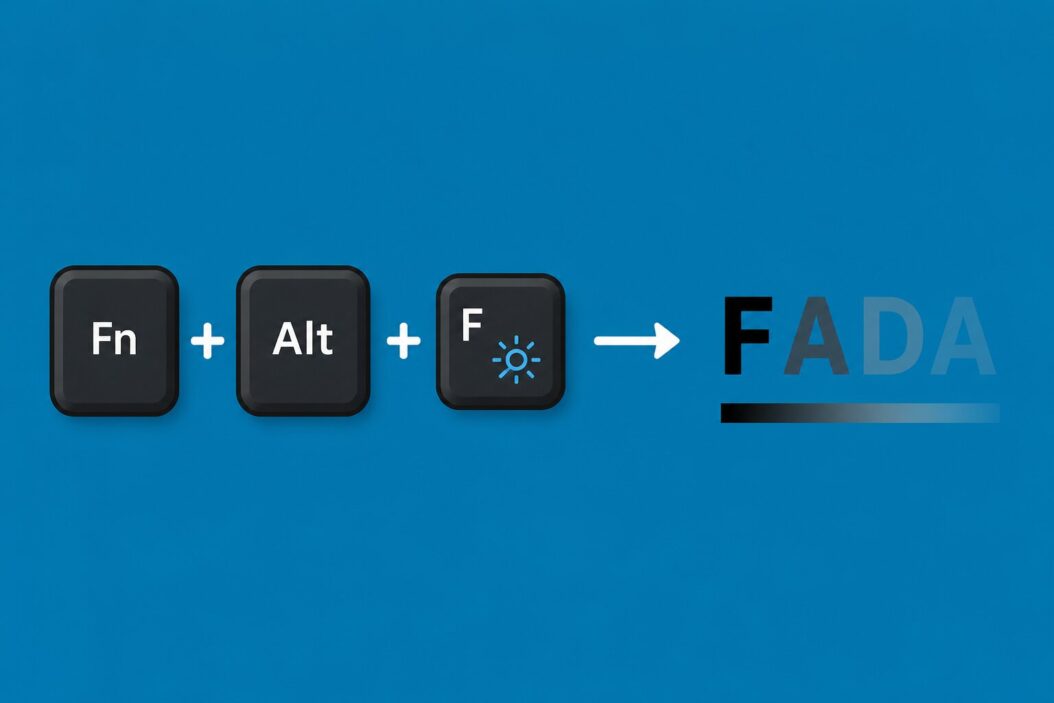
How to Type a Fada on Windows
Windows gives you a few methods. Pick the one that fits your workflow.
Method 1: Alt Codes (Works Everywhere)
Hold the Alt key, type the number on your numeric keypad, then release Alt.
| Character | Alt Code |
|---|---|
| á | Alt + 0225 |
| é | Alt + 0233 |
| í | Alt + 0237 |
| ó | Alt + 0243 |
| ú | Alt + 0250 |
| Á | Alt + 0193 |
| É | Alt + 0201 |
| Í | Alt + 0205 |
| Ó | Alt + 0211 |
| Ú | Alt + 0218 |
Important: You need Num Lock turned on and you must use the number pad on the right side of the keyboard. The number row at the top does not work for this.
Method 2: Irish Keyboard Layout (Best for Regular Use)
If you type Irish often, switch your keyboard layout to Irish.
- Open Settings
- Go to Time and Language
- Click Language and Region
- Select your language, click the three dots, then Language Options
- Under keyboards, click Add a keyboard
- Search for Irish and add it
Once it is active, press the apostrophe key followed by a vowel. So apostrophe then A gives you á. This is how Irish speakers type every day.
You can switch between keyboards with Windows key + Space.
Method 3: Character Map
Search “Character Map” in the Start menu. Find the accented vowel you need, click it, copy it, and paste it where you need it. Slow but it always works.
Method 4: AutoCorrect in Word
If you use Microsoft Word, set up AutoCorrect. Go to File > Options > Proofing > AutoCorrect Options. Set something like a/ to autocorrect to á. Make your own shortcuts this way.
How to Type a Fada on Mac
Mac is the easiest of all platforms for this.
Hold the Key Method
Press and hold any vowel key. A small popup appears showing accent options. You will see á, à, ä, and others above the letter. Each has a number underneath.
Press the number shown under the á (usually 2) and it types instantly.
This works in any app on your Mac, no settings needed.
Keyboard Shortcut Method
Press Option + E, then press the vowel.
So for á: Option + E, then A. For é: Option + E, then E. For í: Option + E, then I. For ó: Option + E, then O. For ú: Option + E, then U.
Capital versions: do the same but hold Shift when you press the vowel at the end.
Irish Keyboard on Mac
Go to System Settings > Keyboard > Input Sources. Click the plus sign and search for Irish. Once added, use the apostrophe + vowel method same as on Windows.
How to Type a Fada on iPhone and iPad
Press and hold the vowel on the keyboard. A row of accented letters pops up above your finger. Slide to the one with the acute accent (the line going up to the right). Lift your finger.
It takes one second once you know it is there. Works in every app including WhatsApp, Notes, and email.
For capital letters, turn on Caps Lock first or hold Shift, then press and hold the vowel.
How to Type a Fada on Android
Same as iPhone. Press and hold the vowel key. Accented options appear. Slide to á, é, í, ó, or ú and release.
If your keyboard does not show accented options when you hold down, go to your keyboard settings and make sure extended keys or long press actions are enabled. Gboard by Google does this by default. Samsung keyboard does too.
How to Type a Fada on Chromebook
Chromebooks need a small setup step.
- Click the clock in the bottom right
- Go to Settings > Device > Keyboard > Input Methods
- Add Irish as an input method
After that, the apostrophe + vowel trick works the same way.
If you do not want to switch keyboard layout, use the Unicode input method:
- Press Ctrl + Shift + U
- Type the Unicode code for the letter
- Press Enter
| Character | Unicode Code |
|---|---|
| á | 00e1 |
| é | 00e9 |
| í | 00ed |
| ó | 00f3 |
| ú | 00fa |
| Á | 00c1 |
| É | 00c9 |
| Í | 00cd |
| Ó | 00d3 |
| Ú | 00da |
How to Type a Fada in Google Docs
Google Docs has a built-in tool. Go to Insert > Special Characters. Search for the letter name like “Latin small letter a with acute.” Click it and it inserts.
You can also use any of the operating system methods above while inside Google Docs. They all work.
Another option is to set up substitutions in Google Docs. Go to Tools > Preferences > Substitutions. Add your own shortcuts like a/ for á.
How to Type a Fada in Microsoft Word
Word on Windows: use Alt codes or the built-in shortcut. Press Ctrl + ‘ (apostrophe), then the vowel. So Ctrl + apostrophe then A gives á.
Word on Mac: the Option + E method works perfectly inside Word.
You can also go to Insert > Symbol > More Symbols, find your accented letter, and click Insert. While you are there, Word lets you assign a custom keyboard shortcut to any symbol.
Fada in Different Contexts
Every method above works inside email clients. If you are using Gmail in a browser, the OS shortcut keys work. On mobile, press and hold the vowel.
Social Media and Messaging
On phones, press and hold. On desktop, use whatever method works for your OS. Twitter, Instagram, WhatsApp Web, and Facebook all accept these characters fine because they use Unicode, which supports all world languages.
Coding or Technical Environments
If you are typing fada characters inside code comments or strings, be aware your file encoding should be UTF-8. This is the default in most modern editors like VS Code. The character itself types the same way, but you want to make sure the file saves it correctly.
Copy and Paste Fada Characters
If you just need them occasionally, copy from here:
Lowercase: á é í ó ú
Uppercase: Á É Í Ó Ú
Bookmark this page or save these in a notes app for quick access.
Irish Keyboard Layout Overview
The Irish keyboard layout is worth knowing if you type Irish regularly.
The Irish keyboard works like a standard QWERTY layout with one difference. The apostrophe key acts as a dead key. Press apostrophe then A and you get á. Press apostrophe then press Space and you get a regular apostrophe. This system is clean and fast once you are used to it.
All Methods at a Glance
| Device | Easiest Method | Setup Required |
|---|---|---|
| Windows | Alt + number code | None (needs Num Lock) |
| Windows (regular use) | Irish keyboard layout | One-time setup |
| Mac | Hold vowel key | None |
| Mac (fast typists) | Option + E + vowel | None |
| iPhone | Press and hold vowel | None |
| Android | Press and hold vowel | None |
| Chromebook | Irish input method | One-time setup |
| Google Docs | Ctrl + apostrophe + vowel | None |
| Microsoft Word | Ctrl + apostrophe + vowel | None |
Common Mistakes People Make
Using a grave accent instead of acute. The fada goes up to the right (á), not up to the left (à). Make sure you are picking the right one from the popup.
Typing on the number row instead of the numpad. Alt codes only work with the right-side number pad on Windows.
Not having Num Lock on. The Alt code method silently fails if Num Lock is off. Check the light on your keyboard.
Switching keyboard layout and forgetting. If you switch to Irish layout but forget, your apostrophe key will behave differently and confuse you.
For Teachers and Students
If you are in an Irish language class and submitting typed work, talk to your teacher about what system they use. Some schools in Ireland use the Irish keyboard layout across all school computers. Knowing this saves confusion.
For students using personal laptops, the Mac hold-key method or Windows Alt code method is the simplest starting point with zero setup.
The National Council for Curriculum and Assessment in Ireland provides resources for Irish language learning that touch on correct written Irish, including the use of the fada.
Conclusion
The fada is a real part of Irish spelling, not optional decoration. Once you learn the method for your device, it takes less than a second to type. On Mac, just hold the vowel. On iPhone and Android, same thing. On Windows, use Alt codes or set up the Irish keyboard. On Chromebook, add the Irish input method.
Pick the method that matches how often you type Irish. For occasional use, Alt codes or copy-paste work fine. For daily use, the Irish keyboard layout is the right long-term choice. Every device supports this in 2026 without any third-party software needed.
FAQs
Can I use a fada in a password?
Yes, technically. Most modern systems accept Unicode characters in passwords. But it can cause problems if you ever need to type that password on a keyboard that does not have easy access to accented characters, like a shared computer or a device in a different country. For passwords, it is safer to stick to standard ASCII characters.
Does autocorrect on iPhone change the fada to something else?
Sometimes autocorrect will try to change Irish words because it does not recognize them as correct. You can add Irish words with fada characters to your phone dictionary. Go to Settings > General > Keyboard > Text Replacement and add the words you use often. This stops autocorrect from fighting you.
Is the fada the same as an accent in Spanish or French?
The mark looks the same as the acute accent used in Spanish and French, but the purpose is slightly different. In Irish it marks vowel length. In French and Spanish it can mark stress or distinguish between words. The character code is identical though, so á in Irish is the same Unicode character as á in Spanish.
What if the hold-key popup does not appear on my Mac?
If you press and hold a vowel and nothing appears, key repeat might be enabled in a way that overrides the popup. Go to System Settings > Keyboard and check if “Key Repeat” settings are affecting it. Alternatively, use the Option + E method, which always works regardless of those settings.
Does adding the Irish keyboard affect how I type in English?
Mostly no. The Irish layout is nearly identical to standard QWERTY. The only key that behaves differently is the apostrophe, which becomes a dead key. This means you press it and wait for the next key before anything appears. If you press Space after apostrophe you get a normal apostrophe. It takes a short adjustment period but most people get used to it within a day.
