
If you’re looking for the best free DAW for Windows, I’ll save you the time right now. LMMS, Cakewalk by BandLab, GarageBand alternative Ardour, and DaVinci Resolve’s Fairlight are among the strongest picks depending on what you actually need. I’ll break all 11 down below with honest takes on each.
A free DAW doesn’t mean a crippled one anymore. I’ve put together this list based on what these tools actually do, not what their marketing pages say.
You Don’t Need to Spend Money to Make Music on Windows
That used to be debatable. Not anymore.
The gap between free and paid DAWs has narrowed significantly. You can record, mix, master, and export professional-quality audio without spending a single rupee or dollar. What you’re giving up in most cases is either a smaller plugin library, export format limitations, or a steeper learning curve.
Let’s get into the list.
The 11 Best Free DAWs for Windows
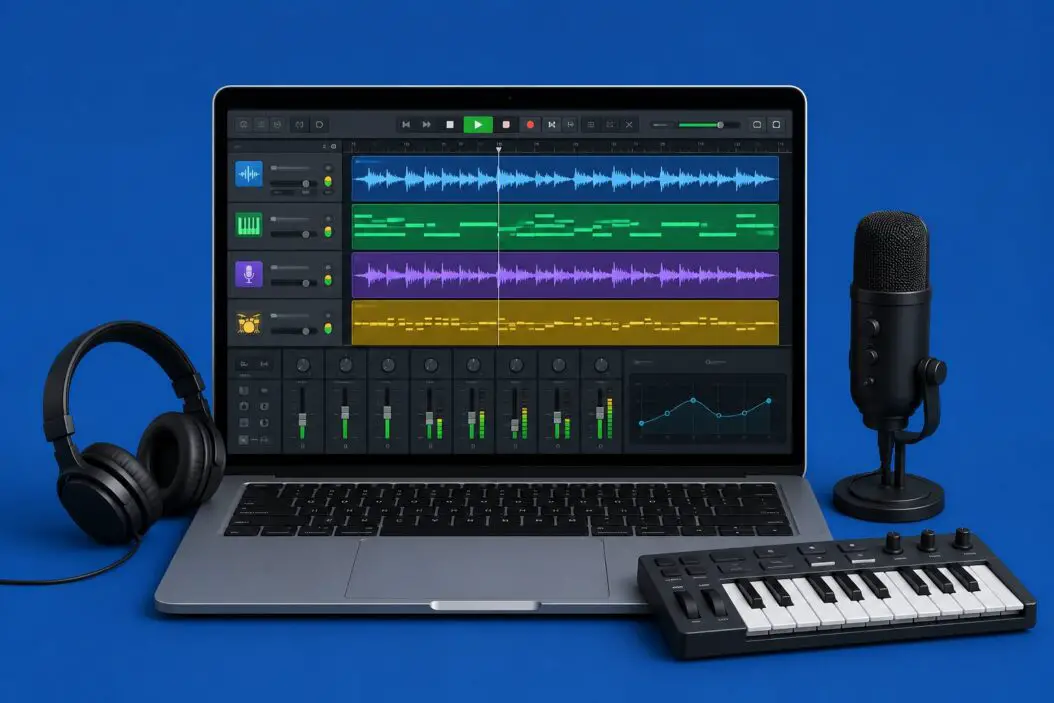
1. LMMS (Linux MultiMedia Studio)
Best for: Beat makers, producers, beginners
LMMS is fully free and open source. No trial. No watermark. No export limits.
It comes with a beat+bassline editor, piano roll, a solid mixer, and a bunch of built-in synths like ZynAddSubFX. You can drag in VST plugins, automate parameters, and produce complete tracks.
What I like about it:
- Completely free, forever
- Good for electronic, hip-hop, and lo-fi production
- Active community with templates and presets available
What to watch out for:
- Audio recording isn’t its strongest point
- Interface feels older compared to modern DAWs
If you’re just starting out and want something with zero cost and a decent ceiling, LMMS is the first thing I’d point you to.
2. Cakewalk by BandLab
Best for: Recording, mixing, professional-level work on a budget
Cakewalk was a paid DAW for decades. BandLab acquired it and made it completely free. That’s a big deal.
It has unlimited audio and MIDI tracks, a full-featured mixer, ProChannel plugins, Melodyne-style pitch correction (ARA support), and VST2/VST3 support. This thing is genuinely a professional tool with no paywalls.
Standout features:
- Full 64-bit double-precision mixing engine
- Smart tempo for working with audio loops
- No track or export limits
If you’ve used professional DAWs before, Cakewalk will feel familiar immediately. It’s arguably the best free DAW on Windows for recording live instruments and doing full productions.
3. Ardour
Best for: Audio engineers, recording studios on a budget
Ardour is open source and technically free if you compile it yourself. There’s also a paid download option for convenience, but the software itself has no feature locks.
It’s a serious DAW. Non-linear editing, full MIDI support, ReWire compatibility, and a mixer that holds its own against Logic or Reaper. The learning curve is steep but the ceiling is very high.
Key strengths:
- Professional multi-track recording
- Strong MIDI editing
- No export or track limits
Ardour suits people who know what they’re doing and want power without a subscription.
4. GarageBand (Windows Alternative: SoundBridge)
Let’s be honest. GarageBand doesn’t run on Windows. But a lot of people search for it because they want something beginner-friendly with loops and simple recording.
SoundBridge fills that gap on Windows. It’s free, has a clean interface, comes with loops and samples, and works well for quick ideas and simple productions.
If you were hoping for a GarageBand port, SoundBridge is the closest thing you’ll find in 2026.
5. DaVinci Resolve (Fairlight)
Best for: Video creators who need integrated audio production
DaVinci Resolve is known for video editing, but its Fairlight audio engine is a full DAW inside the same application. The free version includes it.
You get multi-track recording, a full mixer, EQ, compression, noise reduction, and audio post features built for professional broadcast work.
Why it’s on this list:
- If you edit video and audio together, it’s unbeatable
- Fairlight’s tools are broadcast-grade
- No watermark, no export limit in the free version
For content creators, podcasters, and video editors, this is one of the smartest free options available.
6. Tracktion Waveform Free
Best for: Modern workflow, unlimited tracks, plugin users
Waveform Free is the free tier of Waveform Pro. It gives you unlimited audio and MIDI tracks, an unlimited plugin count, and one of the cleanest interfaces in any free DAW.
The single-window workflow is different from most DAWs but very efficient once you adapt.
Features worth noting:
- Unlimited tracks and plugins
- Built-in arpeggiator and chord tools
- Regular updates from an active development team
Tracktion doesn’t limit you by track count or time, which puts it ahead of many free options.
7. Reaper (Free Trial, Technically Discounted)
Reaper isn’t free. Let’s be straight about that. But its trial never expires, and the discounted license is $60 which is cheap compared to most paid DAWs.
I’m including it here because many musicians use it indefinitely on the trial and it functions without restriction. The license is also one of the most affordable in the industry.
Why it’s worth mentioning:
- Extremely lightweight and fast
- Incredibly customizable
- Huge scripting and extension community
If you’re serious about music production, Reaper at $60 is one of the best deals in audio software.
8. BandLab (Browser + App Based)
Best for: Quick projects, collaboration, mobile-to-desktop workflow
BandLab is a cloud-based DAW that works in your browser and has a Windows app. It’s 100% free with no paywalls.
It’s simpler than Cakewalk but built for fast collaboration. You can record, add effects, use built-in loops, and share tracks with other users directly.
Best use cases:
- Working with other people in real time
- Quick recording sessions without setup
- Building ideas on the go
It’s not the tool for mixing an album, but for modern collaborative music creation, BandLab works really well.
9. Audacity
Best for: Podcast editing, voice recording, audio cleanup
Audacity isn’t a full production DAW. It’s a multitrack audio editor. But for what it does, nothing free comes close.
You can record, cut, apply noise reduction, normalize, and export in multiple formats. The new versions also added a more usable interface and improved plugin support.
Where it fits:
- Podcast producers
- Voice over artists
- People editing recorded audio rather than producing music
Don’t use Audacity to make beats. Do use it to clean up recordings, edit dialogue, or process audio files.
10. GarageBand via iOS Sideloading (Workaround)
This is less of a DAW recommendation and more of a workaround some Windows users explore. Using iOS emulation tools, some people run GarageBand on Windows, but this method is unreliable, slow, and not officially supported.
I don’t recommend it as a primary workflow. Use it only if you’re very comfortable troubleshooting software issues and understand the limitations.
11. Ohm Studio
Best for: Real-time online collaboration
Ohm Studio is a free collaborative DAW that lets multiple people work on the same project in real time. Think Google Docs but for music production.
It has basic VST support, MIDI, and audio recording. The free tier limits some collaboration features but the core DAW works without payment.
Why it stands out:
- Real-time collaboration is genuinely useful
- Built for remote music making
- Simple enough for casual users
Quick Comparison
| DAW | Best For | Track Limit | VST Support | Export Limit |
|---|---|---|---|---|
| LMMS | Beat making | Unlimited | Yes | None |
| Cakewalk by BandLab | Recording, mixing | Unlimited | Yes | None |
| Ardour | Professional audio | Unlimited | Yes | None |
| Waveform Free | Modern workflow | Unlimited | Yes | None |
| DaVinci/Fairlight | Video + audio | Unlimited | Yes | None |
| BandLab | Collaboration | Unlimited | Limited | None |
| Audacity | Audio editing | Multi-track | Yes | None |
| Reaper (trial) | All-around | Unlimited | Yes | None |
| SoundBridge | Beginners | Limited | Yes | None |
| Ohm Studio | Online collab | Limited | Yes | Limited |
How to Pick the Right Free DAW for Your Situation
This depends entirely on what you’re making.
If you produce electronic music or beats: Go with LMMS or Waveform Free. Both are built with that workflow in mind and give you enough tools to produce complete tracks.
If you record live instruments or vocals: Cakewalk by BandLab is the strongest choice. It was a paid professional tool for 30 years. You get real recording features, proper routing, and a serious mixer.
If you edit video too: DaVinci Resolve with Fairlight. No competition here. Having your video and audio in one application speeds up the workflow massively.
If you podcast or do voice work: Audacity. It’s simple, stable, and does exactly what you need.
If you want to collaborate remotely: BandLab or Ohm Studio. Both let multiple people contribute to a project.
For deeper guidance on the technical side of audio production, Sweetwater’s Production covers studio setup, plugin choices, and workflow tips that pair well with any DAW you choose.
What “Free” Actually Means in Each Case
Not every free DAW is free the same way. Here’s how they break down:
Completely free with no limits: LMMS, Cakewalk by BandLab, Ardour (self-compiled), DaVinci Resolve (Fairlight), Audacity, BandLab
Free with premium tiers: Waveform Free, Ohm Studio, SoundBridge
Technically a trial that never expires: Reaper
Knowing this matters because some DAWs put their best features behind a paywall even while advertising themselves as free. The ones marked “completely free” have no hidden limits on exports, plugins, or track counts.
Common Mistakes When Choosing a Free DAW
Picking based on YouTube reviews alone. Most popular DAW comparison videos are made by people with sponsorships or affiliate links. Watch them for workflow ideas but verify the claims yourself.
Choosing a DAW that doesn’t match your genre. LMMS is great for electronic music. It’s not the best choice for recording a band. Match the tool to the work.
Ignoring system requirements. Some free DAWs like Cakewalk are resource-heavy. If you’re on older hardware, test before committing your workflow to it.
Skipping the manual. Free DAWs often have less beginner-friendly documentation than paid ones. Spending two hours learning the interface saves ten hours of frustration later.
Conclusion
The best free DAW for Windows in 2026 depends on what you do.
For most people starting out, LMMS or Cakewalk by BandLab covers 90% of what they need. LMMS wins for beat production and electronic music. Cakewalk wins for recording, mixing, and doing professional-grade work with no compromises.
If video is part of your workflow, DaVinci Resolve with Fairlight is a no-brainer.
None of these cost anything. Install them, try them, and pick the one that fits how you actually work. The best DAW is always the one you stick with.
Frequently Asked Questions
Can I release music commercially made in a free DAW?
Yes. LMMS, Cakewalk, Audacity, and most other free DAWs on this list allow full commercial use of anything you create. The license applies to the software itself, not your music. Always check the specific terms, but in practice none of these tools restrict what you do with the output.
Do free DAWs support third-party VST plugins?
Most of them do. Cakewalk, LMMS, Ardour, Waveform Free, and Reaper all support VST2 and VST3 plugins. Audacity supports plugins through its own format and some VST support. BandLab’s browser version has limited plugin support compared to desktop apps.
Is Cakewalk by BandLab really free with no catch?
Yes. BandLab acquired Cakewalk and distributes it free as part of their platform strategy. There’s no trial expiry, no export watermark, and no feature lock. You do need a free BandLab account to activate and update it, which some people find annoying but it’s a minor inconvenience.
My computer is old. Which free DAW uses the least resources?
Reaper is the lightest full-featured DAW available. LMMS is also relatively lightweight. Avoid Cakewalk if you’re on older hardware since it has higher RAM and CPU requirements. Audacity is very light if your needs are basic audio editing rather than full production.
Can I use multiple free DAWs at the same time for different tasks?
Absolutely. A lot of producers use LMMS or Waveform for composition, Audacity for cleaning up recorded audio, and then mix everything in Cakewalk. They don’t conflict with each other. Using the right tool for each stage of your workflow is smarter than forcing one DAW to do everything.
