
The Bing homepage quiz is one of those small daily things that can actually make you smarter over time. I’ve spent a good chunk of time clicking through these quizzes, and here’s everything you need to know to find, play, and enjoy them without any confusion.
What Is the Bing Homepage Quiz
Every day, Microsoft Bing updates its homepage with a stunning background image. That image is usually tied to a theme, a place, a historical event, or something happening in the world. The quiz connects directly to that image or theme.
It usually has between 3 to 8 questions. The questions are trivia-style, multiple choice, and you get instant feedback after each answer. No timer. No pressure. Just learn as you go.
The best part? It’s completely free and takes less than 5 minutes.
How to Play Bing Homepage Quiz Step by Step
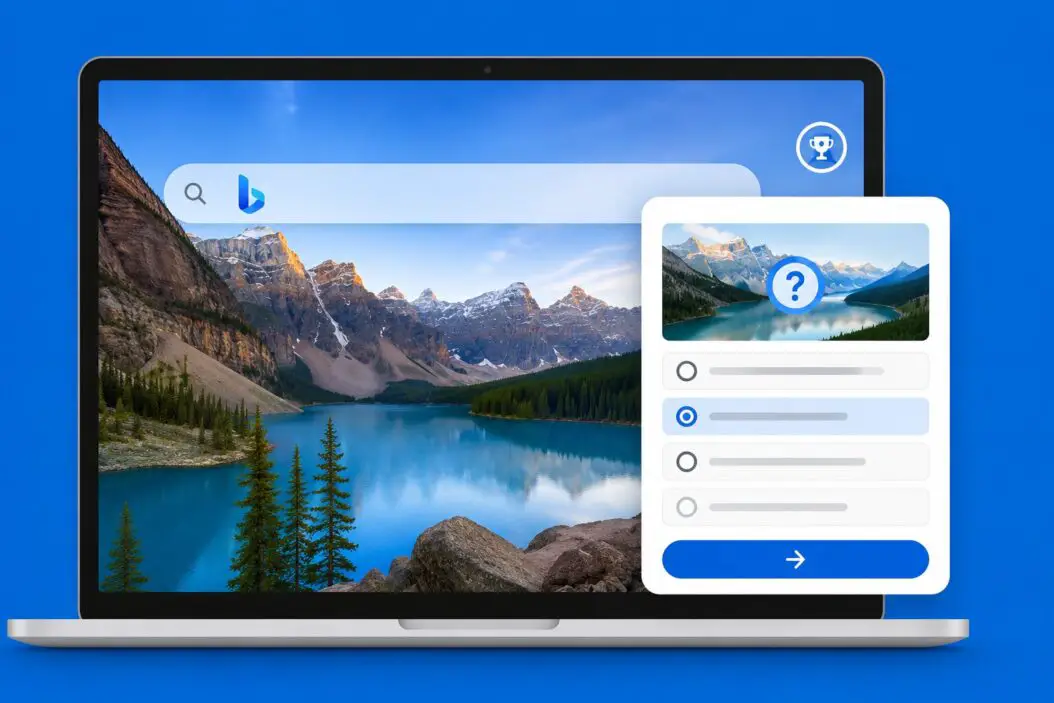
Here is exactly how you do it.
Step 1: Open Bing
Go to bing.com in any browser. Chrome, Edge, Firefox, Safari, all work fine. You don’t need to log in, but I’ll explain why logging in helps later.
Step 2: Look at the Homepage Image
The homepage loads with a full-screen background photo. Look at the bottom of the screen or the right side. You’ll see small icons and sometimes text that says something like “Quiz” or there’s a question mark icon.
Step 3: Find the Quiz Entry Point
Scroll down slightly or look for the “Explore” section below the search bar. Bing sometimes displays the quiz directly as a card on the homepage. It might say things like:
- “Today’s quiz”
- “Test your knowledge”
- A camera or info icon with a short trivia question
Click that. It opens the quiz interface.
Step 4: Answer the Questions
Each question shows 2 to 4 options. You click one. Bing immediately tells you if you were right or wrong and shows a short explanation. That explanation is actually where you learn the most.
Keep clicking through until you finish all questions.
Step 5: See Your Score
At the end, Bing shows your total score. If you’re signed in with a Microsoft account, you also earn Microsoft Rewards points for completing the quiz.
How to Access Bing Quiz Directly
Some days the quiz isn’t obvious on the homepage. Here’s how to find it faster.
Search for it directly: Type “Bing quiz today” in the search bar and the quiz usually appears as a featured result at the top.
Use the Bing app: On mobile, the Bing app often shows the daily quiz right in the news feed. Download it from the App Store or Google Play.
Go to Bing News: Visit bing.com/news and look in the trending or featured section. The quiz sometimes appears there too.
Try the daily trivia link: Bing runs quizzes through its features page. You can also go to bing.com/search?q=bing+homepage+quiz and find active quiz cards.
Playing Bing Quiz on Mobile
On your phone, the experience is slightly different.
Open the Bing app or go to bing.com in your mobile browser. The homepage quiz usually appears as a swipeable card below the search bar. Tap it and the quiz opens in a clean, mobile-friendly layout.
The questions are the same as desktop. You tap your answer. Get instant feedback. Finish in a few minutes.
If you’re using Edge browser on mobile, the Bing quiz sometimes appears directly in the new tab page. That makes it even faster to access daily.
Microsoft Rewards and Why You Should Sign In
Playing the quiz while signed in to a Microsoft account gives you Microsoft Rewards points. These points add up and you can redeem them for:
- Gift cards (Amazon, Xbox, Starbucks, and more)
- Donations to charity
- Xbox Game Pass credits
- Sweepstakes entries
The quiz itself gives around 10 to 30 points depending on the day and how many questions there are. It’s not a lot individually, but if you do it daily, it adds up to a meaningful amount over weeks.
Signing up for Microsoft Rewards is free. You just need a Microsoft account, which is the same account you’d use for Outlook or Xbox.
According to Microsoft’s official Rewards page, members can earn points from searches, quizzes, shopping, and more, all in one place.
Types of Questions in Bing Homepage Quiz
The questions are always connected to the theme of the day’s image. Here’s what to expect:
| Question Type | Example |
|---|---|
| Geography | “Which country is this landscape from?” |
| History | “When did this event take place?” |
| Science | “What animal is featured in today’s image?” |
| Culture | “This building belongs to which civilization?” |
| General trivia | “What is this natural phenomenon called?” |
The difficulty ranges from easy to medium. Bing doesn’t go super hard. The point is engagement and learning, not frustration.
Tips to Do Better on Bing Homepage Quiz
I picked up a few habits that help me score better.
Read the image description first. Before jumping into the quiz, hover over the info icon on the homepage image. Bing shows a short paragraph about what the image is. Reading that primes your brain for the questions coming up.
Don’t rush. There’s no timer. Take your time reading each option carefully.
Read the explanations even when you’re right. After every answer, Bing shows context. This is where the actual knowledge is. I’ve learned genuinely interesting facts just from reading those boxes carefully.
Come back daily. The quiz resets every day. A new image means a new topic. Playing regularly actually improves your general knowledge over time.
Use Edge browser. Microsoft Edge has deeper Bing integration. The quiz sometimes shows up as a sidebar or new tab feature in Edge, making it even easier to access without searching for it.
What Happens If You Skip a Day
Nothing bad happens. The quiz is not cumulative. You don’t lose streaks or progress. Each day is independent.
Some Microsoft Rewards streaks do count daily search points, but the quiz specifically doesn’t penalize you for missing a day. You just miss that day’s points.
If you missed a quiz and want to see what it was about, the Bing homepage archives aren’t publicly accessible in a structured way, but you can sometimes find old quiz topics through search engines or Bing’s own “Today in History” features.
Bing Quiz vs Bing Trivia vs Bing News Quiz
People confuse these three. Here’s the difference.
Bing Homepage Quiz: Tied to the daily background image. Short, 3 to 8 questions. Connected to a visual theme.
Bing Trivia: Broader trivia content accessible through Bing search. Sometimes shows as a feature when you search for quiz-type topics.
Bing News Quiz: A weekly or themed quiz based on current events and news stories. This one is harder and more time-sensitive.
All three earn Rewards points, but the homepage quiz is the easiest to access and the most consistent daily option.
Playing Bing Quiz in Different Regions
Bing homepage images are often region-specific. That means the quiz topic can vary depending on your country or language settings.
If you want to see a different region’s quiz, you can change your region in Bing settings. Go to Settings > Country/Region and switch it. The homepage image changes, and with it, the quiz topic.
This can actually be a fun way to learn about places and cultures you’re less familiar with.
Common Issues and How to Fix Them
Quiz isn’t showing on the homepage: Refresh the page. Sometimes it takes a few seconds to load fully. If it still doesn’t appear, try scrolling down below the search bar.
Quiz not loading after clicking: Clear your browser cache or try in a different browser. Sometimes a cached version of the page doesn’t load the quiz widget correctly.
Rewards points not showing after completing quiz: Points can take up to 24 hours to appear. Check your Rewards dashboard the next day. If they still don’t show, make sure you were logged in before starting the quiz, not during.
Quiz appears in another language: Your Bing region setting may be set to a different country. Go to Settings and update your region and language to match your preferences.
Quiz shows as already completed: If you’re signed in, Bing tracks completed quizzes. If someone else used your account or you already played on another device, it will show as done.
Is There a Bing Quiz Archive
There’s no official Bing quiz archive. Microsoft doesn’t provide a page where you can go back and play yesterday’s quiz.
However, communities on Reddit, specifically r/bing and r/MicrosoftRewards, often post daily quiz answers and sometimes link to the quiz itself. That’s a useful resource if you miss a day and still want to earn points for some reason, though point eligibility typically only applies to the current day’s quiz.
For general quiz practice outside of Bing, sites like Sporcle offer massive archives of geography, science, and culture quizzes that pair well with the type of questions Bing asks.
Bing Quiz for Kids and Students
The quiz works really well as a quick educational activity. Because the questions tie to real-world images and events, they spark curiosity in a natural way.
If you’re a teacher or parent, having kids play the Bing homepage quiz daily is a low-effort way to expose them to geography, nature, history, and culture. The explanations after each answer serve as mini lessons.
The content is safe and family-friendly. Microsoft moderates the homepage image and quiz content closely.
Conclusion
The Bing homepage quiz is simple, daily, and genuinely worth your time. You go to bing.com, find the quiz card, answer a few questions about the day’s image, and walk away knowing something new. If you sign in with a Microsoft account, you also collect Rewards points that turn into real value over time.
The biggest mistake people make is overlooking it entirely or not signing in to collect points. Both are easy to fix starting today.
Play it daily. Read the explanations. Let the curiosity compound. That’s all there is to it.
FAQs
Can I play the Bing homepage quiz without creating an account?
Yes, you can play without signing in. The quiz is fully accessible to anyone visiting bing.com. The only thing you miss out on is Microsoft Rewards points, which require a free Microsoft account to collect.
Does Bing offer a new quiz every single day of the year?
Bing updates its homepage image and quiz content daily, including weekends. There are some regional exceptions where the quiz might not appear on certain holidays, but in most cases, a new quiz is available 365 days a year.
Is there a way to replay a quiz I already completed today?
Once you complete the quiz for the day, Bing marks it as done if you’re signed in. You can still view the questions by going back to the quiz page, but your answers and any Rewards points are already recorded. Replaying doesn’t earn additional points.
Do Bing quiz points expire?
Microsoft Rewards points do expire if your account becomes inactive. If you haven’t earned or redeemed points in 18 months, your points can expire. Playing the daily quiz regularly keeps your account active and your points safe.
Why do some of my answers feel wrong even when marked correct?
Bing quiz answers are based on the most widely accepted or documented facts at the time the quiz was created. If you feel an answer is outdated or incorrect, you can submit feedback through the quiz interface using the flag or report icon. Microsoft does review and update quiz content based on feedback.
