
Your Dell laptop won’t turn on. Or maybe you need a screen replacement. Before you pay hundreds of dollars for repairs, you need to know if your device is still under warranty.
Checking your Dell warranty takes less than two minutes. This guide shows you exactly how to do it, what your warranty covers, and what to do next.
What Is Dell Warranty Check?
A Dell warranty check tells you if your computer, laptop, or accessory is still covered by Dell’s protection plan. It shows:
- Your warranty end date
- What type of coverage you have
- Which repairs are included
- How to get service
Dell assigns every device a unique service tag. This seven-character code (letters and numbers) links to your warranty information in Dell’s database.
Why You Need to Check Your Dell Warranty
Most people forget when their warranty expires. Here’s why checking matters:
You could save hundreds of dollars. A motherboard replacement costs $300-600 out of pocket. Under warranty, it’s free.
You’ll know your options. Some warranties cover accidents. Others only cover defects. Knowing what you have helps you decide whether to file a claim or pay for repairs.
You can extend before it’s too late. Dell lets you buy extended warranty coverage, but only before your original warranty ends.
You’ll avoid scams. Third-party repair shops sometimes claim your warranty is void when it isn’t. Checking yourself gives you the facts.
How to Check Dell Warranty: Step-by-Step
Method 1: Check Online (Fastest Way)
This works for any Dell product from any location.
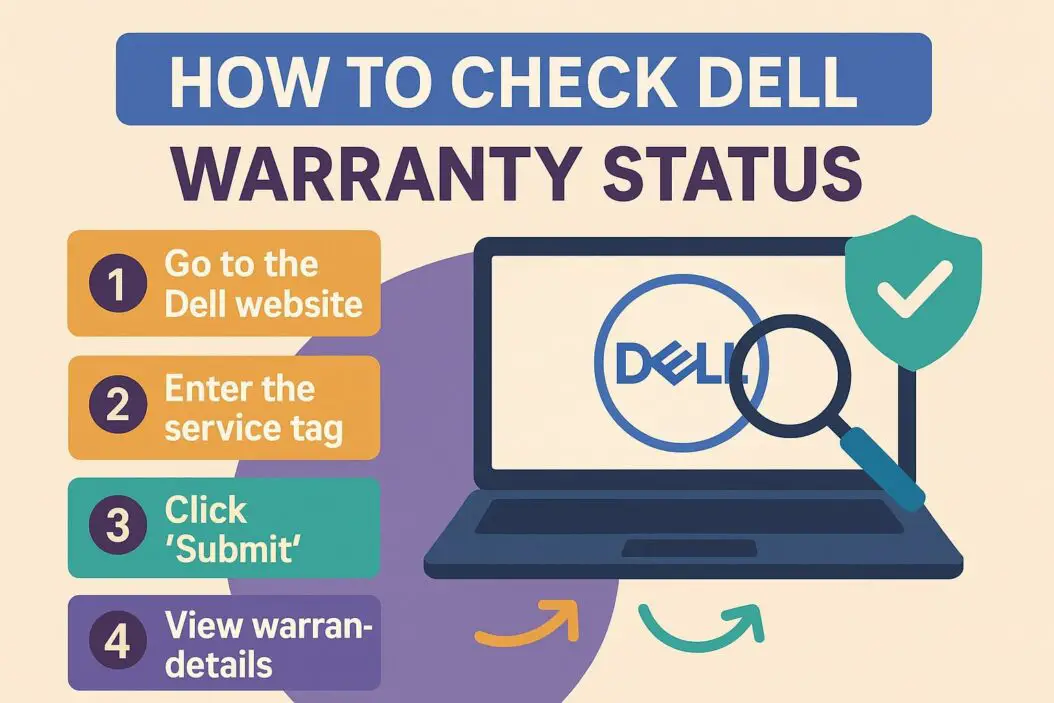
- Go to Dell’s warranty check page
- Enter your service tag or express service code
- Click “Search” or press Enter
- View your warranty details on the next page
Where to find your service tag:
- Laptops: Bottom of the device, near the battery or on a sticker
- Desktops: Back or side panel, usually on a white or silver label
- Monitors: Back of the screen, near the cable ports
- Original packaging: On the box your device came in
The service tag looks like this: 1A2B3C4 or AB12345
Can’t find the sticker? Use Method 2 below.
Method 2: Check Using Command Prompt (Windows)
If you can’t locate the physical service tag, your computer stores it internally.
For Windows:
- Press
Windows + Rkeys together - Type
cmdand press Enter - Type this command:
wmic bios get serialnumber - Press Enter
- Your service tag appears below the command
For Mac (Dell monitors only):
- Click the Apple menu
- Select “About This Mac”
- Click “System Report”
- Find the serial number under Hardware Overview
Once you have the tag, go back to Method 1 and enter it on Dell’s website.
Method 3: Use Dell SupportAssist (Pre-installed Software)
Most Dell computers ship with SupportAssist already installed.
- Open SupportAssist from your Start menu
- The home screen shows your warranty status automatically
- Click “Warranty” for full details
Method 4: Call Dell Support
When online methods don’t work:
- Call Dell support at 1-800-624-9896 (US)
- Provide your service tag or proof of purchase
- The agent will tell you your warranty status
Your Dell Warranty Information
After checking, you’ll see several details. Here’s what each means.
Warranty Types Explained
Basic Hardware Warranty
- Covers manufacturing defects
- Includes parts and labor
- Usually 1 year from purchase date
- Does not cover accidents or liquid damage
Premium Support Plus
- Includes accidental damage protection
- Covers drops, spills, power surges
- One incident per year (usually)
- Faster service response times
ProSupport
- For business customers
- 24/7 phone support
- Next business day on-site repair
- No accidental damage coverage
Dell Complete Care
- Consumer version of ProSupport
- Includes accidental damage
- On-site repair available
- Covers theft in some plans
Service Types
Your warranty includes a specific service level:
| Service Type | What It Means | Response Time |
|---|---|---|
| Carry-In | You bring device to repair center | 5-7 business days |
| Mail-In | Dell sends prepaid shipping label | 7-10 business days |
| On-Site | Technician comes to your location | Next business day |
| Depot | Dell picks up, repairs, returns | 5-7 business days |
Premium warranties usually include faster service.
What Your Warranty Covers
Typically covered:
- Dead hard drives or SSDs
- Failed motherboards
- Defective RAM
- Screen defects (dead pixels, lines)
- Keyboard malfunctions
- Battery failure (under specific conditions)
- Power adapter issues
Usually NOT covered:
- Software problems or viruses
- Cosmetic damage (scratches, dents)
- Lost or stolen devices
- Accidental liquid spills (unless you have accidental damage coverage)
- Damage from unauthorized repairs
- Normal wear and tear
What to Do After Checking Your Warranty
If Your Warranty Is Active
- Document the problem with photos or videos
- Back up your important files
- Contact Dell support through their website or phone
- Provide your service tag and describe the issue
- Follow the technician’s troubleshooting steps
- Schedule repair if needed
Pro tip: Dell may ask you to run diagnostics. You can do this ahead of time by pressing F12 when booting your computer, then selecting “Diagnostics.” This saves time on the support call.
If Your Warranty Expired
You have three options:
Option 1: Pay for Dell repairs
- Contact Dell for a quote
- Usually more expensive than third-party shops
- Uses genuine Dell parts
- Maintains resale value
Option 2: Third-party repair
- Often cheaper than Dell
- Parts quality varies
- May void future warranty extensions
- Check reviews carefully
Option 3: DIY repair
- Cheapest option
- Requires technical skill
- Parts available on Amazon, eBay
- Dell provides service manuals for many models
If Your Warranty Ends Soon
Dell offers warranty extensions up until your current warranty expires.
Is it worth it?
Consider extending if:
- Your device is expensive ($1000+)
- You use it for business or school
- You’ve had reliability issues
- You travel frequently with it
Skip extending if:
- Your device is 3+ years old
- You plan to upgrade soon
- It’s a budget model (under $500)
Common Dell Warranty Check Problems
“Service Tag Not Found”
This happens when:
- You mistyped the service tag (check for 0 vs O, 1 vs I)
- The device is too old (pre-2005 models may not be in the system)
- You bought from an unauthorized reseller
Fix: Double-check the tag. If still not working, call Dell support with your proof of purchase.
“Warranty Status Unknown”
Sometimes the database doesn’t load properly.
Fix: Clear your browser cache, try a different browser, or wait 30 minutes and try again.
“Out of Warranty” But You Just Bought It
Your warranty starts from the original purchase date, not when you bought it secondhand.
Fix: If you bought directly from Dell within 30 days, contact support. They can correct the date. For refurbished units, warranty terms vary.
Service Tag Sticker Is Gone
Physical tags fade or fall off over time.
Fix: Use the Command Prompt method (Method 2 above) to retrieve your tag from the system BIOS.
Dell Warranty vs Third-Party Warranties
Some retailers offer their own protection plans when you buy a Dell computer.
Best Buy Geek Squad Protection
- Covers accidental damage
- Often cheaper than Dell Complete Care
- Requires bringing device to Best Buy
- No on-site service
Amazon Extended Warranty (Asurion)
- Covers mechanical failures
- May cover accidents (check plan details)
- Claims filed online
- Mail-in service only
Dell Warranty Advantages
- Direct manufacturer support
- Genuine Dell parts guaranteed
- On-site service available
- Understands Dell-specific issues
- No middleman delays
Recommendation: For business or expensive devices, Dell’s warranty is usually better. For budget laptops, third-party plans might save money.
How Long Do Dell Warranties Last?
Standard Dell warranties by product:
| Product Type | Standard Warranty | Notes |
|---|---|---|
| Consumer Laptops | 1 year | Basic hardware service |
| Business Laptops | 1-3 years | Depends on configuration |
| Desktop Computers | 1 year | Can configure up to 5 years at purchase |
| Monitors | 3 years | Advanced exchange service included |
| Accessories | 1 year | Keyboards, mice, docks |
| Refurbished Devices | 90 days – 1 year | Varies by product |
You can extend most warranties up to 5 years total from the original purchase date.
Transferring Dell Warranty to a New Owner
Dell warranties are transferable when you sell your device.
Steps to transfer:
- No official transfer needed—warranty follows the device
- Give the new owner your service tag
- Provide proof of purchase if possible
- New owner can claim warranty using the service tag
The warranty end date doesn’t change. If you had 6 months left, the new owner gets 6 months.
Important: This only applies to standard hardware warranties. Premium support plans with phone numbers attached may not transfer. Check with Dell support first.
Checking Warranty for Used Dell Computers
Buying a used Dell? Check the warranty before you pay.
- Ask the seller for the service tag
- Check warranty status online before meeting
- Verify the warranty type and end date
- Confirm service tag matches the actual device
Red flags:
- Seller refuses to provide service tag
- Warranty shows “expired” but seller claims it’s active
- Service tag doesn’t match the device model
Many used Dell computers still have months or years of warranty remaining. This adds significant value.
Dell Battery Warranty Specifics
Dell batteries have separate warranty terms.
Standard battery warranty:
- 1 year from purchase date
- Covers defects only
- Does not cover normal capacity loss
- Must fail Dell’s diagnostic test
What qualifies as a defect:
- Battery won’t charge at all
- Swelling or physical damage from manufacturing
- Rapid discharge (less than 30 minutes when new)
What doesn’t qualify:
- Gradual capacity reduction over time
- Battery lasting 2-3 hours instead of the original 5 hours
- Calibration issues
Dell considers batteries consumable parts. Expect capacity to decrease 20-30% per year with normal use.
International Dell Warranty Coverage
Dell warranties work in most countries, but with limitations.
International Service Standard:
- Your warranty works in any country where Dell sells products
- Service type may differ (on-site in US might be mail-in in another country)
- You must contact local Dell support, not your home country
- Same warranty end date applies globally
Example: You bought a laptop in the US with on-site service. If it breaks while you’re in Germany, Dell Germany will service it, but possibly with depot service instead of on-site.
Exceptions:
- Some emerging markets have limited service options
- Parts availability varies by region
- Premium support features may not apply internationally
Summary
Checking your Dell warranty is simple and takes two minutes. You need your service tag, which you can find on a sticker on your device or by using Command Prompt.
Go to Dell’s warranty check page, enter your service tag, and you’ll see your coverage details immediately.
If your warranty is active, contact Dell support for free repairs. If expired, compare Dell’s paid service against third-party repair shops.
Check your warranty before paying for any repair. You might be covered and not know it.
Frequently Asked Questions
How do I check Dell warranty without service tag?
Use Command Prompt on Windows by pressing Windows + R, typing cmd, then entering wmic bios get serialnumber. This retrieves your service tag from the computer’s BIOS. You can also find it in Dell SupportAssist if installed, or call Dell support with your proof of purchase.
Is Dell warranty transferable to second owner?
Yes, Dell warranties transfer automatically with the device. The new owner can use the service tag to claim warranty service. The warranty end date stays the same—it doesn’t reset for the new owner. Premium support plans may have different rules, so verify with Dell if you have enhanced coverage.
How long is Dell standard warranty?
Most Dell consumer laptops come with 1 year of basic hardware warranty. Business laptops range from 1-3 years depending on configuration. Monitors typically include 3 years. Refurbished devices have 90 days to 1 year. You can extend warranties up to 5 years total from the purchase date.
Does Dell warranty cover accidental damage?
Standard Dell warranties do NOT cover accidental damage like drops, spills, or cracked screens. You need Premium Support Plus or Dell Complete Care for accident protection. These plans cover one or two incidents per year depending on the tier. Check your specific warranty details on Dell’s website.
Can I extend my Dell warranty after it expires?
No, Dell does not allow warranty extensions after expiration. You must purchase an extension before your current warranty ends. Dell sends reminder emails as your warranty approaches expiration. If already expired, your only options are paying for repairs or buying third-party protection plans.
