
Choosing the right fitness tracker starts with knowing what you want to measure. If you need basic step counting and sleep tracking, a $30 device works fine. If you train seriously and need GPS, heart rate zones, and workout analytics, expect to spend $150-400.
The fitness tracker market offers hundreds of options. Most people waste money buying either too much device or too little. This guide helps you match features to your actual needs.
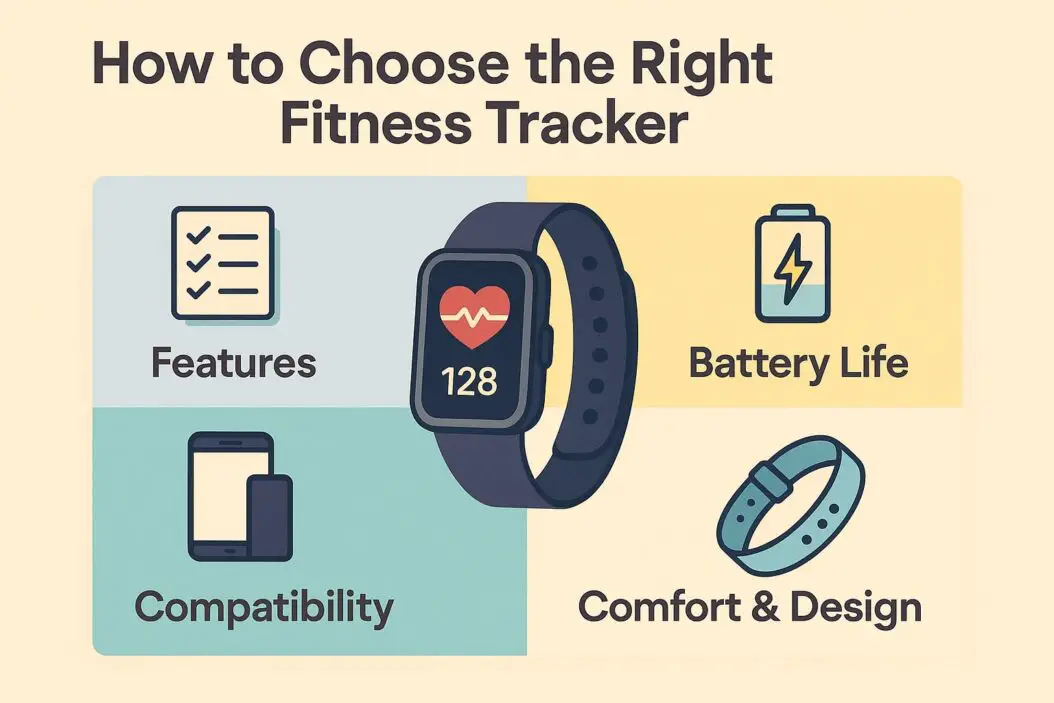
What Does a Fitness Tracker Actually Do?
A fitness tracker monitors your physical activity and health metrics throughout the day. Unlike your smartphone, it stays on your wrist and collects continuous data.
Core functions every tracker provides:
- Step counting
- Distance estimation
- Calorie burn estimates
- Sleep duration tracking
- Time and notifications
Advanced features in mid to high-end models:
- Heart rate monitoring (24/7)
- GPS for route mapping
- Blood oxygen levels (SpO2)
- Stress tracking
- Workout recognition
- Water resistance ratings
- Music storage
You don’t need every feature. A runner needs GPS. Someone walking for weight loss needs accurate step counting and heart rate zones. Match the tool to your goal.
Who Actually Needs a Fitness Tracker?
Fitness trackers help three types of people most:
1. People starting a fitness routine You need accountability and data to build habits. Seeing 3,000 steps on your wrist reminds you to walk more. Sleep data shows how your rest affects energy.
2. Athletes tracking specific metrics Runners need pace data, cyclists want power metrics, swimmers need stroke counting. Advanced trackers become training tools, not just step counters.
3. Health-conscious individuals monitoring trends Heart rate variability, resting heart rate trends, and sleep patterns reveal health changes before you feel symptoms. Regular monitoring catches problems early.
You don’t need a tracker if you exercise consistently without motivation issues and don’t care about specific metrics. A $15 pedometer might be enough.
Key Features That Actually Matter
Display Type and Battery Life
Always-on displays let you check stats with a glance. AMOLED screens look sharp but drain batteries faster (3-5 days). LCD screens last 7-14 days but look dimmer.
Battery life depends on usage. GPS drains power fast. If you run daily with GPS tracking, charge every 2-3 days. Basic tracking without GPS lasts a week or more.
Your decision point: Choose always-on displays if you check stats frequently. Choose longer battery life if you hate charging devices.
Heart Rate Monitoring Accuracy
Optical heart rate sensors shine LED lights through your skin to measure blood flow. They work well for:
- Resting heart rate
- Heart rate trends
- Moderate exercise
They struggle with:
- High-intensity interval training
- Activities with wrist movement (boxing, tennis)
- Cold weather that restricts blood flow
Chest strap monitors give 99% accurate readings but feel uncomfortable. Most trackers now pair with chest straps for serious training.
For weight loss and general fitness, wrist-based monitoring works fine. For performance training, consider chest strap compatibility.
GPS: Built-in vs Connected
Built-in GPS tracks your route without your phone. It maps distance, pace, and elevation accurately. Essential for:
- Runners tracking pace per mile
- Cyclists mapping routes
- Hikers tracking trails
Connected GPS uses your phone’s signal. Cheaper devices use this method. You must carry your phone during workouts.
Built-in GPS adds $50-150 to device cost but provides freedom and accurate outdoor workout data.
Water Resistance Ratings Explained
| Rating | What It Means | Activities Allowed |
|---|---|---|
| IP67 | Dust-tight, water resistant | Washing hands, rain, sweat |
| 5 ATM (50m) | Suitable for shallow water | Swimming, showering |
| 10 ATM (100m) | High water pressure | Snorkeling, water sports |
Most fitness trackers offer 5 ATM ratings. Don’t wear non-waterproof trackers in the shower. The rating matters if you swim or do water sports regularly.
Smart Features vs Fitness Features
Smart features:
- Smartphone notifications
- Music control
- Contactless payments
- Voice assistants
Fitness features:
- Workout modes
- Training plans
- Recovery time estimates
- VO2 max estimates
Decide which matters more. If you want a mini-smartwatch, brands like Apple Watch or Samsung Galaxy Watch blend both. If you want pure fitness tracking, Garmin or Polar focus on training metrics.
Understanding Different Types of Fitness Trackers
Basic Activity Trackers ($25-80)
These count steps, estimate calories, and track sleep duration.
Best for: People starting fitness journeys who need simple motivation.
Example use case: You want to hit 10,000 steps daily and see how sleep affects energy. You don’t exercise beyond walking.
Limitations: No GPS, basic heart rate monitoring, limited workout modes.
Good options: Xiaomi Mi Band series, Fitbit Inspire line.
Mid-Range Fitness Trackers ($80-200)
These add built-in GPS, better heart rate sensors, multiple workout modes, and longer battery life.
Best for: Regular exercisers who run, bike, or do varied workouts.
Example use case: You run 3 times weekly and want accurate pace data. You track strength training and need heart rate zones for cardio.
Features to expect: 5+ day battery, 20+ workout modes, smartphone notifications, sleep stage tracking.
Good options: Fitbit Charge series, Garmin Vivosmart or Vivosport lines.
Advanced Sports Watches ($200-600)
These provide detailed training metrics, maps, advanced recovery data, and multi-sport tracking.
Best for: Serious athletes training for competitions or tracking performance improvements.
Example use case: You train for marathons and need VO2 max tracking, training load balance, and recovery time estimates.
Features to expect: Navigation maps, music storage, 7-21 day battery, advanced running dynamics, training plans.
Good options: Garmin Forerunner or Fenix series, Polar Vantage series, Coros watches.
Hybrid Smartwatch-Fitness Trackers ($200-800)
These balance smart features with fitness tracking, offering apps, payments, and comprehensive health monitoring.
Best for: People who want one device for everything.
Example use case: You exercise regularly, want detailed health metrics, but also need to respond to messages and pay with your wrist.
Trade-offs: Shorter battery life (1-3 days), higher cost, larger size.
Good options: Apple Watch Series or SE, Samsung Galaxy Watch, Fitbit Sense.
How to Match Your Goals to Tracker Features
For Weight Loss
Must-have features:
- Accurate step counting
- Heart rate zone tracking
- Calorie burn estimates
- Sleep tracking
Why these matter: Weight loss requires a calorie deficit. Step counting and heart rate data help estimate energy expenditure. Sleep affects hunger hormones and recovery.
Budget sweet spot: $50-120 gets you everything needed. Spending more adds convenience, not effectiveness.
For Running
Must-have features:
- Built-in GPS
- Pace and distance tracking
- Heart rate monitoring
- Training load metrics (advanced runners)
Why these matter: GPS provides accurate distance and pace per mile. Heart rate zones prevent overtraining and build aerobic base correctly.
Budget sweet spot: $150-250 for recreational runners. $300-500 for serious marathoners needing advanced metrics.
For Strength Training
Must-have features:
- Rep counting (limited accuracy)
- Heart rate monitoring
- Workout mode variety
- Recovery time tracking
Reality check: No tracker counts reps perfectly. They estimate based on movement patterns. You’ll still log sets manually in apps.
Budget sweet spot: $80-150. Basic trackers handle strength training fine since GPS doesn’t matter.
For Swimming
Must-have features:
- Minimum 5 ATM water resistance
- Swim stroke recognition
- Pool length customization
- Heart rate in water (rare, not critical)
Why these matter: Lap counting in pools works well. Open water swimming needs GPS tracking for distance.
Budget sweet spot: $150-300. Swimming demands durability and specialized sensors.
For General Health Monitoring
Must-have features:
- 24/7 heart rate tracking
- Sleep stage analysis
- Blood oxygen monitoring
- Stress tracking
Why these matter: Resting heart rate trends predict illness or overtraining. Sleep stages show recovery quality. SpO2 helps detect breathing issues.
Budget sweet spot: $100-200. Health-focused trackers from Fitbit or Garmin provide comprehensive wellness data.
Brand Comparison: What Each Does Best
Fitbit
Strengths: Best app interface, strong community features, excellent sleep tracking, beginner-friendly.
Weaknesses: Subscription required for advanced features (Fitbit Premium), less accurate GPS than Garmin.
Best for: People new to fitness tracking who want guided workouts and social motivation.
Garmin
Strengths: Most accurate GPS, best training metrics, incredible battery life, durable build quality.
Weaknesses: Steeper learning curve, less stylish designs, higher prices for advanced models.
Best for: Serious athletes who prioritize performance data over smart features.
Apple Watch
Strengths: Seamless iPhone integration, best smartwatch features, strong health monitoring, huge app ecosystem.
Weaknesses: Daily charging required, expensive, only works with iPhones.
Best for: iPhone users who want one device for fitness, health, and productivity.
Samsung Galaxy Watch
Strengths: Works with Android and iPhone, beautiful displays, good balance of smart and fitness features.
Weaknesses: Better with Samsung phones, battery life shorter than dedicated fitness trackers.
Best for: Android users wanting smartwatch functionality with solid fitness tracking.
Polar
Strengths: Exceptional heart rate accuracy, advanced training metrics, focus on recovery and training load.
Weaknesses: Smaller app ecosystem, less smart features, professional-level complexity.
Best for: Endurance athletes and people who love diving deep into training data.
Xiaomi/Amazfit
Strengths: Incredible value, long battery life, basic features that work well.
Weaknesses: Less accurate sensors, basic apps, inconsistent software updates.
Best for: Budget-conscious users who want basic tracking without premium prices.
Common Mistakes When Choosing a Fitness Tracker
Buying Too Much Device
People spend $400 on advanced sports watches when they walk 3 times weekly. You don’t need VO2 max estimates or training load analysis for casual exercise.
Solution: Start with mid-range ($80-150). Upgrade later if you outgrow features.
Ignoring Platform Compatibility
Android users buying Apple Watch Series discover it won’t pair. Some trackers work better with specific phones.
Solution: Check compatibility before buying. Read reviews from users with your phone type.
Assuming Calorie Counts Are Accurate
All fitness trackers estimate calories burned. They’re 10-30% off actual expenditure. Don’t eat back every calorie your tracker claims you burned.
Solution: Use trackers for trends, not absolute numbers. Track weight changes over weeks to validate calorie estimates.
Forgetting About Ecosystem Lock-In
Buying Fitbit means years of data in their app. Switching brands later means losing history.
Solution: Choose brands with data export options. Consider which ecosystem you want long-term.
Overlooking Comfort and Style
A tracker with perfect features doesn’t help if you hate wearing it. Band materials, weight, and size affect daily wear.
Solution: Check return policies. Wear the tracker for a week before committing. Consider band replacement options.
Important Specs to Compare
Sensor Accuracy
No wrist-based tracker measures perfectly. Compare reviews from sources like DC Rainmaker, who tests accuracy against medical-grade devices.
Steps: Most trackers count within 5% accuracy. Differences matter less than consistency.
Heart rate: Expect 5-10 BPM variance during exercise. Resting measurements are usually within 2-3 BPM.
Sleep: Sleep stage detection is 70-80% accurate compared to lab equipment. Trends matter more than individual nights.
App Quality and Data Access
The tracker is hardware. The app is where you live daily. Test apps before buying:
- Download companion apps
- Check interface intuitiveness
- Verify data export options
- Read reviews about app updates
Poor apps ruin good hardware. Garmin and Fitbit lead in app quality.
Battery Life Reality
Manufacturers list maximum battery life under ideal conditions. Real usage differs:
- GPS tracking cuts battery by 50-70%
- Always-on displays reduce life by 30%
- Continuous heart rate monitoring uses 20% more
- Cold weather drains batteries faster
Example: A tracker claiming 7 days lasts 4-5 days with typical use (daily GPS workouts, always-on display, continuous heart rate).
Size and Comfort
Small wrists (under 6 inches): Choose trackers under 40mm case size. Large watches look bulky and track poorly when they slide around.
Large wrists (over 7 inches): Most trackers fit fine, but check band length. Some include only medium bands.
Weight: Trackers range from 20-60 grams. You stop noticing weight after a week, but bulky devices snag on clothes.
Setting Up Your Tracker for Best Results
Initial Setup Steps
- Charge fully before first use – Calibrates battery
- Input accurate personal data – Height, weight, age affect calorie calculations
- Set realistic goals – Start with 7,000 steps if you’re sedentary, not 10,000
- Wear correctly – Snug but not tight, one finger-width above wrist bone
- Update firmware – Fixes bugs and improves accuracy
Calibration Improves Accuracy
For step counting: Walk a known distance (400m track) and compare tracker reading. Some apps let you adjust stride length.
For heart rate: Rest for 5 minutes, then manually check pulse for 60 seconds. Compare to tracker reading. Adjust band tightness if off by more than 5 BPM.
For GPS: Do your first outdoor workout in open space (park or field). GPS needs clear sky view for initial calibration.
Understanding Your Data
Resting heart rate should decrease as fitness improves. Sudden increases (5+ BPM) suggest illness or overtraining.
Sleep score means less than sleep duration and consistency. Focus on getting 7-8 hours at regular times.
Step count variability is normal. Don’t stress over daily fluctuations. Track weekly averages.
Heart rate zones guide training intensity:
- Zone 1-2 (50-70% max HR): Fat burning, easy recovery
- Zone 3 (70-80% max HR): Aerobic endurance
- Zone 4-5 (80-95% max HR): High intensity, short duration
When to Upgrade Your Tracker
Keep your current tracker if it:
- Accurately tracks your priority metrics
- Holds charge for your usage pattern
- Syncs reliably with your phone
- Feels comfortable for all-day wear
Upgrade when:
- Your training outgrows current features (started running, need GPS)
- Battery dies within a day (usually after 2-3 years)
- Software updates stop (security risk)
- Physical damage affects functionality
Upgrade cycle: Most people replace trackers every 2-4 years. Technology improves, batteries degrade, and fitness goals change.
Additional Considerations Before Buying
Subscription Costs
Some brands lock advanced features behind subscriptions:
- Fitbit Premium: $10/month for guided workouts, detailed sleep analysis
- Apple Fitness+: $10/month for workout classes
- Garmin: No subscription required
Calculate total cost over 2-3 years. A $200 tracker with required $10/month subscription costs $440 over two years.
Accessory Ecosystem
Replacement bands: Check availability and cost. Fitbit and Apple Watch have massive third-party band markets. Niche brands offer limited options.
Screen protectors: Active people need protection. Verify availability before buying.
Charging cables: Proprietary cables mean buying expensive replacements if you lose them. Some brands use standard connectors.
Warranty and Support
Fitness trackers fail. Sweat, impacts, and daily wear cause issues.
Standard warranty: 1 year covers manufacturing defects.
Extended warranty: Retailers offer 2-3 year protection plans. Usually not worth the cost unless you’re very active.
Customer support quality: Garmin and Apple lead in support responsiveness. Budget brands provide email-only support with slow response times.
Data Privacy
Fitness trackers collect intimate health data. Read privacy policies before buying:
- Who owns your data?
- Can companies sell anonymized data?
- What happens if the company goes bankrupt?
- Can you delete all data?
Major brands (Apple, Garmin, Fitbit) have strong privacy policies. Smaller brands may sell data to third parties.
Budget-Specific Recommendations
Under $50
Best choice: Xiaomi Mi Band 8 or Amazfit Band 5
What you get: Basic tracking, decent app, week-long battery.
What you miss: GPS, advanced health metrics, premium materials.
$50-150
Best choice: Fitbit Inspire 3 or Garmin Vivosmart 5
What you get: Accurate tracking, good apps, respectable battery, health features.
What you miss: Built-in GPS, advanced training metrics, premium smartwatch features.
$150-300
Best choice: Fitbit Charge 6 or Garmin Forerunner 55
What you get: Built-in GPS, comprehensive tracking, training features, solid build quality.
What you miss: Advanced navigation, maximum battery life, premium materials.
$300-500
Best choice: Garmin Forerunner 265 or Apple Watch Series 10
What you get: Everything most people need, excellent accuracy, premium features, long-term software support.
What you miss: Ultra-long battery, extreme durability, professional-grade metrics.
Over $500
Best choice: Garmin Fenix 7 or Apple Watch Ultra
What you get: Maximum features, incredible durability, weeks-long battery, every metric imaginable.
Reality check: Overkill for most people. Buy only if you train seriously or need specialized features.
Summary Table: Quick Decision Guide
| Your Priority | Recommended Type | Price Range | Key Feature |
|---|---|---|---|
| Basic activity tracking | Activity Band | $30-80 | Step counting, sleep tracking |
| Weight loss | Mid-range Tracker | $80-150 | Heart rate zones, calorie tracking |
| Running | GPS Sports Watch | $150-300 | Built-in GPS, pace data |
| Swimming | Waterproof Tracker | $150-300 | 5 ATM rating, stroke counting |
| Strength training | Any with HR | $80-200 | Heart rate, workout modes |
| All-in-one device | Smartwatch | $200-500 | Apps, payments, fitness tracking |
| Serious athletics | Advanced Sports Watch | $300-600 | Training load, VO2 max, recovery metrics |
Conclusion
The right fitness tracker matches your current fitness level and specific goals. Don’t buy professional features for casual use. Don’t handicap serious training with basic trackers.
Start with these three questions:
- What do I actually want to measure? (Steps, runs, swims, sleep, health trends)
- How much am I willing to charge this device? (Daily, weekly, biweekly)
- What’s my realistic budget? (Include potential subscriptions)
For most people starting out, a $80-150 tracker provides everything needed. It tracks accurately, lasts several days, and costs less than two months of gym membership.
Athletes training for events benefit from $200-400 devices with GPS and advanced metrics. These trackers become training tools that improve performance.
The best fitness tracker is the one you’ll actually wear every day. Comfort and ease of use matter more than spec sheets. Choose a device you like looking at on your wrist, sync it daily, and trust the trends over individual readings.
Your fitness tracker should motivate you, not stress you. If the data helps you move more and sleep better, it’s working perfectly.
Frequently Asked Questions
Do fitness trackers really help people lose weight?
Studies show people who track steps lose more weight than those who don’t, but the tracker itself doesn’t cause weight loss. It provides awareness and accountability. You still need to eat in a calorie deficit and move consistently. Think of trackers as helpful tools, not magic solutions.
How accurate are fitness tracker calorie counts?
Fitness trackers overestimate or underestimate calories by 10-30% on average. They use formulas based on heart rate, movement, and personal data, but can’t measure actual energy expenditure. Use calorie counts for trends and relative comparisons, not absolute truth. Don’t eat back every calorie the tracker claims you burned.
Can I wear my fitness tracker while sleeping?
Yes, and you should. Sleep tracking provides valuable data about sleep duration, consistency, and quality. Most modern trackers feel comfortable enough for all-night wear. If your tracker bothers you at night, consider a lighter model or looser band fit. Clean your tracker and wrist regularly to prevent skin irritation.
What’s the difference between a fitness tracker and a smartwatch?
Fitness trackers prioritize health and activity metrics with longer battery life and simpler interfaces. Smartwatches add full app ecosystems, mobile payments, and communication features but require daily charging. Many modern smartwatches include comprehensive fitness tracking, blurring the distinction. Choose based on whether you value battery life and fitness focus or want one device for everything.
How tight should I wear my fitness tracker for accurate heart rate?
Wear it snug enough that it doesn’t slide around but loose enough to fit one finger between the band and your skin. Position it one finger-width above your wrist bone for best sensor contact. During workouts, tighten the band slightly since movement affects accuracy. If you see constant irregular readings, try moving the tracker higher up your forearm or switching wrists.

- How to Check If Your Phone Is Unlocked: Step-by-Step Guide - April 10, 2026
- How to Know if Someone Blocked You on WhatsApp? - April 10, 2026
- How to Improve Wi-Fi Signal on My Phone (2026 Guide) - March 17, 2026