
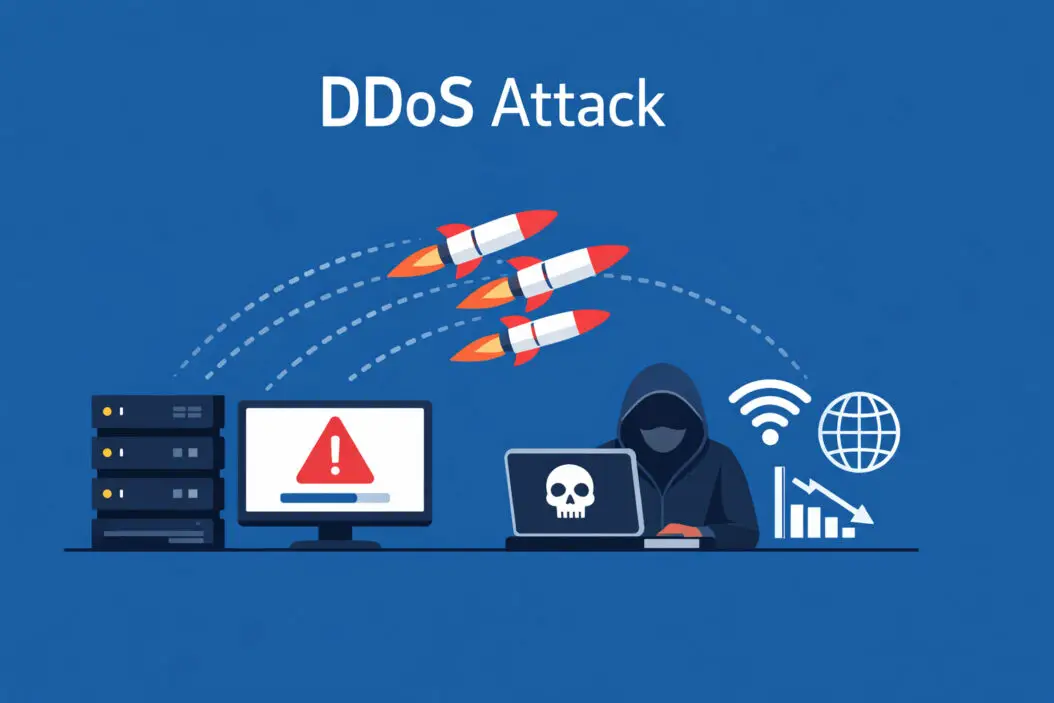
A DDoS attack floods your website or network with fake traffic until it crashes. Think of it like thousands of people crowding a store entrance so real customers can’t get in. The attackers use compromised computers to send massive amounts of requests that overwhelm your servers.
This guide explains exactly how these attacks work and gives you practical steps to protect yourself.
DDoS Attacks
What Does DDoS Mean?
DDoS stands for Distributed Denial of Service. The “distributed” part matters because attacks come from many sources simultaneously, making them harder to block than attacks from a single computer.
When your server receives normal traffic, it handles each request smoothly. During a DDoS attack, it gets bombarded with millions of requests per second. Your system slows down or stops completely because it can’t process legitimate user requests.
How DDoS Attacks Actually Work
Attackers build networks of infected computers called botnets. These compromised devices, including computers, smartphones, and IoT devices, follow commands without their owners knowing.
Here’s the attack process:
- Hackers infect vulnerable devices with malware
- They organize these devices into a botnet network
- On command, all devices send requests to your target server
- Your server resources get exhausted
- Legitimate users cannot access your service
A single botnet can contain millions of devices. The Mirai botnet in 2016 infected over 600,000 IoT devices and generated attacks exceeding 1 Tbps.
Types of DDoS Attacks
Volume-Based Attacks
These attacks flood your bandwidth with massive data. UDP floods and ICMP floods send enormous packets to saturate your network connection. Your internet pipe gets clogged.
Protocol Attacks
These exploit weaknesses in network protocols. SYN floods consume server resources by opening thousands of connection requests without completing them. Your server waits for responses that never come.
Application Layer Attacks
HTTP floods target your web applications directly. They mimic normal user behavior but at impossible scale. These attacks are harder to detect because traffic looks legitimate.
| Attack Type | Target | Volume | Detection Difficulty |
|---|---|---|---|
| Volume-based | Bandwidth | Very High | Easy |
| Protocol | Server Resources | Medium | Medium |
| Application Layer | Web Apps | Low to Medium | Hard |
Why Attackers Launch DDoS Attacks
Common Motivations
Financial Gain
Cybercriminals demand ransom payments to stop attacks. Online businesses lose thousands per minute of downtime. Attackers know this and exploit it.
Competition
Unethical competitors attack rivals during peak seasons. Gaming servers, e-commerce sites during sales, and streaming platforms face this regularly.
Political Activism
Hacktivist groups target organizations they oppose. Government websites, corporate sites, and controversial platforms become targets.
Personal Grudges
Disgruntled customers or former employees sometimes launch attacks. These tend to be smaller but still disruptive.
Real-World Impact
When GitHub faced a 1.35 Tbps attack in 2018, they stayed offline for about 20 minutes despite having protection. Smaller businesses without proper defenses can stay down for days.
The average cost of a DDoS attack for businesses ranges from $20,000 to over $100,000 per incident. This includes lost revenue, customer trust, and recovery expenses.
Warning Signs of a DDoS Attack
You need to recognize attacks quickly. Here are clear indicators:
Sudden Traffic Spikes
Your analytics show massive traffic increases with no marketing campaign or viral content explaining it. Traffic comes from unusual geographic locations.
Slow Performance
Your website loads extremely slowly or times out. Database queries take forever. Simple page requests hang.
Service Unavailability
Users report they cannot access your site. Your monitoring tools show the server is up but not responding.
Unusual Traffic Patterns
Single IP addresses make thousands of requests per second. Traffic comes from known datacenter IPs instead of residential connections. All requests hit the same endpoint.
Resource Exhaustion
CPU usage hits 100%. Memory maxes out. Network bandwidth shows constant saturation.
DDoS Attack Prevention Tips
Network Level Protection
Implement Rate Limiting
Configure your servers to limit requests from single IP addresses. Set thresholds based on normal traffic patterns.
Example rule: Allow maximum 100 requests per minute per IP address. Legitimate users rarely exceed this.
Use Firewalls Properly
Deploy both network firewalls and web application firewalls (WAF). Configure them to:
- Block known malicious IP ranges
- Filter out unusual traffic patterns
- Drop invalid packets
- Limit connection rates
Enable DDoS Protection Services
Content Delivery Networks (CDNs) like Cloudflare, Akamai, or AWS Shield absorb attack traffic before it reaches your servers. They have massive bandwidth capacity and scrubbing centers worldwide.
These services cost money but prevent far more expensive downtime.
Server Configuration
Optimize Resource Limits
Configure your server to handle connection spikes efficiently:
- Reduce timeout values
- Limit maximum connections per IP
- Increase connection queue size
- Enable SYN cookies to prevent SYN floods
Implement Redundancy
Distribute your infrastructure across multiple servers and geographic locations. Load balancers spread traffic, preventing single points of failure.
Keep Systems Updated
Patch your operating system, web server, and applications immediately. Attackers exploit known vulnerabilities in outdated software.
Application Security
Validate All Input
Check every user input for malicious content. This prevents application layer attacks that exploit forms, search boxes, or API endpoints.
Implement CAPTCHA
Use CAPTCHA challenges on sensitive endpoints like login pages and forms. This stops automated bots while allowing real users through.
Cache Aggressively
Cache static content and database queries. When attacks hit, cached responses serve quickly without stressing your backend servers.
Monitoring and Response
Set Up Real-Time Monitoring
Use tools that alert you immediately when:
- Traffic exceeds normal patterns
- Error rates spike
- Response times increase
- Server resources max out
Create an Incident Response Plan
Document exactly what to do during an attack:
- Identify the attack type and scale
- Activate DDoS mitigation services
- Contact your hosting provider and ISP
- Communicate with customers
- Document everything for analysis
Maintain Contact Lists
Keep updated contacts for your hosting provider, ISP, DDoS mitigation service, and security team. During attacks, every minute counts.
DNS Protection
Use DNS Security Extensions (DNSSEC)
DNSSEC prevents DNS spoofing and cache poisoning. It authenticates DNS responses, ensuring users reach your real servers.
Choose Resilient DNS Providers
Select DNS providers with built-in DDoS protection. Providers like Cloudflare DNS, AWS Route 53, and Google Cloud DNS have redundant infrastructure.
Implement DNS Redundancy
Use multiple DNS servers across different providers. If one gets attacked, others continue serving requests.
Advanced DDoS Prevention Strategies
Traffic Analysis and Profiling
Understanding your normal traffic helps detect anomalies faster. Collect baseline metrics:
- Average requests per second
- Geographic distribution of visitors
- Common user agents and browsers
- Typical session durations
- Peak traffic times
Compare real-time traffic against these baselines. Deviations indicate potential attacks.
IP Reputation Filtering
Maintain lists of:
Blocklists: Known malicious IPs, tor exit nodes, datacenter ranges used for attacks
Allowlists: Your trusted IPs, verified customers, business partners
Update these lists regularly using threat intelligence feeds.
Behavioral Analysis
Modern protection systems analyze user behavior patterns. They detect bots by identifying:
- Mouse movements and click patterns
- Keyboard timing patterns
- JavaScript execution capability
- Browser fingerprinting consistency
Legitimate users show human behavior. Bots don’t.
Anycast Network Routing
Anycast distributes traffic across multiple servers in different locations. When users request your site, they connect to the nearest server.
During attacks, traffic spreads across your network instead of overwhelming a single point. This provides natural load distribution.
Building a DDoS Response Team
Define Roles Clearly
Incident Commander: Makes final decisions and coordinates response
Technical Lead: Implements mitigation measures and system changes
Communications Lead: Updates customers and stakeholders
Documentation Lead: Records all actions and decisions
Regular Training
Run practice drills simulating DDoS attacks. Test your response plan quarterly. Update procedures based on lessons learned.
Third-Party Relationships
Establish relationships before attacks happen:
- Your ISP’s abuse department
- DDoS mitigation vendors
- Law enforcement cyber crime units
- Industry peers for information sharing
Cost Considerations
Budget for Protection
DDoS protection requires investment. Here’s a realistic breakdown:
| Service Type | Monthly Cost Range | Protection Level |
|---|---|---|
| Basic CDN | $20 to $200 | Small attacks |
| Managed WAF | $200 to $2,000 | Medium attacks |
| Enterprise DDoS Protection | $2,000 to $10,000+ | Large attacks |
Choose based on your risk profile and business value. E-commerce sites need stronger protection than personal blogs.
Calculate Your Risk
Estimate potential losses from downtime:
- Revenue per hour of operation
- Customer acquisition costs
- Brand reputation damage
- Recovery expenses
If one hour of downtime costs $10,000, spending $2,000 monthly on protection makes sense.
Legal and Regulatory Aspects
DDoS Attacks Are Illegal
In most countries, launching DDoS attacks violates computer crime laws. Penalties include:
- Heavy fines
- Prison sentences
- Civil lawsuits for damages
The Computer Fraud and Abuse Act in the United States specifically criminalizes DDoS attacks.
Report Attacks
File reports with:
- Local law enforcement
- FBI Internet Crime Complaint Center (IC3)
- Your country’s cybercrime unit
Provide logs, timestamps, and attack details. While prosecution is difficult for attacks from foreign countries, reporting helps law enforcement track trends.
Compliance Requirements
Some industries have specific requirements:
- Financial institutions must maintain service availability
- Healthcare organizations need HIPAA compliant continuity plans
- Government contractors require specific security controls
Ensure your DDoS protection meets regulatory standards.
Testing Your Defenses
Penetration Testing
Hire security professionals to simulate attacks against your infrastructure. They identify weaknesses before real attackers do.
Never test DDoS defenses yourself without permission. It’s illegal and can impact others sharing your hosting infrastructure.
Stress Testing
Test your system’s capacity under heavy load:
- Gradually increase simulated user connections
- Monitor when performance degrades
- Identify bottlenecks
- Optimize before reaching limits
Regular Security Audits
Review your security posture quarterly:
- Update firewall rules
- Remove outdated IP blocks
- Verify monitoring alerts work
- Test backup systems
- Review access controls
Recovery After an Attack
Immediate Actions
Once the attack stops:
- Verify all systems function normally
- Check for data integrity
- Review logs for attack patterns
- Change credentials if compromise suspected
- Restore from backups if needed
Post-Incident Analysis
Conduct thorough reviews:
- How was the attack detected?
- What was the response time?
- Which defenses worked?
- What failed or needs improvement?
- What additional protections are needed?
Document everything. Share findings with your team.
Communication
Inform affected customers honestly:
- What happened
- How long services were impacted
- What you’re doing to prevent recurrence
- How you’ll compensate if appropriate
Transparency builds trust even after incidents.
Emerging DDoS Threats in 2026
AI-Powered Attacks
Attackers now use artificial intelligence to:
- Identify vulnerabilities faster
- Adapt attacks in real-time
- Mimic legitimate user behavior more convincingly
- Coordinate botnets more efficiently
Your defenses need AI-based detection systems to counter these threats.
IoT Botnet Growth
Smart home devices, cameras, and wearables often have poor security. As IoT adoption grows, so do potential botnet devices.
The number of connected devices continues increasing, providing attackers with more weapons.
Ransom DDoS
Attackers send ransom demands before or during attacks. They threaten continued or escalated attacks unless paid.
Never pay ransoms. It funds criminal activity and provides no guarantee attacks will stop.
Summary
DDoS attacks flood your systems with fake traffic to make them unavailable to real users. Attackers use networks of compromised devices called botnets to generate this traffic from distributed sources.
Prevention requires multiple layers:
- Use DDoS protection services and CDNs
- Configure firewalls and rate limiting properly
- Monitor traffic for unusual patterns
- Maintain updated systems and security patches
- Create and test incident response plans
- Build redundancy into your infrastructure
The key is preparation. Implement protections before attacks happen, not during them. Even small websites face DDoS risks as attack tools become more accessible.
Invest proportionally to your business value and risk profile. Basic protections start at minimal cost, while enterprise solutions require significant budgets but provide comprehensive coverage.
Stay informed about emerging threats and update your defenses regularly. Cybersecurity is not a one-time project but an ongoing process.
Frequently Asked Questions
Can small websites get DDoS attacked?
Yes, absolutely. Attackers target websites of all sizes. Small sites are often easier targets because they typically have weaker defenses. Motivations include competition, practice, or attacks for hire costing as little as $10 per hour.
How long do DDoS attacks typically last?
Attack duration varies widely. Some last minutes, others continue for days or weeks. Short burst attacks (under an hour) are most common. Extended campaigns happen when attackers have specific goals or are demanding ransom. Average attacks last between 30 minutes to several hours.
Does a VPN protect against DDoS attacks?
No, a personal VPN does not protect your website or servers from DDoS attacks. VPNs hide your personal IP address when browsing but do nothing for servers. Your website’s IP address is publicly accessible by design. You need dedicated DDoS protection services, not VPNs.
What is the difference between DoS and DDoS?
DoS (Denial of Service) comes from a single source, one computer sending attack traffic. DDoS (Distributed Denial of Service) comes from many sources simultaneously, using botnets with thousands or millions of devices. DDoS attacks are much larger and harder to stop because you cannot simply block one IP address.
Should I pay a DDoS ransom demand?
Never pay ransoms. Payment does not guarantee attackers will stop. It funds criminal operations and marks you as a willing payer, inviting future attacks. Instead, activate your DDoS protection services, contact law enforcement, and implement proper defenses. Most ransom demands are empty threats or small attacks easily mitigated.
