
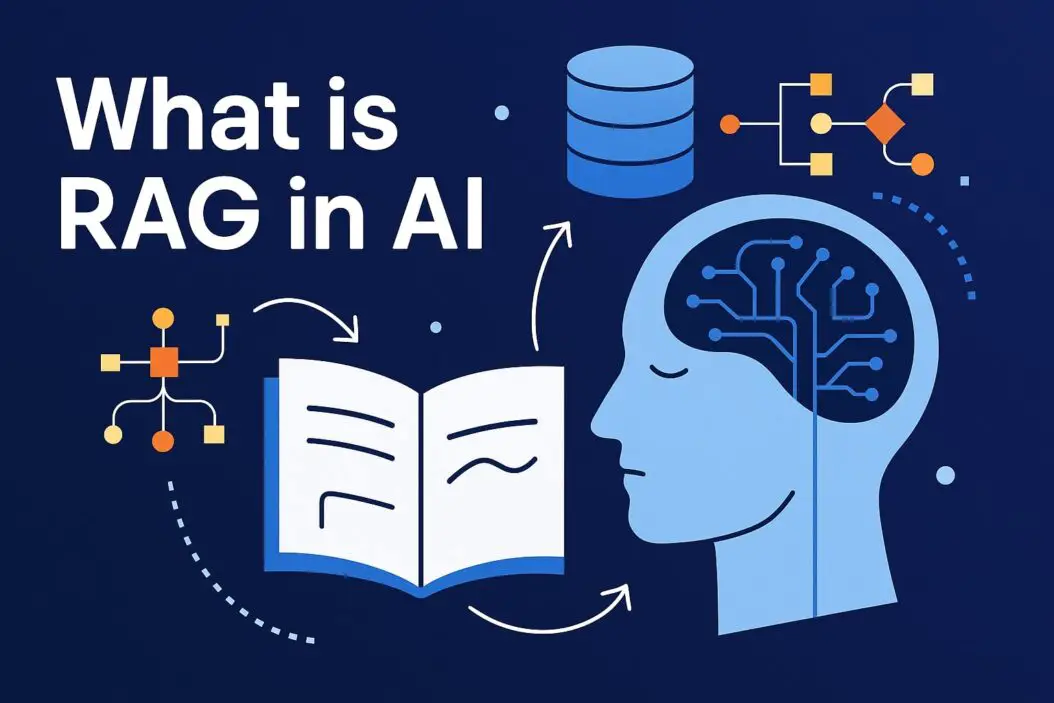
RAG (Retrieval Augmented Generation) is a technique that helps AI models answer questions better by first finding relevant information from a database, then using that information to generate accurate answers. Think of it like giving a student access to a library before asking them to write an essay. The student finds the right books, reads them, and then writes a better answer with real facts instead of guessing.
Without RAG, AI models rely only on what they learned during training. With RAG, they can pull in fresh, specific information from your documents right when they need it.
Why RAG Matters: The Real Problem It Solves
AI models have a fundamental limitation. They have a knowledge cutoff date. Once trained, they stop learning. If you ask a ChatGPT model about something that happened last week, it won’t know. It will guess or admit it doesn’t have recent information.
There’s another problem: hallucinations. This happens when AI models confidently give you false information because they’re trained to sound certain. They’ll make up facts, cite sources that don’t exist, or confidently state wrong information.
RAG solves both problems at once.
When you use RAG, the AI first searches through your documents or database for relevant information. It doesn’t guess. It finds actual content. Then it reads that content and generates an answer based on real facts, not training data alone.
This is why RAG is becoming essential for businesses. Companies need AI that can answer questions about their own data: company policies, product manuals, customer histories, recent announcements. Standard AI models can’t do this well. RAG can.
How RAG Works: The Step-by-Step Process
RAG works in three main stages:
Stage 1: Indexing Your Documents
Before RAG can help, your documents need to be prepared.
Your documents get broken into smaller chunks. A customer manual might be split into sections. A legal document gets divided into pages or paragraphs. This matters because you don’t want to feed the entire manual to the AI every time someone asks a question.
These chunks are converted into numbers that represent meaning. This is called embedding. An embedding is a mathematical representation of text. The sentence “What is the return policy?” and “How do I return an item?” have similar embeddings because they mean similar things, even though the words differ.
These embeddings get stored in a vector database. A vector database is like a special library organized by meaning instead of alphabetical order. If you search for something, the database quickly finds the most similar entries.
Stage 2: Retrieval
When someone asks a question, RAG springs into action.
The question gets converted into an embedding using the same method. The system then searches the vector database for the most similar chunks. These similar chunks are retrieved from storage.
The system usually retrieves 3 to 10 relevant chunks, depending on how confident the matches are. Think of this as pulling the most relevant books from a library.
Stage 3: Generation
Now the AI generates an answer.
The retrieved chunks get added to the prompt along with the original question. The AI reads the question, the relevant chunks, and then generates an answer based on this information.
The AI is now answering based on specific, real information rather than its training knowledge alone.
Here’s the critical point: the AI model becomes more like a research assistant than a fortune teller. It can only answer based on what was in those retrieved chunks.
Simple Visual Example
| Component | What It Does | Why It Matters |
|---|---|---|
| User Question | “What is your refund deadline?” | Triggers the search |
| Embedding System | Converts question to mathematical representation | Finds similar documents |
| Vector Database | Stores all document chunks as embeddings | Enables fast, semantic search |
| Retrieved Chunks | “Refunds must be requested within 30 days” | Provides factual source material |
| AI Model | Reads chunks and writes clear answer | Answers with accuracy, not guessing |
RAG vs. Standard AI: The Difference
When you ask a standard AI model a question, it searches only its training memory. The model was trained on data up to a certain date. Everything it knows comes from that training. It can’t access new information.
With RAG, the AI has a second brain. It can search your specific documents. It can find information added yesterday. It can answer questions about your company’s policies, your products, your procedures.
Standard AI is good for general knowledge questions. RAG is good for specific, current, company-specific questions.
| Aspect | Standard AI | RAG-Enhanced AI |
|---|---|---|
| Knowledge Source | Training data only | Training data + your documents |
| Cutoff Date | Yes, outdated after months | No, can access fresh information |
| Hallucinations | Higher risk | Lower risk (limited to retrieved content) |
| Company-Specific Facts | Can’t know about | Can answer accurately |
| Speed | Instant response | Slightly slower (retrieval adds time) |
| Best Use Case | General knowledge | Specific documents and databases |
Real-World Applications of RAG
RAG isn’t theoretical. Companies are using it right now to solve real problems.
Customer Support: A support AI reads your knowledge base, documentation, and FAQ. When customers ask questions, the AI finds the exact section in your docs and answers accurately. No more wrong information or customers being routed to the wrong department.
Internal Knowledge Management: New employees need to learn company procedures. Instead of reading hundred-page manuals, they ask questions to an AI assistant that retrieves the exact relevant sections from policies, training documents, and procedures.
Healthcare: Medical professionals need to research patient symptoms against current medical literature. RAG systems retrieve the latest studies and guidelines, helping doctors make better decisions.
Legal Services: Lawyers search through case law, contracts, and regulations. RAG finds relevant precedents and applicable rules instantly, speeding up research.
Product Documentation: E-commerce sites implement RAG so customers can ask complex questions about products. The AI retrieves from spec sheets, manuals, and reviews, then answers in natural language.
Financial Analysis: Analysts use RAG to search through quarterly reports, market data, and research papers to find insights for investment decisions.
Building RAG: The Technical Edge
Creating a RAG system requires three main components working together.
First, you need a retrieval system. This is usually a vector database. Popular options include Pinecone, Weaviate, or Milvus. These databases are built specifically to search by meaning rather than exact keywords. They’re fast and can handle millions of documents.
Second, you need an embedding model. This converts text into numbers. OpenAI’s embedding models, Cohere’s embeddings, or open-source models like Sentence Transformers work well. The embedding model needs to match your domain. If you’re in healthcare, a model trained on medical text works better than a general model.
Third, you need a language model that generates answers. This could be GPT-4, Claude, Llama, or other models. The language model reads the retrieved information and writes the response.
These three components connect in a pipeline. Document input flows into embeddings, which flow into the vector database. User queries follow the same path, then results feed into the language model.
The quality of your RAG system depends on each component:
Poor embeddings mean bad retrieval. Even if you have quality documents, the system retrieves irrelevant chunks.
Poor document preparation means noisy retrieval. If chunks are too large, they contain irrelevant information. If chunks are too small, they lack context.
Poor language model prompting means bad answers. Even with perfect retrieval, if you don’t tell the model how to use the information, it might ignore it or summarize poorly.
Common Mistakes to Avoid
Mistake 1: Ignoring Chunk Size
Many teams throw all their documents into RAG without thinking about chunk size. A chunk that’s 5 words long loses context. A chunk that’s 5,000 words contains too much noise.
Most effective chunk sizes are between 200 and 500 words. Test with your actual documents to find the sweet spot.
Mistake 2: Poor Embedding Models
Using a generic embedding model for specialized content doesn’t work well. A financial sector RAG needs embeddings trained on financial language. A legal RAG needs legal embeddings.
The embedding model is the foundation of retrieval quality. Invest time here.
Mistake 3: No Quality Control on Source Documents
RAG is only as good as your documents. If your knowledge base contains outdated information, conflicting procedures, or poor writing, RAG amplifies these problems.
Before building RAG, audit your documents. Remove contradictions. Update old information. Fix poor formatting.
Mistake 4: Retrieving Too Much or Too Little
Retrieving only one document chunk is risky. The one chunk might have minimal relevant information. Retrieving 50 chunks is wasteful. The AI gets confused by too much information.
Test different retrieval numbers. Most use cases work well with 3 to 10 chunks.
Mistake 5: No Feedback Loop
After launching RAG, don’t set it and forget it. Track which queries return poor results. Track which retrieved chunks were unhelpful. Use this feedback to improve chunk size, adjust embeddings, or add more documents.
Setting Up RAG: A Practical Starting Point
If you’re new to RAG, here’s how to start small and test the concept.
Step 1: Choose Your Documents
Select 10 to 20 documents you want to make searchable. These could be your company’s FAQ, product manuals, or internal policies. Start narrow. A single well-indexed document collection works better than a messy collection of random documents.
Step 2: Prepare Your Documents
Remove images, charts, or tables that won’t convert to text well. Break documents into logical chunks. If you have a 50-page manual, divide it into sections. If you have policies, divide by topic.
Step 3: Choose Your Tools
For testing, use OpenAI’s API with their embeddings, or use Cohere. These are the fastest ways to test RAG. Combine with Pinecone for vector storage. You can build a working prototype in hours, not weeks.
Step 4: Test Retrieval
Before building the full system, test if chunks are being retrieved correctly. Ask test questions and see which chunks come back. Do they actually relate to the question? This quality check catches 90% of problems early.
Step 5: Generate and Evaluate
Once retrieval works, run full tests. Ask questions and read the generated answers. Are they accurate? Do they cite the right information? Rate responses on a simple scale.
Step 6: Iterate
Based on test results, adjust chunk sizes, try different embedding models, or add more documents. Each iteration improves results.
Edge Cases: Where RAG Gets Tricky
RAG works brilliantly in most cases, but certain situations need special handling.
Multi-Hop Questions: Some questions need information from multiple documents. “How does our return policy apply to international orders?” requires knowing both the return policy and which countries you ship to. Basic RAG retrieves documents separately. Advanced RAG chains retrievals together, finding the first document, then using it to find the next.
Contradictory Information: If your knowledge base contains conflicting information, RAG will retrieve both versions. The language model might then generate confused answers. The solution is cleaning your source documents before indexing.
Outdated Retrieval: If you update a policy, the vector database still holds the old version until you re-index. Re-index regularly, or use hybrid approaches that combine vector search with keyword search to catch recent updates.
Context Loss: If relevant information appears across many small chunks, RAG might retrieve scattered pieces. A better approach is retrieving clusters of chunks together, maintaining local context.
Latency Requirements: Retrieval adds time. If you need sub-100-millisecond responses, RAG adds delay. For user-facing applications, this matters. For internal tools, the accuracy boost outweighs the slight delay.
RAG vs. Fine-Tuning: Which One to Choose
Fine-tuning and RAG are different approaches to customizing AI models.
Fine-tuning means retraining the model on your data. The model learns your patterns, language, and content. This is powerful but slow. Fine-tuning takes hours or days. You need lots of training examples. And once fine-tuned, the model is static again. New information requires retraining.
RAG is faster to implement and more flexible. You add documents and the system immediately uses them. Adding 1,000 new documents takes minutes, not days.
For most use cases, start with RAG. Fine-tuning is the advanced option, useful when you need the model to learn your writing style or specialized language patterns deeply.
If you need both, use RAG for current information and fine-tuning for stylistic consistency.
Future of RAG: What’s Changing
RAG is evolving fast.
Hybrid Retrieval: Systems that combine vector search with keyword search and even graph-based search are becoming standard. This reduces retrieval errors.
Adaptive Chunking: Instead of fixed chunk sizes, systems automatically adjust chunk boundaries based on document structure and meaning.
Real-Time Knowledge Graphs: Companies are building knowledge graphs from documents, allowing RAG to understand relationships between concepts, not just retrieve similar text.
Multi-Modal RAG: Systems that handle documents with text, images, tables, and charts together. Currently, most RAG works on text only.
Self-Improving RAG: Systems that learn which retrievals led to good answers and which led to bad ones, automatically improving without human intervention.
These advances will make RAG more accurate and easier to implement. The core idea stays the same: find relevant information first, then generate better answers based on that information.
Summary
RAG solves the core limitation of AI models. Models trained yesterday can’t answer questions about today. RAG lets AI access fresh, specific information right when needed.
The process is simple: receive a question, search documents, retrieve relevant chunks, feed chunks to the AI, generate an answer.
RAG dramatically reduces hallucinations because the AI answers based on retrieved documents, not guesses.
RAG is not hard to implement. You need documents, an embedding model, a vector database, and a language model. These connect in a straightforward pipeline.
RAG is not perfect. It works best when your documents are clean, your chunks are properly sized, and your embeddings match your domain.
The future of RAG is better retrieval accuracy, faster performance, and support for more content types beyond text.
Start with one small RAG project. Pick 20 documents. Test it. Iterate. Learn what works. Then scale.
Frequently Asked Questions:
Does RAG require specialized AI knowledge to implement?
No. If you understand the basic concept (search, then generate), you can build a simple RAG system in a day using existing tools like OpenAI’s API and Pinecone. Advanced optimization requires more expertise, but starting is accessible to anyone.
How much does RAG cost?
Costs depend on scale. Testing with 100 documents and a few hundred queries per month costs less than $50. Large systems with millions of queries cost more, but far less than hiring human researchers to answer the same questions.
Can RAG work with real-time data?
Yes, if you refresh your source documents regularly. If you add new data to your documents every hour, your RAG system answers questions using information from the last hour. True real-time is harder, but near-real-time is practical.
What happens if the retrieved documents contain the wrong information?
RAG amplifies what’s in your documents. If your source material is wrong, the answers will be wrong. Always audit documents before indexing them into a RAG system.
Is RAG better than fine-tuning?
They’re different tools. RAG is faster to implement and better for current information. Fine-tuning is better for teaching a model your specific language or patterns deeply. Many companies use both for different purposes.

- How to Fix Overscan on Windows 11/10: Stop Your Screen Getting Cut Off (2026) - April 1, 2026
- How to Disable Lock Screen on Windows 11/10 in 2026 - April 1, 2026
- Top 7 NFT Integration Ideas for Brands in 2026 - March 31, 2026