
You’re busy. Your to-do list keeps growing. And no matter how hard you work, there’s never enough time.
Here’s the truth: you can’t create more hours in a day. But you can use them better.
This guide shows you exactly how to manage your time effectively. You’ll learn practical strategies that work in real life, not just in theory.
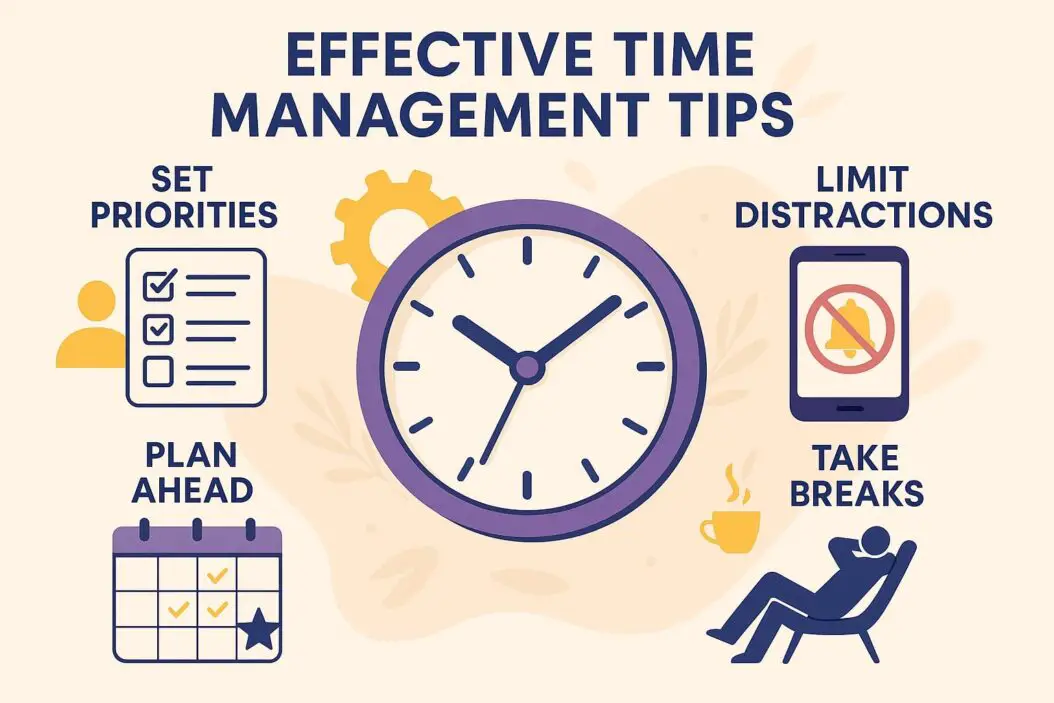
What Is Effective Time Management?
Time management means organizing your day to get important work done without burning out.
It’s not about being busy all the time. It’s about:
- Finishing tasks that matter
- Avoiding distractions
- Having energy left for what you care about
- Reducing stress and overwhelm
Good time management gives you control. You decide how to spend your hours instead of reacting to everything that comes up.
Why Most People Struggle With Time
Before we fix the problem, let’s understand it.
Most people fail at time management because they:
- Say yes to too many things
- Don’t know what’s truly important
- Get distracted constantly
- Underestimate how long tasks take
- Work without a clear plan
Sound familiar? You’re not alone. These are learned habits, which means you can change them.
The Core Principle: Focus on Results, Not Hours
Here’s what matters: what you accomplish, not how long you work.
You can spend 12 hours at your desk and achieve nothing. Or you can work 4 focused hours and finish everything important.
Keep this in mind as we go through the tips below. Quality beats quantity every time.
15 Effective Time Management Tips
1. Start With a Brain Dump
Before you can manage your time, you need to see everything on your plate.
How to do it:
- Take 10 minutes with a blank page
- Write down every task, project, and commitment
- Don’t organize yet, just get it all out
- Include work tasks, personal errands, and future plans
This clears your mental space. You’ll stop worrying about forgetting things.
2. Use the Eisenhower Matrix
Not all tasks deserve the same attention. The Eisenhower Matrix helps you sort them.
| Urgent | Not Urgent |
|---|---|
| Important: Do these first (deadlines, emergencies) | Important: Schedule these (planning, learning, relationships) |
| Not Important: Delegate or rush through (interruptions, some emails) | Not Important: Delete or ignore (time wasters, busy work) |
Action step: Look at your brain dump. Put each item in one of these boxes. Focus on the top row.
3. Plan Your Day the Night Before
Mornings shouldn’t start with decisions. They should start with action.
Spend 10 minutes each evening choosing your top 3 tasks for tomorrow. Write them down. Put them where you’ll see them first thing.
This simple habit changes everything. You wake up with direction instead of confusion.
4. Protect Your Peak Hours
You have 2-3 hours each day when your brain works best. For most people, this is morning.
Guard these hours like your life depends on it:
- No meetings if possible
- No email or social media
- No small tasks
- Only your most important work
Schedule everything else around this protected time.
5. Time Block Your Calendar
Open calendars invite interruptions. Blocked calendars create focus.
How to time block:
- Look at your weekly schedule
- Block specific hours for specific tasks
- Include breaks and buffer time
- Treat these blocks like appointments you can’t miss
Example: Monday 9-11am = writing report. Tuesday 2-3pm = return calls. Friday 10-11am = weekly planning.
6. Use the Two-Minute Rule
If something takes less than two minutes, do it immediately.
This prevents small tasks from piling up on your to-do list. Reply to that quick email. File that document. Make that short call.
But be careful: don’t let two-minute tasks interrupt deep work. Batch them during low-energy times.
7. Batch Similar Tasks Together
Switching between different types of work drains your energy.
Instead, group similar tasks:
- Answer all emails in one session
- Make all your phone calls back-to-back
- Do all your errands in one trip
- Process all paperwork at once
Your brain stays in the same mode, which makes you faster and sharper.
8. Set Hard Deadlines
Work expands to fill the time you give it. This is called Parkinson’s Law.
Give yourself less time and you’ll focus better.
Try this:
- Cut your estimated time in half
- Set a timer
- Work until the timer goes off
- Stop and move on
You’ll be surprised how much you can finish with real pressure.
9. Learn to Say No
Every yes to something unimportant is a no to something that matters.
Practice these phrases:
- “I can’t take that on right now”
- “That doesn’t fit my schedule this month”
- “Let me check my calendar and get back to you” (then actually check if it’s worth your time)
Saying no feels uncomfortable at first. It gets easier. And it’s essential.
10. Eliminate Decision Fatigue
Every decision uses mental energy. Reduce unnecessary choices.
Examples:
- Eat the same breakfast every day
- Lay out clothes the night before
- Create templates for repeated tasks
- Have a default answer for low-priority requests
Save your decision-making power for things that actually matter.
11. Use the Pomodoro Technique
Working in focused sprints beats marathon sessions.
The method:
- Choose one task
- Set a timer for 25 minutes
- Work with complete focus
- Take a 5-minute break
- Repeat
After four rounds, take a longer 15-30 minute break.
This technique works because it’s easier to focus when you know a break is coming soon.
12. Track Where Your Time Actually Goes
You can’t fix what you don’t measure.
For one week, track everything you do. Use a simple notebook or an app like RescueTime.
Most people discover they waste 2-3 hours daily on things they can’t even remember. Email rabbit holes. Pointless meetings. Random browsing.
Once you see the truth, you can make changes.
13. Create a “Stop Doing” List
You probably have a to-do list. Now make a stop-doing list.
What should go on it:
- Tasks you do out of habit, not necessity
- Meetings that don’t need you
- Projects that no longer serve your goals
- Commitments you regret making
Review this list monthly. Cut ruthlessly.
14. Build in Buffer Time
Plans never go perfectly. People run late. Tasks take longer than expected. Emergencies pop up.
Add buffer time:
- Leave 10 minutes between meetings
- Don’t schedule back-to-back tasks
- Finish your daily plan by 4pm, not 6pm
- Keep one afternoon per week unscheduled
Buffers reduce stress and make your schedule realistic instead of fantasy.
15. Review and Adjust Weekly
Time management isn’t set-it-and-forget-it. You need regular check-ins.
Every Friday or Sunday:
- What worked this week?
- What didn’t work?
- What took longer than expected?
- What can you eliminate or delegate?
- What are your priorities for next week?
Spend 20 minutes on this review. It’s the most valuable time you’ll invest.
Common Time Management Mistakes to Avoid
Multitasking
Your brain can’t actually focus on two things at once. What feels like multitasking is rapid switching, and it makes you slower and more error-prone.
Focus on one task until it’s done or until you hit a natural stopping point.
Perfectionism
Done is better than perfect for most tasks.
Ask yourself: what’s the minimum quality this needs? Often it’s much lower than you think.
Save perfectionism for the few things that truly matter.
Not Taking Breaks
Your brain isn’t a machine. It needs rest to work well.
Skipping breaks makes you slower, not faster. Take them seriously.
Ignoring Your Energy Levels
You have high-energy and low-energy times. Work with them, not against them.
Do hard thinking when you’re sharp. Do mindless tasks when you’re tired. Don’t fight biology.
Tools That Actually Help
You don’t need fancy apps to manage time well. But these tools make it easier:
For planning:
- Google Calendar or Outlook for time blocking
- Todoist or Microsoft To Do for task lists
- Notion or OneNote for organizing projects
For focus:
- Freedom or Cold Turkey to block distracting websites
- Forest app to stay off your phone
- Simple kitchen timer for Pomodoro technique
For tracking:
- RescueTime to see where your time goes automatically
- Toggle Track for project time tracking
Choose one tool per category. More tools create more complexity.
How to Start Today
Don’t try to implement everything at once. That’s overwhelming and it won’t stick.
Here’s your action plan:
- Today: Do a brain dump of all your tasks
- This week: Plan each day the night before with your top 3 tasks
- Next week: Add time blocking to protect your peak hours
- Next month: Track your time for one week to find waste
Build one habit before adding another. Small consistent changes beat dramatic overhauls.
Making Time Management a Habit
New strategies feel awkward at first. You’ll forget. You’ll slip back into old patterns.
That’s normal. Progress isn’t linear.
To make it stick:
- Set phone reminders for new habits
- Put visual cues in your workspace
- Review your system weekly
- Be patient with yourself
- Adjust methods that don’t fit your life
According to research from James Clear, habits take an average of 66 days to become automatic. Give yourself that time.
Time Management for Different Situations
For Students
- Study during your peak mental hours
- Break large projects into daily tasks
- Use the Pomodoro technique for difficult subjects
- Schedule social time so you don’t feel guilty about studying
For Parents
- Plan during naptime or after bedtime
- Batch household tasks once or twice weekly
- Use early mornings for yourself before kids wake
- Lower standards where it doesn’t matter
For Entrepreneurs
- Block days for different types of work (sales days, creation days, admin days)
- Set office hours for calls and meetings
- Automate or delegate anything under your hourly rate
- Protect one day weekly for strategic thinking
For Remote Workers
- Create clear work start and end times
- Separate workspace from living space if possible
- Use video-off calls for low-priority meetings to save energy
- Schedule breaks outside, away from screens
The Real Goal: A Life That Works
Time management isn’t about squeezing more work into your day.
It’s about creating space for what matters. Your family. Your health. Your hobbies. Your rest.
When you manage time well, you’re not busy all the time. You’re busy when it counts, and free when you want to be.
You finish work with energy left over. You show up for the people you care about. You feel in control instead of constantly behind.
That’s what these strategies create. Not superhuman productivity. Just a calmer, more intentional life.
Summary: Key Takeaways
Here’s what you need to remember:
- Focus on importance, not urgency – use the Eisenhower Matrix
- Plan ahead – know your top 3 tasks the night before
- Protect your peak hours – guard your best 2-3 hours daily
- Time block your calendar – schedule specific tasks at specific times
- Batch similar work – group tasks to reduce mental switching
- Say no more often – protect your time from low-value activities
- Take regular breaks – your brain needs rest to work well
- Review weekly – adjust your system based on what’s working
Start small. Pick one strategy. Master it. Then add another.
Frequently Asked Questions
How long does it take to get good at time management?
Most people see real improvements within 2-3 weeks of consistent practice. But building strong habits takes about 2 months. Don’t expect perfection immediately. Focus on steady progress.
What if my job is constantly interrupted?
Set specific “interruption hours” when you’re available for questions. Communicate these clearly. Use signs, chat status, or closed doors during focus time. Batch all interruptible work into designated blocks.
Should I use a digital or paper planner?
Use whatever you’ll actually check daily. Paper works better for some people because it’s physical and distraction-free. Digital works better for others because of reminders and accessibility. Test both for a week and see which feels natural.
How do I handle tasks I keep procrastinating on?
Break them into smaller pieces. Really small. Instead of “write report,” try “write introduction paragraph.” Make the first step so easy you can’t say no. Often starting is the only hard part.
Can I still be spontaneous with strict time management?
Absolutely. Good time management creates more freedom, not less. When your important work is handled efficiently, you have guilt-free time for spontaneous activities. Build unscheduled buffer time into your week specifically for flexibility.
