
You want to buy a digital camera but don’t know where to start. That’s completely normal. The camera market is overwhelming, packed with terms like “sensor size,” “megapixels,” and “f-stop” that make no sense if nobody explains them properly.
Here’s the truth: buying the right camera doesn’t require a photography degree. You need to understand four core concepts. This guide covers exactly what matters and skips the marketing noise.
By the end, you’ll know what sensor size means, why it matters more than megapixels, what lens works for your needs, and how to avoid buying a camera you’ll regret in six months.
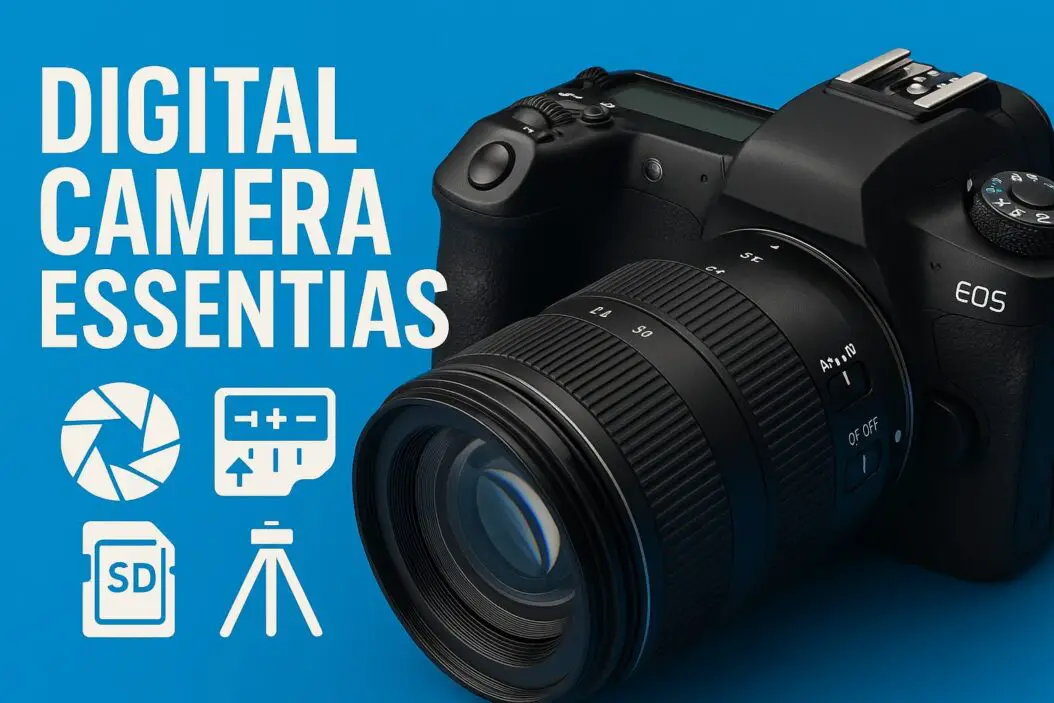
What Problem Are You Solving?
First, answer this: What do you want to photograph? Concerts? Travel? Your kids? Nature? Your answer determines everything else.
A camera for low-light concerts needs different features than a camera for sunny beach days. A wildlife photographer needs something totally different from someone documenting family moments.
Your camera choice isn’t about what’s “best.” It’s about what’s best for you.
Core Concept 1: Sensor Size Matters More Than Megapixels
Why Sensors Are the Foundation
The sensor is the chip inside your camera that captures light. Think of it as the digital equivalent of film. Bigger sensors capture more light, produce cleaner images in dark conditions, and give you more control over focus depth.
Most people obsess over megapixels. This is a mistake.
A 12-megapixel photo from a full-frame sensor (the largest standard size) looks better than a 24-megapixel photo from a phone camera. The sensor captures light differently. It preserves detail and handles shadows and highlights with more nuance.
Sensor Sizes Explained
Here are the sensor sizes you’ll encounter, from largest to smallest:
| Sensor Type | Size | Best For | Typical Price Range |
|---|---|---|---|
| Full Frame | 36mm x 24mm | Professional work, low-light, creative control | $1,500 to $6,500 |
| APS-C | 23.5mm x 15.6mm | Travel, hobbyists, detail work | $600 to $2,500 |
| Micro Four Thirds | 17.3mm x 13mm | Compact cameras, video work | $400 to $1,500 |
| One-inch | 13.2mm x 8.8mm | Premium compact cameras | $400 to $900 |
| Smartphone Sensor | ~9mm x 6.7mm | Convenience, always-with-you shooting | $0 (included) |
The practical difference: A full-frame camera in a dim restaurant produces a clean, usable photo. An APS-C camera produces a good photo. A phone produces a photo with visible noise (graininess) unless there’s decent lighting.
For beginners, APS-C is the sweet spot. You get significantly better image quality than phones. The cameras are portable. The lenses are affordable.
Megapixels: What You Actually Need
You don’t need 45 megapixels. Most photographers never use that resolution.
Here’s what matters: 12 to 24 megapixels is enough to print large photos, crop significantly, and make professional-quality images for web use. You’re paying more for pixels you’ll never need.
The only time high megapixel counts matter: if you’re cropping heavily in post-processing or printing massive prints (larger than 16×20 inches).
Core Concept 2: How Lenses Control What You See
Your Lens Is Half the Camera
A great lens on a mediocre camera produces better photos than a mediocre lens on a great camera.
The lens determines three things: how wide you can see, how close you can zoom, and how blurry you can make the background.
Understanding Focal Length
Focal length, measured in millimeters, controls how wide or narrow your view is.
A 24mm lens shows a wide view. You see lots of scenery. This works for landscapes and cramped indoor spaces.
A 50mm lens shows roughly what your eye sees. It’s natural and great for portraits and everyday shooting.
A 200mm lens is zoomed in. You see narrow detail. This works for wildlife, sports, or when you can’t get physically closer.
Understanding Aperture (f-stops)
Aperture is the opening in your lens. It’s written as f/1.8, f/2.8, f/4, and so on.
A smaller f-number means a larger opening. More light enters. You can shoot in darker conditions. You can blur the background more.
An f/1.8 lens is “fast.” It lets in lots of light. It costs more.
An f/5.6 lens is “slower.” It lets in less light. It’s cheaper. In daylight, it works fine. In dim rooms, you struggle.
For beginners, an f/2.8 aperture is a practical balance. It’s fast enough for most situations and more affordable than f/1.8.
What Lens Should You Buy First?
Start with a “kit lens.” Most beginner cameras come bundled with a lens. A typical kit is 18-55mm, f/3.5-5.6.
This lens covers wide to short-zoom ranges. It’s slow (not great in dim light) but works in daylight. It teaches you how lenses behave.
After six months, if you know you want to photograph specific subjects, buy a second lens. A 50mm f/1.8 lens is cheap (usually $100 to $200) and revelatory. The image quality jumps. The background blur feels like a different camera.
Don’t buy too many lenses early. You’ll get confused. Master one lens first.
Core Concept 3: Camera Body Types and What They Mean
DSLR vs. Mirrorless
DSLRs and mirrorless cameras both produce excellent photos. The internal architecture differs.
A DSLR uses a mirror system. Light bounces off a mirror, up into an optical viewfinder, into your eye. You see the scene directly. When you press the shutter, the mirror flips up.
A mirrorless camera has no mirror. Light hits the sensor directly. You see a digital preview on a small screen in the viewfinder. The image is slightly delayed but accurate (what you see is what you get).
For beginners: Mirrorless cameras are simpler. The autofocus is faster. The menus are intuitive. DSLRs are cheaper used but have aging technology.
Point-and-Shoot vs. Interchangeable Lens
A point-and-shoot camera has one fixed lens. You can’t change lenses. These are simpler, cheaper, more portable.
An interchangeable lens camera (ILC) lets you swap lenses. You pay more upfront. You gain flexibility.
For serious learning, an ILC is better. You’ll eventually want different lenses for different situations.
Core Concept 4: Key Features That Actually Matter
Autofocus Speed and Accuracy
Modern cameras all have autofocus. Some are faster and more accurate than others.
If you’re photographing moving subjects (kids, sports, pets), fast autofocus matters. Mirrorless cameras typically outperform DSLRs here.
If you’re photographing stationary scenes (landscapes, product shots, still life), autofocus speed barely matters.
Image Stabilization
Image stabilization (IS, OIS, VR) reduces blur from camera shake. It’s useful when you’re shooting with slow shutter speeds in dim light.
It’s a convenience feature, not essential. Learn proper technique and you don’t strictly need it.
Weather Sealing
Weather-sealed cameras resist dust and moisture. This matters if you’re shooting in rain, sand, or snow regularly.
If you mostly shoot indoors, weather sealing is unnecessary. It adds cost.
Video Capability
Modern cameras shoot video. Most beginners ignore this feature initially.
If you might eventually vlog, create content, or document events, check that the camera shoots smooth 60fps video and has good autofocus while recording.
Camera Buying Guide: Finding What Fits Your Budget
Budget Range: $400 to $800
Look for used or refurbished APS-C mirrorless cameras. You get excellent image quality. The camera teaches you proper techniques. The resale value is decent.
Examples: Canon EOS M50 Mark II, Sony a6400, Fujifilm X-T30.
What you get: Solid autofocus, good sensor, reliable performance, affordable lenses.
What you sacrifice: Some video features, limited buffer depth (speed) for rapid shooting.
Budget Range: $800 to $1,500
Entry-level full-frame or better APS-C systems. You’re entering serious hobbyist territory.
Examples: Canon EOS R5M, Sony a7C, Nikon Z5.
What you get: Full-frame image quality, faster processors, more lens options.
What you sacrifice: Nothing critical at this level. You’re getting real value.
Budget Range: $1,500 to $3,000
Professional-level interchangeable lens cameras. You’re ready for paid work or serious projects.
Examples: Canon EOS R6, Sony a7 IV, Nikon Z6.
What you get: Weather sealing, fast autofocus, excellent video, deep feature sets.
What you sacrifice: Not much. You’re in professional gear now.
Over $3,000
Specialized cameras for specific needs: ultra-high resolution, fast continuous shooting, advanced video codecs.
Don’t start here. You’ll feel the limitations because you don’t know what you’re doing yet. Buy professional gear after you’ve mastered basics.
Essential Accessories: What You Genuinely Need
A Second Battery
Your camera drains the battery faster than you’d expect. Bring two batteries on any outing longer than an hour.
Price: $20 to $40 per battery.
Memory Cards (Multiple)
Buy two high-speed memory cards instead of one. If one fails, you have backup. Faster cards help when recording video or shooting rapid sequences.
Look for V30 speed rating minimum. Price: $15 to $30 per card.
A Sturdy Tripod
You can’t hold a camera perfectly still. A tripod removes shake, enables self-portraits, and lets you compose carefully.
You don’t need expensive ($300+). A $50 to $100 tripod works fine.
A Camera Bag
Protect your gear. A decent bag costs $50 to $150. Don’t cheap out here. A torn bag ruins equipment.
Cleaning Kit
Dust gets on your sensor and lens. A simple cleaning kit ($15) includes sensor swabs and lens cleaner.
What You Don’t Need
Don’t buy UV filters. They were relevant for film photography. Modern sensors don’t need protection from UV light.
Don’t buy camera insurance initially. Insure your gear after you’ve committed to photography.
Learning the Basics: Three Things You Must Understand
The Exposure Triangle: Aperture, Shutter Speed, and ISO
These three settings control how bright or dark your photo is.
Aperture (f-stops) controls the opening size. Lower f-numbers mean more light.
Shutter speed controls how long the sensor collects light. 1/1000 second is fast (freezes motion). 1 second is slow (blurs moving subjects).
ISO controls sensor sensitivity. Higher ISO means more sensitivity but also more grain (noise).
These three work together. If you want a fast shutter speed (to freeze motion), you need a larger aperture or higher ISO to compensate for the darker exposure.
Manual Mode vs. Automatic Modes
Automatic modes (Program, Aperture Priority, Shutter Priority) choose settings for you. You point and shoot. The camera decides.
Manual mode means you choose aperture, shutter speed, and ISO. You have full control. You also have full responsibility if the exposure is wrong.
Start in Aperture Priority mode. You choose the aperture (which controls background blur). The camera chooses the shutter speed. This teaches you how aperture affects your image without overwhelming you with settings.
Focus: Where Should the Camera Focus?
Your camera can’t read your mind. It doesn’t know what you want sharp.
Most cameras have multiple focus points. You select which point. The camera focuses there. Modern systems do this automatically, but you need to understand the concept.
For portraits, you focus on the eyes. For landscapes, you focus on a point one-third into the scene. For macros (close-up photos), you focus on the subject’s center.
Real-World Scenarios: Camera Essentials in Action
Scenario 1: You Want to Photograph Your Grandkids Playing Sports
You need fast autofocus and a camera that doesn’t miss moments.
Camera recommendation: APS-C mirrorless with fast autofocus. Sony a6700 or Canon EOS R7.
Lens recommendation: 70-200mm f/2.8 or f/4. You’re far from the action. You need to zoom. The fast aperture helps in outdoor shade.
Settings: Aperture Priority at f/2.8 or f/4. Shutter speed should be at least 1/500 second to freeze motion. ISO adjusts automatically.
Scenario 2: You Want to Travel Light and Capture General Moments
You want quality but don’t want to carry lots of gear.
Camera recommendation: Compact mirrorless or premium compact camera. Sony a6400 with kit lens or Ricoh GR IIIx.
Lens recommendation: 24-70mm equivalent (fixed lens or zoom).
Settings: Aperture Priority at f/2.8 or f/4. Let the camera handle the rest. Shoot in bright daylight whenever possible.
Scenario 3: You Want to Shoot in Dim Environments (Concerts, Dim Restaurants)
You need light-gathering power.
Camera recommendation: Full-frame camera with fast autofocus. Sony a7 IV or Canon EOS R5.
Lens recommendation: 24-70mm f/2.8 or 50mm f/1.8. You need fast apertures. Accept that the scene will look different in camera than in person.
Settings: Aperture Priority at f/1.8 or f/2.8. ISO climbs automatically. Expect grainy photos at ISO 6400 and beyond. This is normal.
Common Mistakes New Camera Buyers Make
Buying Too Much Gear Too Soon
You don’t need five lenses as a beginner. You need one decent lens. Master it. Then expand.
Choosing Based on Megapixels
A 20-megapixel full-frame camera beats a 45-megapixel APS-C camera in real-world use. Sensor size matters more than pixel count.
Ignoring Used Gear
Used cameras are fine. Sensor technology changes slowly. A used full-frame camera from three years ago outperforms a new entry-level camera today. You save money. You get better gear.
Buying the Cheapest Option
The cheapest camera is often the most frustrating. Build quality suffers. The autofocus is slow. You abandon photography sooner. Spend a bit more. Get something reliable.
Not Learning Your Camera
People buy expensive gear then never read the manual. They shoot in full automatic. They never learn what the buttons do.
Spend one week just learning. Read the manual. YouTube has thousands of beginner tutorials. Invest time, not just money.
Budget Breakdown: Real Costs Beyond the Camera
A camera alone doesn’t let you shoot. Here’s what a realistic first-year setup costs:
| Item | Typical Cost |
|---|---|
| Camera body (used/refurbished) | $500-$800 |
| Kit lens (included) | $0 |
| Second lens (50mm f/1.8) | $100-$200 |
| Extra battery | $30 |
| Memory cards (2x) | $40 |
| Tripod | $80 |
| Camera bag | $60 |
| Cleaning kit | $15 |
| Total Year 1 | $825-$1,195 |
After year one, you buy additional lenses based on what you photograph. Budget $200 to $500 per new lens.
How to Test a Camera Before Buying
Rent First
Rental services like $1-per-day camera rentals let you rent gear for a weekend. Spend $20 to $40. Test the camera on real subjects. See if you like it.
Visit Camera Stores
Hold cameras in your hands. Feel the weight and button layout. Some cameras feel natural. Others feel cramped. This matters more than specs.
Read Reviews from Photographers
Visit DPReview and read detailed reviews. They test real-world performance and explain what matters practically.
Frequently Asked Questions
Should I buy new or used?
Used is fine, especially for beginners. You save 20 to 40 percent. Technology hasn’t changed dramatically. Buy from reputable sellers with return policies.
Is a smartphone camera good enough?
Smartphone cameras are convenient and capable in good light. They struggle in dim conditions and can’t match the creative control of a dedicated camera. If you want to grow beyond casual snapshots, a dedicated camera is necessary.
How often should I replace my camera?
Every 5 to 10 years if you take good care of it. Technology improvements are incremental. A well-maintained camera remains functional and capable far longer than most people realize.
Should I worry about lens compatibility?
Yes. Canon lenses don’t fit Sony bodies. Research your camera system’s lens lineup before committing. Sony and Canon have extensive used lens markets. Nikon and Fujifilm do too. This isn’t a major concern.
Is mirrorless always better than DSLR?
For learning: yes, mirrorless has advantages (faster autofocus, intuitive menus, modern features). For established photographers, DSLRs work fine. Don’t let camera type para
