
Pinterest isn’t just a place to save recipes and home decor ideas. It’s a powerful search engine that sends more traffic to websites than most social media platforms combined. If you want to drive traffic from Pinterest to your website, you need to understand how it works and what actually moves the needle.
This guide shows you exactly how to get real visitors from Pinterest, whether you’re starting fresh or trying to improve your results.
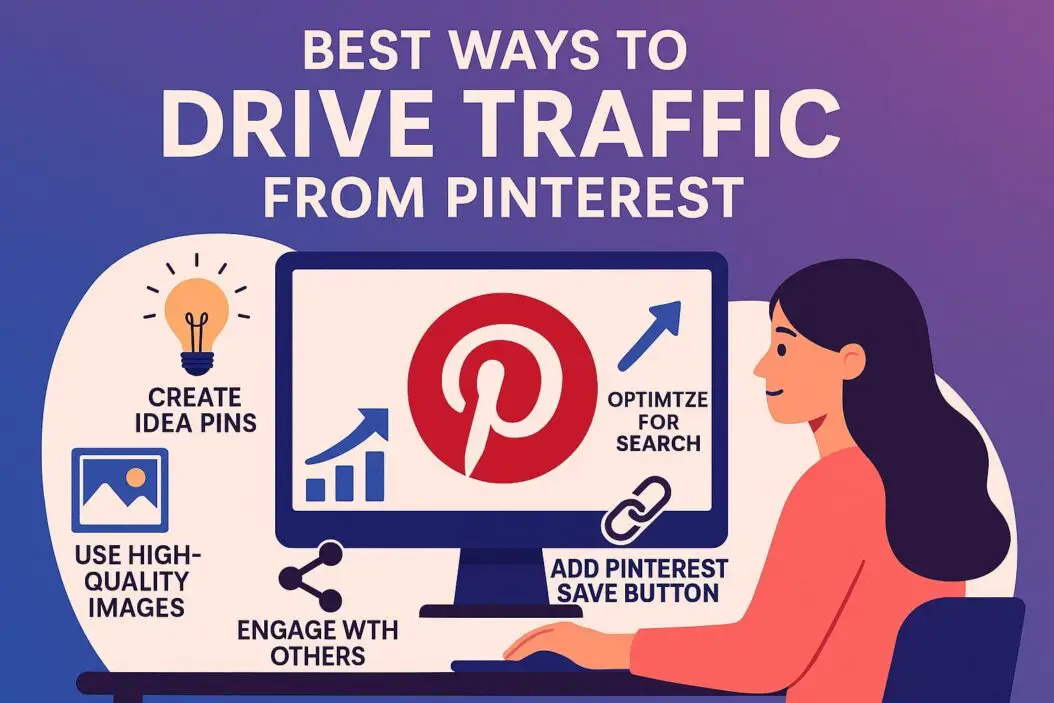
Why Pinterest Works for Website Traffic
Pinterest users come with intent. They’re actively searching for solutions, ideas, and products. When someone finds your pin, they’re already interested in what you offer.
Unlike Instagram or Facebook where content disappears quickly, Pinterest pins keep working for months. A single pin can drive traffic for years if it ranks well in Pinterest search.
The numbers tell the story:
| Metric | Pinterest Performance |
|---|---|
| Average pin lifespan | 3-4 months (some last years) |
| Users who make purchases | 85% have bought based on pins |
| Referral traffic quality | Higher engagement than most social platforms |
| Monthly searches | 5+ billion searches per month |
Set Up Your Pinterest Account Correctly
Convert to a Pinterest Business Account
Don’t use a personal account if you want traffic. Business accounts give you analytics, advertising options, and credibility.
Go to pinterest.com/business/create and convert your account. It’s free and takes five minutes.
Claim Your Website
This step verifies you own your site. It adds your logo to all pins from your domain and unlocks analytics.
Go to Settings > Claimed Accounts > Claim Website. Pinterest gives you an HTML tag or a file to upload. Follow their instructions exactly.
Complete Your Profile
Write a clear description that includes keywords people search for. If you blog about meal planning, say “Easy meal planning tips for busy families” instead of generic phrases like “Food lover and blogger.”
Add your location and website link. Use a professional profile photo or logo.
Create Pins That Get Clicked
The Pin Design Formula
Vertical images work best. The ideal size is 1000 x 1500 pixels (2:3 ratio). Pins that match this format get more distribution.
Key design elements:
- Clear text overlay: Put your main benefit or topic right on the image in large, readable font
- Contrasting colors: Your text needs to pop against the background
- Faces perform well: Images with people get 23% more engagement
- Simple composition: Don’t clutter the design with too many elements
Use tools like Canva (they have Pinterest templates) or Adobe Express to create professional-looking pins in minutes.
Write Pin Descriptions That Convert
Your description does two things: helps Pinterest understand your content and convinces people to click.
Start with your keyword in the first sentence. Then explain what value the person gets by clicking through.
Good example: “Budget meal planning strategies that save $400/month. Learn how to plan weekly menus, reduce food waste, and cut grocery costs with this step-by-step system.”
Bad example: “Check out my latest blog post about saving money! Link in bio.”
Add 3-5 relevant hashtags at the end. Use specific tags like #MealPlanningForBeginners instead of generic ones like #Food.
The Title Matters More Than You Think
Pinterest uses your pin title in search results. Keep it under 100 characters. Include your main keyword and make it compelling.
Think of it like a Google search result. Would you click it?
Pin Strategy That Actually Drives Traffic
Pin Consistently
Pinterest rewards regular activity. Aim for 5-15 new pins per day. This doesn’t mean creating 15 new graphics daily.
The smart approach:
- Create 5-10 unique pin designs per blog post
- Pin them over several weeks
- Mix in repins from other accounts (curated content)
- Use a scheduler like Tailwind to automate posting
Fresh Pins Beat Repinning Your Old Stuff
Pinterest prioritizes “fresh” content. This means new pin images, even if they link to the same blog post you published six months ago.
Create new designs for your existing content every few months. Change the colors, headline, or photo. Pinterest sees it as new content.
Join and Use Group Boards Strategically
Group boards can expand your reach, but most are dead or spammy. Look for active boards in your niche with under 10,000 followers (they’re usually better managed).
Check if members’ pins get engagement. If the latest pins have zero repins or clicks, skip it.
Contribute quality pins to group boards. Don’t just dump your content and leave.
Optimize for Pinterest SEO
Pinterest Is a Search Engine First
People type queries into Pinterest like they do on Google. Your job is to show up for those searches.
Where to put keywords:
- Pin titles
- Pin descriptions
- Board titles
- Board descriptions
- Your profile description
- Image file names (before uploading)
Do keyword research on Pinterest itself. Type a broad term in the search bar and look at the suggested searches that appear. Those are what people actually search for.
Board Organization Matters
Create specific boards, not general ones. “Healthy Dinner Recipes” beats “Food I Like.”
Name boards what people search for. Check Pinterest’s suggestions when you create a board.
Each board needs a keyword-rich description (at least 100 words). Explain what users find when they follow the board.
Aim for 10-20 boards to start. Add more as you create content.
Rich Pins Add Credibility
Rich pins automatically sync information from your website. They show extra details and look more professional.
There are four types: product, recipe, article, and app pins. Most bloggers use article rich pins.
You need to add metadata to your website. WordPress plugins like Yoast SEO handle this automatically. Validate your rich pins at pinterest.com/business/validate.
Advanced Traffic-Building Tactics
Idea Pins for Brand Building
Idea Pins (formerly Story Pins) are Pinterest’s native content format. They’re multi-page pins that users scroll through.
These don’t directly drive traffic (no outbound links), but they build your following. More followers means more people see your regular pins that do link out.
Create Idea Pins that teach something valuable related to your niche. Show process, give tips, or share before-and-after results.
Post 2-4 Idea Pins per week if you have time. Don’t skip regular pins for these.
Test Different Pin Formats
Not every design works. Create multiple versions of each pin and see what performs.
Test these variables:
- Text vs. no text overlays
- Different headlines
- Color schemes
- Photo vs. graphic design style
- Layout and composition
Give each pin at least two weeks before judging performance. Check Pinterest Analytics to see which pins drive the most clicks to your site.
The Power of Video Pins
Video pins get 3x more engagement than static images. Pinterest videos autoplay in the feed, which grabs attention.
Keep videos short (15-30 seconds is plenty). Add captions since most people watch without sound.
Show quick tips, demonstrations, or before-and-after transformations. Always end with a call to action pointing to your website.
Seasonal Content Planning
Pinterest users plan ahead. They search for Christmas content in September and summer recipes in March.
Create and pin seasonal content 45-60 days before the season starts. This gives pins time to gain traction before peak search times.
Keep a content calendar with seasonal topics for your niche. Holiday content, back-to-school, spring cleaning, summer entertaining—plan it all ahead.
Track What’s Working
Use Pinterest Analytics
Your business account includes free analytics. Check it weekly.
Key metrics to watch:
- Impressions: How many times your pins appeared
- Engagements: Saves, clicks, and closeups
- Outbound clicks: People clicking to your website (this is what matters most)
- Top pins: Which specific pins drive the most traffic
If a pin performs well, create more like it. If your pins get impressions but no clicks, work on your descriptions and calls to action.
Google Analytics Shows the Full Story
Pinterest Analytics tells you what happens on Pinterest. Google Analytics shows what those visitors do on your site.
Check your referral traffic from Pinterest. Look at:
- Pages per session (are they clicking around?)
- Bounce rate (are they leaving immediately?)
- Time on site
- Conversions (email signups, purchases)
If Pinterest sends lots of traffic but they all bounce, your content might not match what the pin promised.
Common Mistakes That Kill Your Traffic
Mistake 1: Not Using a Call to Action
Every pin needs clear direction. “Click to read the full guide” or “Get the free template” works better than hoping people figure it out.
Mistake 2: Pinning Only Your Own Content
Pinterest wants you to be a curator, not just a self-promoter. Pin relevant content from others in your niche. Aim for 80% your content, 20% others’.
Mistake 3: Ignoring Vertical Format
Horizontal or square pins get buried. Stick to vertical. The platform is designed for it.
Mistake 4: Using Generic Stock Photos
Pinterest users scroll fast. Generic stock images blend in. Use distinctive images, even if they’re not perfectly polished.
Mistake 5: Forgetting Mobile Users
Over 80% of Pinterest users access it on mobile. Make sure your text is readable on small screens and your website is mobile-friendly.
Mistake 6: Giving Up Too Soon
Pinterest is a long game. Some pins take 3-6 months to gain traction. If you quit after a month, you miss all the delayed results.
Step-by-Step Action Plan
Here’s exactly what to do this week:
Day 1-2:
- Convert to business account and claim your website
- Create 5-10 keyword-focused boards
- Write detailed descriptions for each board
Day 3-4: 4. Design 5 pin templates in Canva 5. Create 3-5 pin variations for your best blog post 6. Write keyword-rich descriptions for each pin
Day 5-6: 7. Set up a pinning schedule (manual or use Tailwind) 8. Join 2-3 quality group boards 9. Pin your content and curate 10-15 pins from others
Day 7: 10. Review your analytics baseline 11. Plan next week’s content 12. Create a seasonal content calendar for 3 months ahead
Repeat this cycle. Create more pins, test what works, and scale up the winners.
Content Types That Drive the Most Pinterest Traffic
Different content performs differently. Here’s what works:
High-traffic content types:
- How-to tutorials: Step-by-step guides with clear outcomes
- Lists: “15 Ways to…” or “Best Tools for…”
- Before and after: Transformations grab attention
- Infographics: Visual data and processes
- Free resources: Templates, printables, checklists
- Problem-solution posts: Address specific pain points
Match your content to what Pinterest users want. They’re looking for actionable information they can use right now.
Building Long-Term Pinterest Success
Grow Your Following
Followers see your pins first. More followers means better distribution.
Follow accounts in your niche. Many will follow back. Engage with their content genuinely.
Add a Pinterest follow button to your website. Mention your Pinterest in email newsletters.
Collaborate With Others
Find 3-5 accounts with similar audiences (not competitors). Share each other’s content. Comment on their pins. Build relationships.
Guest pin on each other’s boards. This exposes you to their audience.
Stay Updated on Pinterest Changes
Pinterest updates its algorithm and features regularly. Follow the Pinterest Creator newsletter for official updates.
Join Pinterest-focused communities where creators share what’s working. Adapt your strategy as the platform evolves.
Invest in Pinterest Ads (Optional)
Organic Pinterest traffic is excellent, but ads can accelerate results. Start with $5-10/day testing promoted pins.
Target specific keywords and interests. Send ads to your best-performing content.
Most importantly, perfect your organic strategy before spending money. Ads amplify what already works.
Conclusion
Driving traffic from Pinterest isn’t complicated, but it requires consistency and strategy. Focus on creating valuable, visually appealing pins that solve problems. Optimize everything for search. Pin regularly. Track your results and do more of what works.
Pinterest traffic compounds over time. Your early pins keep working while new pins add to the momentum. In six months, you’ll have hundreds of pins working for you around the clock.
Start with the action plan above. Create quality pins for your best content. Be patient. The traffic will come.
Frequently Asked Questions
How long does it take to get traffic from Pinterest?
Most accounts see initial traffic within 2-4 weeks, but significant results take 3-6 months. Pinterest rewards consistency over time. Some pins take months to rank well in search, then drive traffic for years. Don’t expect overnight results, but the long-term payoff is worth the patience.
How many pins should I create per day?
Aim for 5-15 fresh pins daily. Mix your original content (3-5 pins) with curated content from others (5-10 repins). Quality matters more than quantity. Five excellent, keyword-optimized pins outperform 20 rushed, generic ones. Use a scheduler to maintain consistency without burning out.
Do I need a business account to get traffic?
No, but business accounts give you analytics, rich pins, and advertising options. You can’t track what works without analytics. Business accounts are free and take minutes to set up. There’s no reason to use a personal account if your goal is driving traffic to your website.
Can I drive traffic without paying for Pinterest ads?
Absolutely. Organic Pinterest traffic is free and sustainable. Ads can speed up results, but they’re not required. Focus on SEO-optimized pins, consistent posting, and quality content. Most successful Pinterest marketers built their traffic entirely through organic methods before ever spending on ads.
What if my niche isn’t visual?
Every niche can work on Pinterest if you get creative. Finance bloggers share infographics with money-saving tips. Business coaches create quote graphics and process diagrams. Tech writers visualize concepts and share screenshots with annotations. Focus on making complex information visually digestible, and you’ll find your audience.
