
Online scams cost people billions of dollars every year. If you’re reading this, you want to protect yourself and your money from scammers who are getting smarter every day.
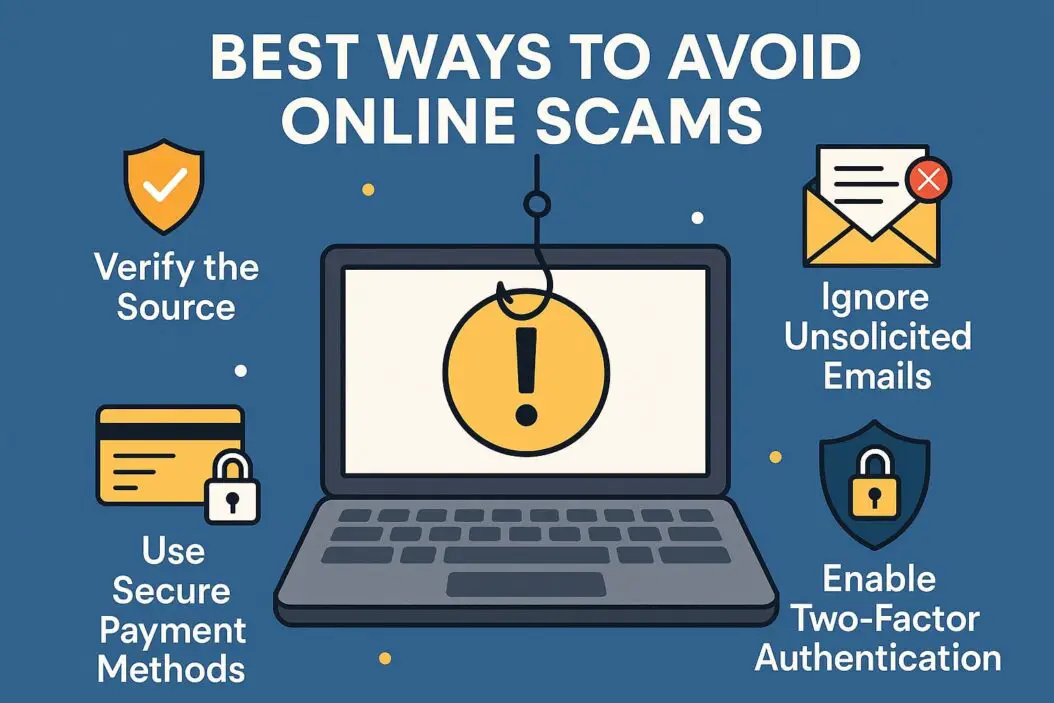
The best way to avoid online scams is to verify before you trust, never share sensitive information through unsolicited messages, and use strong security measures on all your accounts. Most scams work because they create urgency and fear, so slowing down and checking facts stops most fraud attempts.
This guide shows you exactly how to spot scams, protect yourself, and respond if something feels wrong.
Why Online Scams Are So Effective
Scammers succeed because they understand human psychology. They know you want good deals, fear losing money, and trust official-looking messages.
Modern scams look professional. Fake emails copy real company designs perfectly. Websites look identical to legitimate ones. Phone calls display real company names on caller ID.
The key is that scammers always want you to act fast without thinking.
How to Spot Common Online Scams
Phishing Emails and Messages
Phishing is when scammers pretend to be companies or people you trust to steal your information.
Warning signs:
- Urgent language like “Act now” or “Account will be closed”
- Generic greetings like “Dear customer” instead of your name
- Suspicious sender email addresses that almost match real ones
- Links that don’t match the company’s actual website
- Requests for passwords, credit card numbers, or social security numbers
- Poor grammar or spelling mistakes in professional messages
What to do: Never click links in unexpected emails. Go directly to the company’s website by typing their URL yourself. Check the sender’s email address carefully. Real companies don’t ask for sensitive information through email.
Fake Shopping Websites
Scam shopping sites offer amazing deals on products but never deliver anything.
Red flags to watch for:
- Prices far below normal market value
- No contact information or physical address
- Brand new website with no history or reviews
- Only accepts wire transfers, cryptocurrency, or gift cards
- Poor website design with broken links
- No secure payment processing (look for https:// and a padlock icon)
Protection steps: Search for reviews before buying from new sites. Check how long the domain has existed using WHOIS lookup tools. Use credit cards instead of debit cards for better fraud protection. Trust your instincts when deals seem impossible.
Romance Scams
Scammers create fake dating profiles to build emotional relationships, then ask for money.
Common patterns:
- Moves conversation off dating platform quickly
- Professes love unusually fast
- Has reasons why they can’t video chat
- Creates emergencies requiring money
- Claims to be overseas or in the military
- Asks you to receive or forward packages
How to protect yourself: Never send money to someone you haven’t met in person. Do reverse image searches on profile photos. Be suspicious of anyone who avoids video calls. Share with friends or family if something feels off.
Investment and Cryptocurrency Scams
These scams promise high returns with little risk.
Warning signs:
- Guaranteed returns with no risk
- Pressure to invest immediately
- Unsolicited investment opportunities
- Celebrity endorsements or fake testimonials
- Complex strategies you don’t understand
- Requests to buy cryptocurrency and send to specific wallets
What you need to know: All investments carry risk. Legitimate opportunities don’t disappear in 24 hours. Never invest in something you don’t fully understand. Check if investment advisors are registered with the Securities and Exchange Commission at sec.gov.
Essential Security Practices to Avoid Online Scams
Use Strong, Unique Passwords
Weak passwords are the easiest way for scammers to access your accounts.
Password best practices:
- Create passwords with at least 12 characters
- Mix uppercase, lowercase, numbers, and symbols
- Never reuse passwords across different sites
- Use a password manager to store them securely
- Change passwords immediately if a site reports a breach
A password manager generates and remembers complex passwords for you. This stops one breach from compromising all your accounts.
Enable Two-Factor Authentication
Two-factor authentication (2FA) adds a second security step beyond your password.
How it protects you: Even if scammers steal your password, they can’t access your account without the second verification code sent to your phone or email.
Where to enable it: Turn on 2FA for email, banking, social media, shopping accounts, and any site that offers it. Use authentication apps instead of SMS when possible for better security.
Keep Software Updated
Old software has security holes that scammers exploit.
What to update regularly:
- Operating system (Windows, macOS, iOS, Android)
- Web browsers
- Antivirus software
- Apps on your phone and computer
Turn on automatic updates so you don’t have to remember. Updates fix vulnerabilities that scammers use to install malware or steal data.
Secure Your Internet Connection
Public Wi-Fi networks are dangerous for sensitive activities.
Safe browsing rules:
- Never access banking or shopping on public Wi-Fi
- Use a VPN when connecting to public networks
- Check that websites show https:// before entering personal information
- Avoid saving payment information on public or shared computers
Protecting Your Financial Information
Safe Online Payment Methods
| Payment Method | Protection Level | Best Use Case |
|---|---|---|
| Credit Cards | High (fraud protection, chargebacks) | Online shopping, subscriptions |
| PayPal/Digital Wallets | High (buyer protection, dispute resolution) | Marketplace transactions |
| Debit Cards | Medium (limited fraud protection) | Known, trusted vendors only |
| Wire Transfers | None (cannot reverse) | Only with verified contacts |
| Gift Cards | None (untraceable) | Never for payments |
| Cryptocurrency | None (irreversible) | Only trusted exchanges |
Key rule: Never pay strangers with wire transfers, gift cards, or cryptocurrency. Scammers prefer these because you cannot recover your money.
Monitor Your Accounts
Check your financial accounts weekly for unauthorized charges.
What to review:
- Bank account transactions
- Credit card statements
- Investment account activity
- Credit reports (free annually at annualcreditreport.com)
Report suspicious activity immediately. Most banks protect you from fraud if you report it quickly.
Protect Your Social Security Number
Your social security number is the key to your identity.
When to share it (rarely):
- Opening bank accounts
- Filing taxes
- Applying for credit
- Government forms
When NOT to share it:
- Over email or text
- On social media
- To people who call you
- On website forms unless absolutely necessary
How to Handle Suspicious Contact
Verify Before You Trust
Scammers impersonate companies, government agencies, and even family members.
Verification checklist:
- Do not click links or call numbers in suspicious messages
- Look up the official company number yourself
- Call the company directly to confirm the contact
- Ask questions only the real person would know
- Hang up and call back if something feels wrong
Real organizations will:
- Understand if you want to verify their identity
- Never pressure you to act immediately
- Have official channels you can contact
- Never threaten arrest or legal action over the phone
Question Urgency and Fear Tactics
Scammers create fake emergencies to bypass your judgment.
Common pressure tactics:
- “Your account will be closed today”
- “You’ll be arrested if you don’t pay now”
- “This offer expires in one hour”
- “Your computer is infected and will crash”
- “Your grandson is in jail and needs bail money”
The counter-move: Stop and breathe. Real emergencies give you time to verify. Legitimate companies don’t threaten customers. Law enforcement doesn’t collect fines over the phone.
Protect Your Personal Information
Scammers piece together information from multiple sources to seem legitimate.
Information to guard:
- Full name and date of birth
- Address and phone number
- Email addresses
- Social security number
- Bank account and credit card numbers
- Mother’s maiden name
- Answers to security questions
Social media safety: Don’t post your birthday, address, phone number, or travel plans publicly. Scammers use this information to answer security questions or know when your home is empty.
What to Do If You’ve Been Scammed
Act Quickly
Fast action can limit damage and sometimes recover money.
Immediate steps:
- Stop all contact with the scammer
- Change passwords on affected accounts
- Contact your bank or credit card company
- Place fraud alerts with credit bureaus
- Save all evidence (emails, texts, receipts, screenshots)
Report the Scam
Reporting helps authorities track scammers and warn others.
Where to report:
- Federal Trade Commission (FTC) at reportfraud.ftc.gov
- Your local police department
- Internet Crime Complaint Center (IC3) for online crimes
- Your state attorney general’s office
- The platform where the scam occurred
Document Everything
Keep records of the scam for reports and potential legal action.
What to save:
- Screenshots of messages and websites
- Emails and text messages
- Transaction records and receipts
- Phone numbers and email addresses used
- Dates and times of all contact
Get Support
Scam victims often feel embarrassed or ashamed. You’re not alone, and it’s not your fault.
Talk to trusted friends or family. Consider counseling if the scam causes significant emotional distress. Join support groups with other scam victims.
Platform-Specific Scam Protection
Social Media Scams
Scammers create fake accounts and run fraudulent ads on Facebook, Instagram, Twitter, and LinkedIn.
Protection strategies:
- Verify accounts with blue checkmarks for public figures
- Be suspicious of friend requests from people you already know (could be impersonators)
- Report fake accounts and suspicious ads
- Never send money to people you only know online
- Check privacy settings to limit who sees your information
Email Scams
Email remains the top delivery method for scams.
Safe email practices:
- Use spam filters and report spam
- Hover over links to see real URLs before clicking
- Check attachment file types (be very cautious with .exe, .zip files)
- Mark suspicious emails as phishing to your email provider
- Create separate email addresses for shopping, work, and personal use
Mobile Phone Scams
Smartphones are new targets for scammers.
Mobile security:
- Don’t answer calls from unknown numbers
- Never install apps from unknown sources
- Check app permissions before installing
- Use official app stores only (Google Play, Apple App Store)
- Be cautious with QR codes from untrusted sources
Advanced Scam Types to Know
Tech Support Scams
Scammers claim to be from Microsoft, Apple, or security companies warning about computer problems.
How they work: You receive a call, email, or pop-up warning about viruses. The “technician” asks for remote access to your computer. They either install actual malware or charge hundreds for fake fixes.
Protection: Real tech companies never contact you first about computer problems. Never give remote access to unsolicited callers. Close pop-up warnings and run your own security scan.
Government Impersonation Scams
Scammers pretend to be IRS agents, Social Security Administration, or immigration officials.
Common tactics: Threatening arrest for unpaid taxes, claiming your social security number is suspended, demanding payment for immigration issues.
The truth: Government agencies send official letters, not threats by phone. They never demand immediate payment through gift cards or wire transfers. You can always call them back at official numbers.
Charity Scams
Fake charities exploit your generosity after disasters or during holidays.
How to donate safely:
- Research charities before donating
- Check ratings on Charity Navigator or GuideStar
- Donate directly through official websites
- Be suspicious of cash-only requests
- Never give credit card information over the phone to unsolicited callers
Building Long-Term Scam Awareness
Stay Informed About New Scams
Scammers constantly develop new tactics.
Keep updated:
- Follow FTC Consumer Alerts
- Read local news about scams in your area
- Join community watch groups
- Share scam warnings with friends and family
Educate Vulnerable People
Older adults and young people are often targeted.
Help protect them:
- Discuss common scams with elderly family members
- Teach children about internet safety
- Set up account alerts and monitoring
- Create open communication so they feel comfortable asking questions
Trust Your Instincts
If something feels wrong, it probably is.
Your gut reaction is your brain noticing patterns that don’t make sense. Don’t ignore that feeling because you want the deal, opportunity, or relationship to be real.
Your Scam Protection Checklist
Here’s everything in one quick reference:
Daily habits:
- Verify unexpected contacts before responding
- Use strong passwords and 2FA on all accounts
- Check links before clicking
- Keep software updated
- Monitor account activity
Red flags to watch for:
- Urgency and pressure tactics
- Too-good-to-be-true offers
- Requests for unusual payment methods
- Generic or suspicious communications
- Emotional manipulation
If something feels wrong:
- Stop and verify independently
- Don’t share personal or financial information
- Contact organizations directly using official numbers
- Report suspicious activity
- Ask trusted friends or family for second opinions
Conclusion
Avoiding online scams isn’t about being paranoid. It’s about being thoughtful and cautious with your information and money.
Scammers rely on speed and emotion to bypass your judgment. When you slow down, verify information, and follow security best practices, you protect yourself from the vast majority of scams.
Share this information with people you care about. The more people who understand these tactics, the harder it becomes for scammers to succeed.
Stay skeptical of unexpected contact, protect your personal information, and trust your instincts. You now have the knowledge to spot scams and keep yourself safe online.
Frequently Asked Questions
How can I tell if a website is safe before entering my credit card information?
Check for https:// in the URL and a padlock icon in the address bar. Look for contact information and a physical address. Search for reviews of the company. Verify the site isn’t brand new using WHOIS lookup. Use credit cards instead of debit cards for better fraud protection. Trust your instincts if anything seems off.
What should I do if I accidentally clicked on a phishing link?
Don’t enter any information on the site. Close the browser immediately. Run a full antivirus scan on your device. Change passwords for your email and important accounts. Monitor your bank and credit card statements closely for the next few weeks. Consider placing fraud alerts with credit bureaus if you entered sensitive information.
Are all cryptocurrency investment opportunities scams?
No, but many scams use cryptocurrency because transactions are irreversible. Legitimate cryptocurrency investments exist, but they carry high risk. Be extremely cautious of guaranteed returns, celebrity endorsements, or pressure to invest quickly. Never invest more than you can afford to lose. Research thoroughly and use only established, regulated exchanges.
How do scammers get my phone number and email address?
They buy lists from data breaches, scrape information from public websites and social media, use automated programs to generate number combinations, or steal data from companies with poor security. This is why it’s important to limit what personal information you share publicly online.
Can I get my money back if I’ve been scammed?
It depends on the payment method. Credit cards offer the best fraud protection and chargeback options. PayPal and similar services have buyer protection programs. Wire transfers, gift cards, and cryptocurrency payments are almost impossible to recover. Report the scam immediately to your bank or payment provider. While recovery isn’t guaranteed, fast action improves your chances.

- How to Fix Overscan on Windows 11/10: Stop Your Screen Getting Cut Off (2026) - April 1, 2026
- How to Disable Lock Screen on Windows 11/10 in 2026 - April 1, 2026
- Top 7 NFT Integration Ideas for Brands in 2026 - March 31, 2026