
Mobile banking apps are convenient, but they can be risky if you use them carelessly. The short answer to using mobile banking apps securely is this: keep your app updated, use strong authentication, avoid public Wi-Fi, and never share your credentials. That covers the basics. But there is more you need to know to stay truly safe.
This guide covers everything, from setup to daily habits to what to do if something goes wrong.
Why Mobile Banking Security Matters More Than Ever
Banks reported a 45% increase in mobile fraud attempts between 2023 and 2025. Cybercriminals now target phones more than computers because most people are less careful on mobile devices.
Your phone carries your banking app, your email (used for password resets), and sometimes your two-factor authentication codes. If someone gets into your phone, they can get into your bank account. That is the reality in 2026.
The good news is that most attacks succeed because of user mistakes, not because the apps themselves are broken. That means you can stop most threats just by changing a few habits.
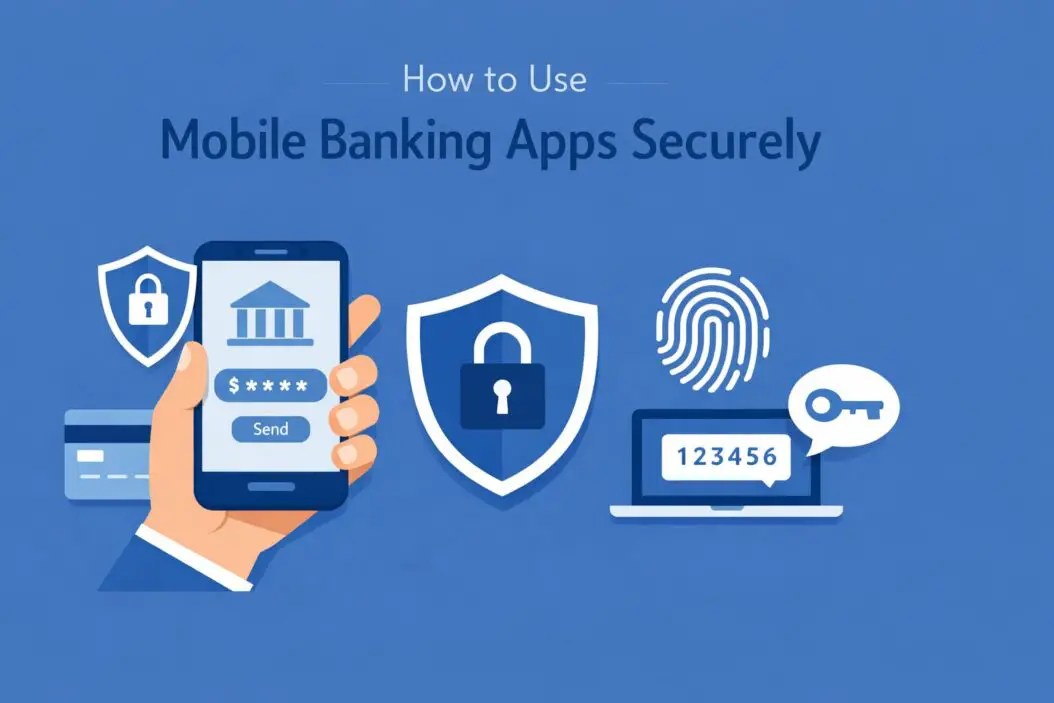
Step 1: Download the App the Right Way
This sounds obvious, but it is where many people make their first mistake.
Only download banking apps from official sources:
- Google Play Store (Android)
- Apple App Store (iOS)
Never download a banking app from a link in an email, SMS, or website. Fake banking apps exist. They look identical to the real thing but steal your login details the moment you type them.
How to verify you have the real app:
- Go directly to your bank’s official website
- Look for the “Download Our App” button, which will redirect you to the correct store listing
- Check the developer name in the store. It should match your bank’s official name
- Read recent reviews. Fake apps often have complaints about login issues or strange behavior
Check app permissions before installing. A banking app should not need access to your contacts, camera (unless for check deposit), or microphone. If an app asks for unnecessary permissions, that is a red flag.
Step 2: Set Up Strong Authentication
Once the app is installed, authentication is your first line of defense.
Use Biometrics Whenever Possible
Face ID and fingerprint login are more secure than a PIN for everyday use. They are harder to steal and faster to use. Enable them in your app settings right after setup.
Create a Strong App PIN
Most apps ask for a PIN as a backup to biometrics. Do not use:
- 1234
- Your birth year
- The last four digits of your phone number
- Any sequence that appears in your passwords elsewhere
Use a random six-digit PIN that you have memorized.
Enable Two-Factor Authentication (2FA)
2FA adds a second verification step when you log in from a new device or perform sensitive actions like transferring money.
Types of 2FA, ranked from most to least secure:
| Method | Security Level | Notes |
|---|---|---|
| Authenticator app (Google Authenticator, Authy) | High | Best option |
| Hardware key (YubiKey) | Very High | Rare in banking apps |
| SMS one-time code | Medium | Better than nothing |
| Email one-time code | Medium | Better than nothing |
| Security questions | Low | Avoid if possible |
If your bank supports an authenticator app, use it. SMS codes can be intercepted through SIM swapping attacks, where a fraudster convinces your carrier to transfer your number to their SIM card.
Step 3: Secure Your Phone Itself
Your banking app is only as secure as the phone it runs on.
Lock Your Screen
Use a strong screen lock. A six-digit PIN minimum. Biometrics are better. Set your phone to lock after 30 seconds of inactivity.
Keep Your Operating System Updated
OS updates patch security vulnerabilities. When you skip updates, you leave known holes open that attackers can use.
- On iPhone: Settings > General > Software Update
- On Android: Settings > System > System Update
Turn on automatic updates so you never fall behind.
Do Not Jailbreak or Root Your Phone
Jailbreaking (iPhone) or rooting (Android) removes built-in security protections. Many banking apps will actually refuse to run on jailbroken devices for this reason. Even if the app opens, your security is compromised.
Install a Reputable Antivirus App
On Android especially, a good antivirus app catches malicious software that sneaks in through other downloads. Bitdefender and Malwarebytes are solid choices with free tiers.
Step 4: Use Mobile Banking Apps Securely on Networks
Where you connect matters as much as how you connect.
Avoid Public Wi-Fi for Banking
Coffee shops, airports, hotel lobbies, and libraries all have public Wi-Fi. These networks are often unencrypted. Someone on the same network can intercept your data using a man-in-the-middle attack.
If you must use public Wi-Fi:
- Use a VPN (Virtual Private Network) to encrypt your connection
- Choose a paid VPN with a no-log policy. Free VPNs often sell your data
- Close the banking app the moment you are done
Use Mobile Data Instead
Your carrier’s 4G or 5G connection is encrypted and much harder to intercept than public Wi-Fi. When in doubt, switch off Wi-Fi and use mobile data for banking.
Check for HTTPS
If you ever use your bank’s website on a browser instead of the app, check that the URL starts with https and shows a padlock icon. Never enter login details on a page that does not have this.
Step 5: Recognize and Avoid Phishing Attacks
Phishing is the most common way people lose access to their bank accounts. It works by tricking you into giving up your credentials voluntarily.
What Phishing Looks Like in 2026
Attackers have become sophisticated. Common phishing attempts include:
- Fake SMS messages claiming your account is locked and asking you to click a link
- Phone calls from someone pretending to be your bank’s fraud department
- Emails with urgent language asking you to verify your account
- WhatsApp messages offering fake refunds or rewards
The golden rule: Your bank will never ask for your full password, PIN, or one-time code over the phone, email, or SMS. Ever. If someone asks for this information, hang up or delete the message.
How to Verify a Suspicious Contact
If you get a call claiming to be from your bank:
- Hang up
- Find your bank’s official number on the back of your card or on their official website
- Call them yourself
- Report the suspicious contact
Do not call back the number that called you. Scammers often use spoofed numbers that look real.
For more on recognizing phishing attacks, the Cybersecurity and Infrastructure Security Agency (CISA) publishes updated guides on current tactics.
Step 6: Manage Your App Settings Wisely
Many people install the app and never revisit the settings. There are a few things worth checking regularly.
Review Linked Accounts and Third-Party Access
Some banking apps let you connect third-party services like budgeting tools or payment platforms. Review these connections every few months. Remove any service you no longer use.
Set Up Account Alerts
Enable instant notifications for:
- Every transaction above a certain amount
- Log in from a new device
- Password or PIN changes
- Failed login attempts
These alerts act as an early warning system. If someone is trying to access your account, you will know immediately.
Log Out After Every Session
Yes, it takes a few extra seconds. But staying logged in means anyone who picks up your phone has access to your money. Make logging out a habit, especially on shared devices.
Disable Autocomplete for Banking Fields
Do not let your phone save your banking password in its autocomplete. If someone accesses your browser or password app, your banking credentials should not be sitting there.
Step 7: Handle Sensitive Actions with Extra Care
Some tasks inside banking apps carry more risk than others.
Money Transfers
- Double-check account numbers before confirming. Errors are almost impossible to reverse
- Be skeptical of anyone who asks you to transfer money urgently, even friends or family (their accounts may be compromised)
- Use your bank’s confirmation screen carefully. Do not rush through it
Mobile Check Deposit
- Write “For Mobile Deposit Only” on the back of every check before depositing
- Keep the physical check for at least 14 days until the deposit clears
- Store or shred checks securely after that period
Shared Devices
Never use banking apps on a device shared with others, including family members. Each person should have their own device or at minimum their own user profile with separate login credentials.
What to Do If Your Phone Is Lost or Stolen
Act fast. Time matters here.
Immediate steps:
- Use your carrier’s app or website to remotely lock or wipe your phone
- Log in to your bank from another device and change your password immediately
- Call your bank’s fraud line to alert them and temporarily freeze your account if needed
- Change the email password linked to your banking account
- File a police report if your phone was stolen (some banks require this for fraud claims)
Most iPhones and Android phones have remote wipe capabilities built in. Set this up before you need it:
- iPhone: iCloud.com > Find My > your device > Erase
- Android: Google’s Find My Device at android.com/find
Common Mobile Banking Security Mistakes
Here is a quick reference of what to avoid:
| Mistake | Why It Is Dangerous | What to Do Instead |
|---|---|---|
| Using public Wi-Fi without a VPN | Data can be intercepted | Use mobile data or a VPN |
| Weak or reused passwords | One breach exposes all accounts | Use a unique, strong password |
| Ignoring app updates | Old apps have known vulnerabilities | Enable auto-updates |
| Clicking links in SMS or email | Leads to phishing sites | Go directly to the app or website |
| Staying logged in permanently | Anyone with your phone has access | Log out after every session |
| Sharing OTP codes with anyone | Banks never ask for this | Refuse and report the request |
| Downloading apps from unknown sources | May be malware | Use official app stores only |
How Secure Are Mobile Banking Apps Themselves?
This is a fair question. Legitimate banking apps use strong encryption standards. Most use AES-256 encryption for data at rest and TLS 1.3 for data in transit. They also go through rigorous third-party security audits.
The app itself is rarely the weak link. You are.
That said, some banks have better security features than others. According to research from the Open Web Application Security Project (OWASP), common mobile banking app vulnerabilities include insecure data storage and improper session handling. These are increasingly rare in major banks but worth keeping in mind when choosing where to bank.
Mobile Banking Security for Different Users
For Older Adults
Older users are disproportionately targeted by phone scams. Key reminders:
- Banks never ask for PINs or passwords over the phone
- Never let anyone remotely access your phone to help you with banking
- If unsure about a transaction, visit the physical branch
For Business Account Holders
Business accounts hold more money and carry higher risk.
- Use a dedicated device for business banking if possible
- Enable dual-approval requirements for large transfers
- Review transaction logs weekly, not monthly
For Frequent Travelers
- Use a VPN consistently when abroad
- Notify your bank before traveling to avoid automatic fraud flags
- Avoid using banking apps on hotel networks
Conclusion
Using mobile banking apps securely in 2026 comes down to a handful of consistent habits. Download from official sources. Use strong authentication. Stay off public Wi-Fi. Watch for phishing. Keep everything updated. Log out when done.
None of these steps are complicated. But skipping even one of them creates an opening that criminals are trained to find and exploit.
Your bank has invested heavily in protecting its systems. Your job is to protect your end of that connection. The steps in this guide give you everything you need to do that confidently.
Start with the setup steps today if you have not already. Check your 2FA settings, enable transaction alerts, and set up remote wipe on your phone. Those three things alone will put you well ahead of most users.
Frequently Asked Questions
Is it safe to use mobile banking apps on Android?
Yes, Android is safe for mobile banking when you follow good security practices. Keep your OS updated, only download apps from the Google Play Store, and use a reputable antivirus app. Android’s open nature means more exposure to third-party apps, so be selective about what you install.
What happens if I lose my phone and someone accesses my banking app?
If your phone is locked with biometrics or a strong PIN, access is already difficult. If you are concerned, remotely wipe your phone immediately, log in from another device to change your banking password, and call your bank to freeze the account. Act within the first hour if possible for the best outcome.
Can someone hack my mobile banking app through public Wi-Fi?
Yes, this is possible through a man-in-the-middle attack, where an attacker intercepts data traveling between your phone and the bank’s server. Using mobile data instead of public Wi-Fi eliminates this risk. If you must use public Wi-Fi, a VPN encrypts your connection and makes interception significantly harder.
Should I use the same password for my banking app and email?
No. Never reuse passwords across any accounts, especially between your banking app and the email linked to it. If your email is breached, an attacker could use it to reset your banking password. Use a password manager to generate and store unique, strong passwords for each account.
How do I know if a banking app is legitimate?
Go to your bank’s official website and follow their download link. Check the developer name in the app store matches your bank’s registered name. Look at the number of downloads and review history. A legitimate major bank app will have millions of downloads and years of reviews. If something feels off, call your bank directly to confirm the app is real before installing.

- How to Uninstall Apps from the Start Menu in Windows 11/10 (2026 Guide) - April 2, 2026
- How to Fix Overscan on Windows 11/10: Stop Your Screen Getting Cut Off (2026) - April 1, 2026
- How to Disable Lock Screen on Windows 11/10 in 2026 - April 1, 2026