
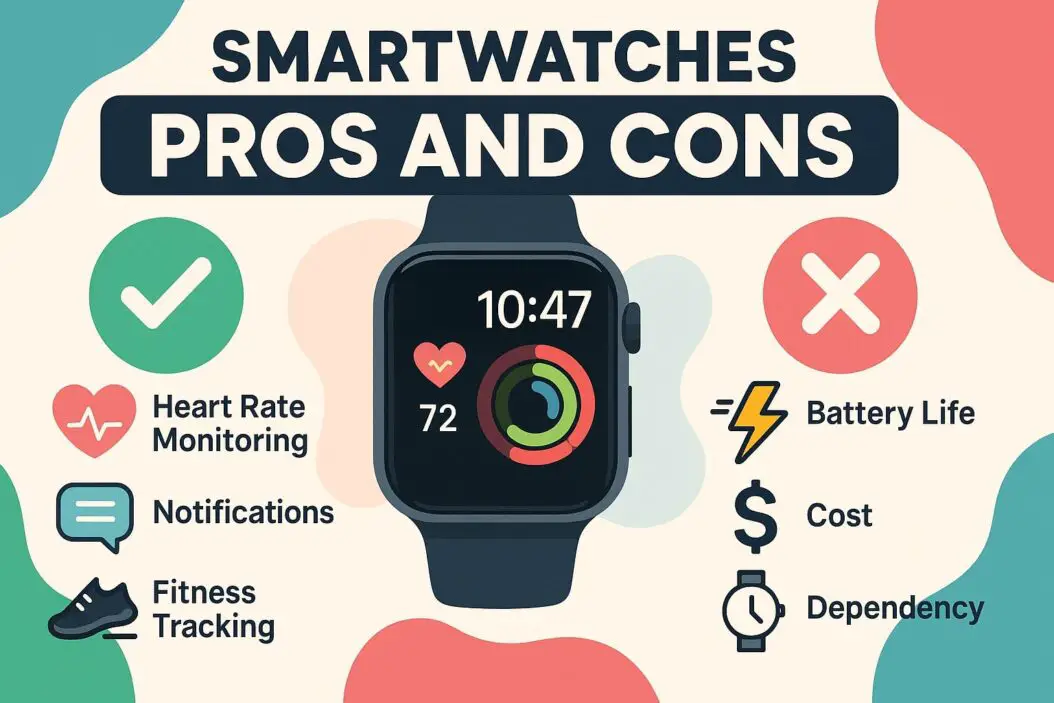
Smartwatches offer real convenience for fitness tracking, quick notifications, and staying connected without pulling out your phone. But they’re expensive, require constant charging, and may not justify the cost for many people. If you want health tracking and quick alerts, they’re worth considering. If you’re looking for something that replaces your smartphone or saves you money, skip them.
What Are Smartwatches and Who Should Care?
A smartwatch is a small computer you wear on your wrist. It connects to your phone and shows you messages, calls, health data, and app notifications. It also tracks your steps, heart rate, and sleep.
Smartwatches aren’t for everyone. They work best if you:
- Want to reduce your phone checking habit
- Track fitness seriously
- Need quick access to notifications
- Have a steady lifestyle with regular patterns
- Can afford the device and don’t mind replacing it every few years
If you don’t fit these descriptions, a smartwatch might just be an expensive gadget gathering dust.
The Real Benefits of Wearing a Smartwatch
1. Health and Fitness Tracking Without Extra Effort
Smartwatches track your movement constantly. You don’t have to think about it.
What they actually measure:
- Daily step count
- Calories burned
- Heart rate patterns
- Sleep quality and duration
- Workout intensity and duration
- Stress levels (some models)
- Blood oxygen levels (some models)
This data matters if you’re trying to build healthier habits. Seeing your steps accumulate throughout the day creates gentle motivation. Many people walk an extra 1,000 steps just because they see the number on their wrist.
Real example: Someone recovering from injury can track daily activity increases without downloading multiple apps. The data sits on their wrist, always available.
Limitation: The accuracy varies by brand and model. Most smartwatches are 80 to 90 percent accurate for step counting but worse for specific exercises like weight lifting or swimming.
2. You Check Your Phone Less Often
This is the real value for many people.
Instead of pulling your phone out every time you feel a notification, you glance at your wrist. If the message doesn’t matter, you leave your phone in your pocket. This creates psychological relief. Your attention stays with what you’re doing instead of fragmenting across notifications.
Studies show excessive phone checking increases anxiety and reduces focus. Smartwatches help here by filtering what actually reaches your attention immediately.
What you can do from your watch:
- Read text previews
- See who’s calling
- Dismiss notifications
- Control music
- Start workouts
- Check weather
What you can’t do easily:
- Respond to complex messages
- Work on detailed tasks
- Enjoy rich content
This limitation is actually a feature. It forces you to handle real work on your phone later, in a focused way.
3. Quick Communication in Specific Situations
Voice calls on your watch are awkward. But text replies with pre-written responses work surprisingly well.
Good use cases:
- Confirming arrival time to a meeting
- Quick replies during workouts
- Letting someone know you’re running late
- Hands-free responses while cooking or driving
Poor use cases:
- Complex conversations
- Work emails requiring thought
- Creative communication
You’re not replacing your phone communication. You’re handling the immediate, simple stuff faster.
4. Time and Information at a Glance
Your watch always shows time, weather, and key information without unlocking a device.
This matters more than it sounds. Small interruptions add up. Checking weather on your phone means:
- Unlock phone
- Open weather app
- See information
- Lock phone
That’s five steps. On your watch: one glance.
Multiply this by dozens of small checks throughout your day. The mental load decreases noticeably for some people.
5. Safety Features for Specific Needs
Some smartwatches include fall detection, emergency calling, and GPS tracking.
For elderly users, this matters. A fall can happen quickly. If someone can’t reach their phone, a smartwatch with emergency features could be genuinely helpful. Kids also benefit from smartwatches with GPS and simple communication features.
For average adults, these features are nice extras but rarely used.
The Real Drawbacks of Smartwatches
1. Battery Drain Is Real and Annoying
Every smartwatch needs charging. Most last between 1 to 3 days.
This means:
- Charging becomes part of your routine
- You’ll forget to charge sometimes and be without it
- You’ll lose health tracking data on days you forgot
- Older batteries degrade and last even less
Compare this to a basic watch that lasts years without a single charge.
Battery reality by type:
- Apple Watch: 1.5 to 2 days
- Wear OS watches: 1 to 2 days
- Fitbit: 3 to 5 days
- Garmin: 2 to 14 days (depending on model)
Ultra battery-life models (Garmin Epix, some Garmins) last longer but cost more and offer fewer features.
For someone traveling or camping, smartwatches become a liability. You need to pack chargers or live without your watch.
2. Expensive for What You Get
Most quality smartwatches cost between $200 and $500.
For that price, you get a wrist-worn notification device and basic fitness tracker. Smartphones do all of this and more for similar cost.
The value question: Is getting notifications on your wrist worth $300 more than your current phone setup?
For most people, the answer is no. The convenience gain doesn’t justify the expense.
Hidden costs:
- Replacement batteries after 1 to 2 years: $50 to $150
- Replacement device every 3 to 5 years
- Optional bands and accessories
- Sometimes requires phone upgrade to work (specific iOS or Android versions)
3. They Feel Limiting After the Novelty Wears Off
Most smartwatch owners report using them actively for 3 to 6 months. Then regular habits kick back in.
You stop noticing the notifications. You check your phone anyway. The watch becomes just a watch.
The fitness tracking stays useful longer, but checking your step count every day gets boring for people without specific fitness goals.
The real pattern: People who use smartwatches long term either have:
- Serious fitness routines they’re training for
- Specific health conditions requiring monitoring
- Jobs requiring constant mobile connectivity
- A genuine dislike of their phone
Everyone else tires of the feature set relatively quickly.
4. Accuracy Issues With Health Data
Smartwatch health tracking isn’t medical grade.
Your smartwatch estimates many metrics rather than measuring them precisely. Heart rate readings vary significantly depending on wrist position, tightness, and skin tone. Sleep tracking uses movement patterns as a proxy for sleep quality, not actual brain activity.
For fitness enthusiasts, this is fine. You’re tracking trends, not precision.
For people with serious health concerns, this data shouldn’t drive medical decisions. Consult actual medical devices and doctors.
Accuracy limitations:
- Heart rate: 85% to 95% accurate for steady state, worse during intense exercise
- Step counting: 85% to 95% accurate
- Sleep data: Estimates sleep quality but can’t diagnose sleep disorders
- Blood oxygen: Rough estimates, not diagnostic
5. Privacy and Data Collection Concerns
Smartwatches collect intimate data about your body, location, and habits.
Companies use this data for improving algorithms, targeted advertising, and selling anonymized trends. Some companies have faced criticism for unclear privacy policies.
If you care about data privacy, research what each manufacturer collects and how they store it.
Key questions:
- Does the company collect location data?
- Is health data encrypted?
- Does the company sell anonymized data to third parties?
- How long do they keep your data?
Check the manufacturer’s privacy policy before buying.
6. Compatibility and Ecosystem Lock In
Smartwatches usually work best with one ecosystem.
Apple Watches need iPhones. Most Wear OS watches work best with Android. Some models require specific phone versions.
If you ever switch phone types, your smartwatch might become less functional or unusable.
This isn’t just technical incompatibility. It’s a business strategy to keep you buying within one ecosystem.
Smartwatch Comparison Table
| Feature | Apple Watch | Wear OS | Fitbit | Garmin |
|---|---|---|---|---|
| Price Range | $250-$800 | $200-$600 | $100-$300 | $200-$900 |
| Battery Life | 1-2 days | 1-2 days | 3-7 days | 2-14 days |
| Best For | iPhone users, fitness | Android users, features | Budget conscious, basics | Serious athletes |
| Health Tracking | Excellent | Good | Very Good | Excellent |
| Notification Access | Full | Full | Limited | Limited |
| Ecosystem Lock | Very high | Moderate | Low | Low |
When Smartwatches Make Actual Sense
You should buy a smartwatch if:
- You track fitness seriously and want wrist-based monitoring
- You’re recovering from injury and need to track activity increases
- Your job requires constant mobile connectivity and quick responses
- You have a specific health condition requiring monitoring
- You genuinely dislike checking your phone and want external motivation
- You’re an early adopter who enjoys new technology
- You’re elderly or caretaker-enabled and need emergency features
You should skip a smartwatch if:
- You’re budget conscious and don’t have specific needs
- You don’t track fitness or health metrics
- Battery life frustrates you
- You’re happy with your current phone habits
- You want a device that lasts years without replacement
- You’re privacy sensitive and uncomfortable with constant data collection
- You change phone platforms occasionally
Practical Tips If You Decide to Buy
Test before buying: Many stores let you try smartwatches. Wear one for a few days and see if the convenience is real for you.
Start cheap: Fitness trackers under $100 give you basic data without full smartwatch features. Try that first.
Choose based on your phone: Apple Watch for iPhones, Wear OS or Garmin for Android. Ecosystem compatibility matters.
Check return policies: Give yourself 30 days to decide if the device actually fits your life. Many retailers allow this.
Buy current models, not older ones: Older smartwatches run slower and have weaker battery management. The technology improves each generation.
Consider your actual needs: Write down what you want the watch to do. Compare that list to actual features. Do they align?
How to Get Better Results From Your Smartwatch
If you already own one or decided to buy:
- Wear it consistently. Data tracking improves with longer wear history.
- Sync it regularly to your phone so data uploads properly.
- Customize your notifications. Turn off everything non-essential so you only see what matters.
- Use the fitness features intentionally. Casual tracking is less motivating than specific goals.
- Review weekly summaries. This creates accountability and shows trends.
- Adjust band tightness based on activity. Too loose reduces accuracy. Too tight causes discomfort.
External Resources
Learn more about smartwatch health accuracy from research on wearable device accuracy published by the Journal of the American Medical Association, which shows detailed findings about measurement precision.
Frequently Asked Questions
Do I need a smartwatch if I have a fitness tracker?
No. Fitness trackers do the same health tracking as smartwatches but are usually cheaper and have longer battery life. Choose a smartwatch only if you want notification access.
Are smartwatches worth it for fitness tracking alone?
Only if you’re serious about tracking. Casual fitness trackers are cheaper and just as accurate. Smartwatches add notification features you might not use.
Can you use a smartwatch with older phones?
Sometimes, but not always. Check compatibility requirements before buying. Most need relatively recent phone versions to work properly.
Do smartwatches work without a phone nearby?
Some do basic functions offline, but they’re much less useful. Most features require your phone for data syncing and notifications.
Is the health data from smartwatches accurate for medical purposes?
No. Use medical-grade devices for health decisions. Smartwatches show trends but aren’t precise enough for diagnosis or treatment planning.
Conclusion
Smartwatches solve real problems for specific people. If you’re training for a marathon, tired of phone notifications fragmenting your attention, or need quick communication access, they’re worth the investment.
For everyone else, they’re expensive convenience gadgets that seem more valuable in the store than they do after three months of actual use.
The honest take: A smartwatch is useful only if it matches your specific life situation. Most people buy them based on excitement or marketing, then discover the convenience isn’t worth the cost and charging routine.
Before buying, answer these questions honestly:
- Will I actually use this multiple times daily?
- Does the price fit my budget without regret?
- Do I have a specific problem this solves?
- Will I remember to charge it regularly?
If you answer yes to all four, buy it. If you answer no to any, save your money for something else.
