
Your browser is telling websites more about you than you realize. Every time you visit a website, your browser shares information that can identify you almost as uniquely as a fingerprint. This happens even when you browse in private mode or block cookies.
Browser fingerprinting tracks you across the web without your permission. Companies use it to follow your online behavior, serve targeted ads, and build profiles about you. Unlike cookies, you can’t simply delete a fingerprint.
This guide explains exactly what browser fingerprinting is, how it works, and what you can do to protect yourself right now.
What Is Browser Fingerprinting?
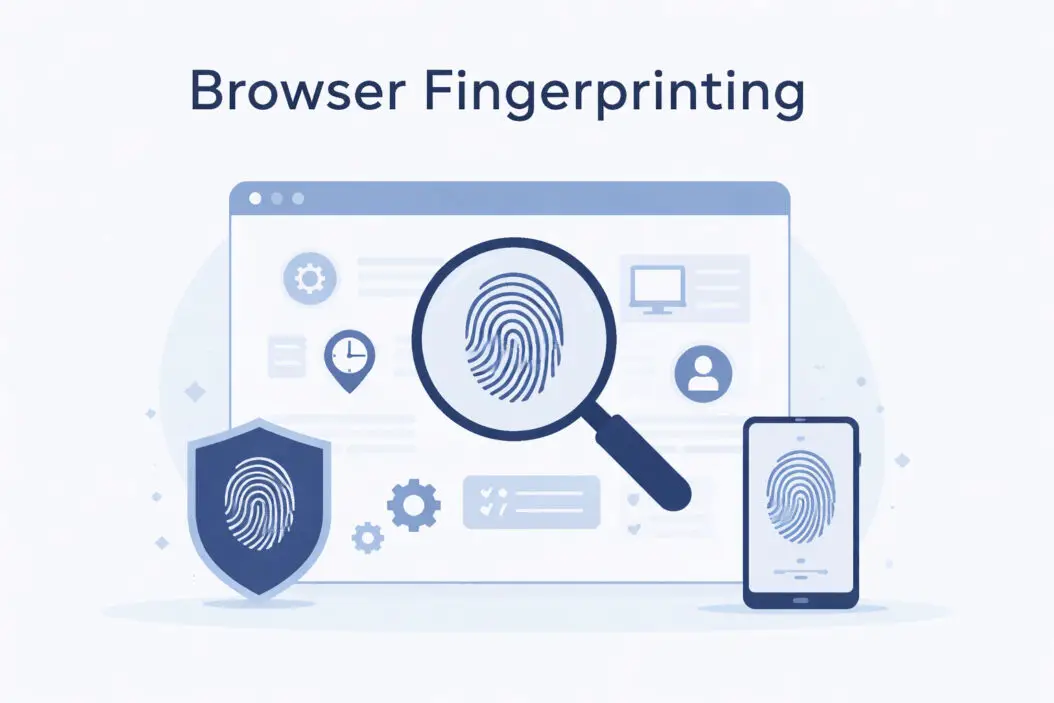
Browser fingerprinting is a tracking method that collects information about your device and browser configuration. Websites gather dozens of data points, like your screen resolution, installed fonts, graphics card, operating system, and browser plugins. When combined, these details create a unique identifier.
Think of it like this: one person wearing a blue shirt isn’t unique. But someone wearing a blue shirt, size 10 shoes, a specific watch, and a particular hairstyle becomes much easier to identify in a crowd.
Your browser configuration works the same way. Each individual detail seems harmless, but together they create a distinctive pattern.
The Difference Between Cookies and Fingerprints
Cookies are small text files that websites store on your device. You can see them, delete them, and block them.
Browser fingerprints are different. They don’t store anything on your device. Instead, websites read information your browser naturally shares. You can’t delete a fingerprint because it’s based on your actual system configuration.
This makes fingerprinting harder to detect and nearly impossible to remove through traditional methods.
How Browser Fingerprinting Actually Works
When you visit a website, your browser automatically shares technical information to display the page correctly. Tracking scripts exploit this normal behavior to collect identifying details.
Information Your Browser Reveals
Here’s what websites can detect about your system:
Device Information:
- Screen resolution and color depth
- Operating system and version
- CPU architecture
- Graphics card model
- Available memory
- Battery status (on mobile devices)
Browser Details:
- Browser type and version
- Installed plugins and extensions
- Supported media formats
- Language preferences
- Timezone
Advanced Tracking Techniques:
- Canvas fingerprinting (how your device renders graphics)
- WebGL fingerprinting (3D graphics capabilities)
- Audio fingerprinting (how your system processes sound)
- Font detection (installed fonts on your system)
Canvas Fingerprinting Example
Canvas fingerprinting is particularly effective. A website asks your browser to draw hidden text or shapes. Different devices render these elements slightly differently based on their graphics card, drivers, and settings.
The website captures this rendering as an image hash. Even tiny differences in how pixels appear create a unique identifier. Two identical laptop models might produce different canvas fingerprints due to driver versions or system updates.
Why Companies Use Browser Fingerprinting
Tracking companies switched to fingerprinting after browsers started blocking third-party cookies. It solves their biggest problem: following users who actively try to avoid tracking.
Common Uses
Advertising Networks: Advertisers track you across websites to measure campaign effectiveness and serve personalized ads. They want to know if you saw their ad on Site A and then bought something on Site B.
Fraud Prevention: Banks and payment processors use fingerprinting to detect suspicious activity. If someone tries to log into your account from a completely different device configuration, it raises red flags.
Analytics Companies: Web analytics services track user behavior across multiple visits. They want accurate visitor counts and user journey data, even when people clear their cookies.
Price Discrimination: Some e-commerce sites adjust prices based on your device type or browsing history. Users on expensive devices might see higher prices for the same product.
The Privacy Problem With Browser Fingerprinting
Browser fingerprinting happens without your knowledge or consent. You can’t opt out through normal privacy settings.
Why This Matters
You’re Tracked Everywhere: Companies follow you across different websites, building detailed profiles about your interests, shopping habits, and online behavior.
Private Browsing Doesn’t Help: Incognito mode prevents cookies but doesn’t change your browser fingerprint. Tracking companies can still identify you.
No Transparency: Unlike cookie consent banners, fingerprinting happens silently. You don’t know who’s tracking you or what they’re doing with your data.
Difficult to Prevent: Blocking fingerprinting requires changing how your browser works. Many anti-tracking tools don’t address fingerprinting effectively.
How Unique Is Your Browser Fingerprint?
Research from the Electronic Frontier Foundation found that 83.6% of browser fingerprints are unique. If you have uncommon plugins, fonts, or system configurations, your fingerprint becomes even more distinctive.
The EFF’s Cover Your Tracks tool tests your browser and shows exactly how unique your fingerprint is. It’s worth checking to see what trackers can detect about your system.
Factors That Increase Uniqueness
| Factor | Impact on Uniqueness |
|---|---|
| Custom fonts installed | High |
| Multiple browser extensions | High |
| Unusual screen resolution | Medium |
| Rare operating system | High |
| Modified browser settings | Medium |
| Outdated browser version | Medium |
The more you customize your system, the easier you become to fingerprint. This creates a privacy paradox: tools meant to protect you can make you more identifiable.
How to Protect Yourself From Browser Fingerprinting
Complete protection is difficult, but you can significantly reduce tracking. The goal is making your fingerprint less unique and harder to connect across sessions.
Use Privacy-Focused Browsers
Brave Browser: Brave blocks fingerprinting scripts by default. It randomizes certain values like canvas fingerprints, making your identity harder to track consistently.
Firefox with Privacy Settings: Firefox includes fingerprinting protection in its Enhanced Tracking Protection. Enable “Strict” mode in Settings > Privacy & Security.
Tor Browser: Tor provides the strongest fingerprinting protection by making all users look identical. Everyone using Tor has the same screen size, fonts, and settings. This crowds you into a large anonymity set.
The tradeoff: some websites break because they rely on fingerprinting for legitimate security purposes.
Browser Extensions That Help
uBlock Origin: This content blocker stops many fingerprinting scripts from loading. Enable the “EasyPrivacy” filter list in settings for better protection.
NoScript: Blocks JavaScript by default, preventing most fingerprinting techniques. Requires manually enabling scripts on trusted sites.
Privacy Badger: Learns which domains track you and blocks them automatically. Developed by the EFF specifically for privacy protection.
Practical Steps You Can Take Today
Limit Browser Customization: Avoid installing unnecessary fonts or unusual browser themes. The more standard your setup, the less unique your fingerprint.
Disable JavaScript Selectively: Many fingerprinting techniques require JavaScript. Use NoScript or uBlock Origin to block scripts on sites that don’t need them.
Use Standard Screen Resolution: Common resolutions like 1920×1080 make you blend in better. Avoid uncommon aspect ratios or very high resolution displays when possible.
Regularly Clear Browser Data: While this doesn’t prevent fingerprinting, it breaks connections between your fingerprint and browsing history.
Avoid Browser Plugins: Each plugin makes your fingerprint more unique. Use built-in browser features instead of extensions when possible.
Keep Your Browser Updated: Outdated browser versions are rare and therefore more identifiable. Regular updates also patch security vulnerabilities.
Advanced Protection Methods
Use Multiple Browser Profiles: Create separate profiles for different activities. Use one for banking, another for social media, and a third for general browsing. This compartmentalizes your digital identity.
Virtual Machines: Running browsers in virtual machines with different configurations prevents cross-session tracking. This is technical but highly effective.
Disable WebRTC: WebRTC can leak your real IP address even when using a VPN. Type about:config in Firefox and set media.peerconnection.enabled to false.
Understanding the Technical Side of Fingerprinting
If you want deeper protection, understanding how fingerprinting scripts work helps you counter them.
JavaScript APIs That Enable Tracking
Fingerprinting scripts use standard web APIs to collect data:
Navigator API: Reveals your operating system, browser version, language, and whether you’re online.
Screen API: Reports your screen dimensions, available screen space, and pixel depth.
Canvas API: Draws invisible graphics to detect subtle rendering differences.
WebGL API: Accesses your graphics hardware information and rendering capabilities.
Audio API: Creates subtle audio signatures based on your hardware.
These APIs exist for legitimate purposes. Website developers need them to create responsive designs and optimize performance. Tracking companies simply exploit publicly available information.
How Fingerprinting Scripts Combine Data
A single data point means little. Your screen resolution alone doesn’t identify you. But when a script combines 20+ attributes, the probability of uniqueness approaches 100%.
Modern fingerprinting uses machine learning algorithms that find patterns in seemingly random combinations. Even if you change some values, the overall pattern remains recognizable.
This is called “probabilistic fingerprinting.” Trackers don’t need perfect matches. They just need high confidence that two fingerprints belong to the same person.
The Legal Landscape in 2026
Privacy regulations are starting to address browser fingerprinting, though enforcement remains inconsistent.
Current Regulations
GDPR (Europe): The General Data Protection Regulation considers fingerprinting a form of personal data processing. Companies need explicit consent, but many ignore this requirement.
CCPA (California): The California Consumer Privacy Act gives residents the right to opt out of data sales. However, many companies claim fingerprinting isn’t “selling” data.
ePrivacy Directive (Europe): This directive specifically addresses tracking technologies. Browser fingerprinting should require consent, similar to cookies.
The problem: enforcement is weak and companies find loopholes. Regulatory guidance from organizations like the Interactive Advertising Bureau continues to evolve as technology advances.
Corporate Responses
Some companies have voluntarily reduced fingerprinting:
Apple: Safari blocks many fingerprinting techniques and presents simplified system information to websites.
Mozilla: Firefox’s fingerprinting protection is improving with each update, blocking known fingerprinting domains.
Google: Chrome has announced plans to reduce fingerprinting but moves slowly due to concerns about breaking websites.
The advertising industry argues fingerprinting is necessary after the death of third-party cookies. Privacy advocates counter that tracking without consent violates fundamental rights.
Fingerprinting Detection and Testing
You can test how vulnerable you are to fingerprinting using several tools.
Testing Your Browser
Visit these services to see what trackers can learn:
- EFF Cover Your Tracks: Shows your fingerprint uniqueness and tracking protection effectiveness
- AmIUnique: Analyzes your fingerprint and compares it against their database
- BrowserLeaks: Comprehensive tests for various tracking methods
Run these tests on different devices and browsers. You’ll see dramatic differences in how much information each reveals.
What to Look For in Results
Unique Identifier: If a service says your fingerprint is “unique among X visitors,” you’re highly trackable.
Consistent Across Sessions: Test from the same device multiple times. If you get the same fingerprint each time, trackers can follow you reliably.
Differences in Private Mode: Compare regular browsing versus private mode. If results are identical, private browsing offers no fingerprinting protection.
The Future of Browser Fingerprinting
Tracking technology evolves as fast as protection measures. Understanding future trends helps you stay ahead.
Emerging Techniques
Behavioral Fingerprinting: New methods track how you move your mouse, type on your keyboard, and scroll through pages. These behavioral patterns are remarkably consistent for individuals.
Network Fingerprinting: Your internet connection has unique characteristics like latency patterns and packet loss rates. These can supplement browser fingerprints.
Cross-Device Tracking: Companies link your phone, laptop, and tablet fingerprints to create comprehensive profiles. They look for patterns like accessing the same websites or using the same accounts.
Browser Improvements Coming
Brave’s Farbling: Brave randomizes fingerprint values slightly, making you appear as a different person on each visit while keeping websites functional.
Firefox’s Total Cookie Protection: While focused on cookies, this feature compartmentalizes all storage by website, limiting cross-site tracking.
Privacy Sandbox (Chrome): Google’s attempt to replace third-party cookies includes some fingerprinting protections, though critics question its effectiveness.
Common Misconceptions About Browser Fingerprinting
Let’s clear up some confusion about what fingerprinting can and can’t do.
Myth 1: VPNs Prevent Fingerprinting
VPNs hide your IP address but don’t change your browser fingerprint. Trackers still see your device configuration, installed fonts, and rendering behavior. You need anti-fingerprinting tools in addition to a VPN for meaningful protection.
Myth 2: Clearing Cookies Stops All Tracking
Cookies and fingerprints work independently. Deleting cookies removes one tracking method but leaves fingerprinting intact. You remain identifiable through your unique browser configuration.
Myth 3: Mobile Browsers Are Safe
Mobile devices are often easier to fingerprint. They have fewer configuration options, making unique settings stand out more. Additionally, mobile browsers reveal sensor data that desktop browsers don’t access.
Myth 4: Only Shady Websites Use Fingerprinting
Major companies and legitimate websites employ fingerprinting. Facebook, Google, Amazon, and countless others use these techniques. It’s standard practice in digital advertising, not just a tool for malicious actors.
Balancing Privacy and Functionality
Extreme anti-fingerprinting measures can break websites. Finding the right balance requires understanding the tradeoffs.
What Breaks When You Block Fingerprinting
Login Systems: Some security systems use fingerprinting to detect suspicious login attempts. Blocking it completely might trigger constant security challenges.
Media Playback: Websites check your supported formats to deliver the right video codec. Lying about capabilities can prevent videos from playing.
Responsive Design: Designers need your screen size to optimize layouts. Blocking this information might result in poorly formatted pages.
Finding Your Privacy Comfort Level
Low Protection: Use privacy-focused browsers with default settings. This blocks the most invasive tracking while maintaining compatibility.
Medium Protection: Add extensions like uBlock Origin and enable strict tracking protection. Accept occasional website breakage.
High Protection: Use Tor Browser or heavily configured Firefox. Expect significant compatibility issues and be prepared to whitelist trusted sites.
Most people find medium protection offers the best balance. You block the majority of tracking without making the web unusable.
Practical Privacy Strategy for 2026
Here’s a realistic approach to reducing fingerprinting without becoming a privacy extremist.
Step 1: Switch Your Default Browser
Start using Brave or Firefox instead of Chrome or Edge. This single change blocks most fingerprinting attempts immediately.
Step 2: Install Essential Extensions
Add uBlock Origin to any browser you use. Enable all privacy filter lists in its settings. This blocks tracking scripts before they run.
Step 3: Adjust Browser Settings
In Firefox: Settings > Privacy & Security > Strict mode In Brave: Settings > Shields > Aggressive blocking In Chrome: Settings > Privacy and security > Enhanced protection
Step 4: Create Browsing Compartments
Use different browsers for different activities:
- Brave for general browsing
- Firefox for shopping and accounts
- Tor for anything requiring maximum privacy
This prevents trackers from connecting your activities across contexts.
Step 5: Regular Privacy Audits
Test your fingerprint monthly using EFF’s Cover Your Tracks. Check if changes you’ve made actually improved your privacy or just made you more unique.
The Bigger Picture: Digital Privacy in 2026
Browser fingerprinting is just one part of the modern surveillance ecosystem. Understanding how it fits into the broader privacy landscape helps you make informed decisions.
Connected Privacy Issues
Device Fingerprinting: Your phone’s advertising ID, MAC address, and sensor data create additional fingerprints outside the browser.
Account Linking: Logging into services like Google or Facebook connects your identity across sites, making fingerprinting unnecessary.
ISP Tracking: Your internet provider sees every website you visit, regardless of browser fingerprinting protections.
Real privacy requires addressing multiple tracking methods simultaneously. No single solution provides complete protection.
Conclusion
Browser fingerprinting is a powerful tracking method that operates without your knowledge or consent. Companies collect dozens of data points about your device to create unique identifiers that follow you across the web.
You can’t eliminate fingerprinting completely without breaking many websites. However, you can significantly reduce tracking by using privacy-focused browsers like Brave or Firefox, installing blocking extensions like uBlock Origin, and minimizing browser customizations that make you more unique.
The most practical approach combines multiple strategies: use different browsers for different activities, enable strict tracking protection in your settings, test your fingerprint regularly, and stay informed about new tracking techniques.
Privacy is a spectrum, not a binary choice. Choose the protection level that matches your threat model and tolerance for broken websites. Even small steps dramatically reduce how much companies can track you online.
The technology will keep evolving. Tracking companies develop new fingerprinting methods as fast as privacy advocates create defenses. Staying protected requires ongoing attention and willingness to adjust your tools and tactics.
Start today by testing your browser fingerprint and making one change. Small improvements compound over time into meaningful privacy gains.
Frequently Asked Questions
Can websites track me if I use incognito mode?
Yes. Incognito mode prevents your browser from saving history and cookies locally, but it doesn’t change your browser fingerprint. Tracking scripts still see your screen resolution, installed fonts, graphics card, and other identifying information. Your fingerprint remains identical whether you browse normally or in private mode. For actual privacy, you need anti-fingerprinting tools in addition to incognito mode.
Is browser fingerprinting illegal?
The legality varies by location. In Europe, GDPR and the ePrivacy Directive require consent for fingerprinting, similar to cookies. However, enforcement is inconsistent and many companies ignore these requirements. In the United States, there’s no federal law specifically prohibiting fingerprinting, though California’s CCPA gives residents some rights. Most fingerprinting happens in a legal gray area where regulations haven’t caught up to technology.
Do all websites use browser fingerprinting?
No, but many popular sites do. Advertising networks, social media platforms, and analytics companies commonly employ fingerprinting. Small personal websites and blogs typically don’t have the technical infrastructure or motivation to fingerprint visitors. However, they might include third-party scripts for ads or analytics that perform fingerprinting without the site owner’s knowledge. Assume any major commercial website tracks you through multiple methods including fingerprinting.
Will using a VPN protect me from fingerprinting?
VPNs hide your IP address but don’t prevent fingerprinting. Your browser still reveals the same device configuration, fonts, and rendering capabilities regardless of your network location. Trackers can identify you through your fingerprint even when your IP address changes constantly. For comprehensive protection, you need both a VPN (for IP anonymity) and anti-fingerprinting tools (for device anonymity). They solve different privacy problems.
How often does my browser fingerprint change?
Your fingerprint changes when you modify system configurations. Installing software, updating your browser, changing screen resolution, or adding extensions all alter your fingerprint. However, the overall pattern often remains recognizable through probabilistic matching. Trackers use machine learning to connect old and new fingerprints from the same device. Natural system changes provide some protection, but deliberate randomization works better for preventing consistent tracking across sessions.

- How to Fix Overscan on Windows 11/10: Stop Your Screen Getting Cut Off (2026) - April 1, 2026
- How to Disable Lock Screen on Windows 11/10 in 2026 - April 1, 2026
- Top 7 NFT Integration Ideas for Brands in 2026 - March 31, 2026