
Managing multiple wallets can feel overwhelming, but it’s often necessary. You might use one wallet for daily expenses, another for savings, a digital wallet for online purchases, and maybe a cryptocurrency wallet for investments. The challenge isn’t having multiple wallets. The challenge is keeping track of them without losing money, missing payments, or creating financial chaos.
This guide shows you exactly how to organize, track, and manage multiple wallets without the stress. You’ll learn practical systems that work in real life, not theoretical advice that sounds good but fails when you try it.
Why People Use Multiple Wallets
Before diving into management strategies, understand why multiple wallets make sense for many people:
Financial separation: Different wallets for different purposes help you control spending. Your entertainment budget stays separate from your grocery money.
Security: Spreading money across wallets reduces risk. If one gets compromised, you don’t lose everything.
Goal tracking: Dedicated wallets for specific goals (vacation fund, emergency savings) make progress visible and motivating.
Digital and physical needs: Most people need both physical wallets for cash and cards, plus digital wallets for online transactions and cryptocurrency.
Shared expenses: Couples or roommates often maintain personal wallets plus a shared one for joint costs.
The problem starts when you have no system to manage them all.
The Core Problem with Multiple Wallets
Multiple wallets create three main headaches:
- Tracking balances: You forget which wallet has money, leading to declined transactions or unnecessary transfers
- Duplicate expenses: You might pay for something twice because you lost track across wallets
- Lost opportunities: Money sits idle in forgotten wallets instead of earning interest or getting used
These problems compound quickly. Miss one bill payment because you checked the wrong wallet, and you’re paying late fees. Forget about a wallet for months, and you might lose access entirely (especially with cryptocurrency wallets).
The Wallet Management System That Actually Works
Here’s a proven system used by people successfully managing 5+ wallets:
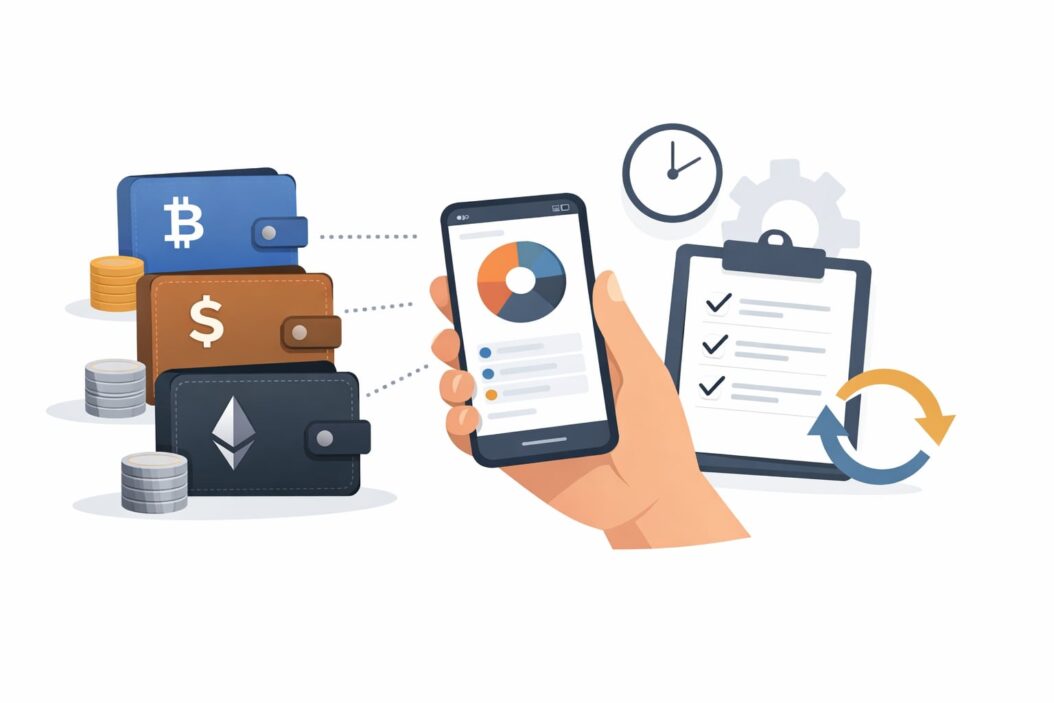
Step 1: Inventory Every Wallet You Have
Create a simple list. Write down:
- Physical wallets (what’s inside them)
- Bank accounts and associated debit cards
- Credit cards
- Digital payment apps (PayPal, Venmo, Cash App)
- Cryptocurrency wallets
- Store-specific wallets (Amazon Pay, Starbucks card)
- Investment accounts you can spend from
Most people discover they have more wallets than they thought. One person I know found 11 different places where money was sitting.
Step 2: Assign a Clear Purpose to Each Wallet
Every wallet needs a job. Vague purposes fail. Specific purposes work.
Good examples:
- Daily spending (groceries, gas, coffee)
- Bills and subscriptions
- Emergency fund (don’t touch unless actual emergency)
- Entertainment and dining out
- Online purchases only
- Crypto investments
Bad examples:
- Extra money
- Backup wallet
- Sometimes use this one
Write the purpose next to each wallet in your inventory. If you can’t think of a clear purpose, that wallet is a candidate for elimination.
Step 3: Create a Master Tracking Sheet
You need one place where you can see everything at a glance. A spreadsheet works perfectly. Set up columns for:
| Wallet Name | Type | Purpose | Current Balance | Last Checked | Notes |
|---|---|---|---|---|---|
| Main Checking | Bank Account | Daily expenses | $1,247 | Today | Debit card in physical wallet |
| Emergency Fund | Savings Account | True emergencies only | $5,000 | This week | High-yield account |
| Crypto Wallet | Digital | Long-term investment | $2,100 | Yesterday | Hardware wallet, secure |
Update this sheet at least once per week. Many successful multi-wallet users check it every morning, which takes about 2 minutes.
You can use Google Sheets so you can access it from your phone anytime. You can also use apps like Mint or Personal Capital, but a simple spreadsheet gives you more control and works even if the app shuts down (according to consumer finance experts at NerdWallet, having a personal tracking system prevents over-reliance on any single platform).
Step 4: Set Up a Primary and Secondary Wallet
Two wallets should handle 80% of your transactions:
Primary wallet: Your main spending account. This gets your paycheck, pays your regular bills, handles daily purchases. Most people use their primary checking account for this.
Secondary wallet: Your backup for when the primary is empty or for specific planned expenses. Maybe a credit card you pay off monthly, or a second checking account.
Everything else becomes specialized. You only touch specialized wallets for their specific purposes.
This hierarchy prevents decision paralysis. You don’t stand at the checkout wondering which of your seven payment methods to use. You use the primary unless there’s a specific reason not to.
Step 5: Automate Money Movement Between Wallets
Manual transfers between wallets fail because you forget. Automation succeeds because it happens whether you remember or not.
Set up automatic transfers:
- Weekly transfer from primary to savings/emergency wallet
- Monthly transfer to investment or crypto wallet
- Automatic bill payments from dedicated bill-pay wallet
- Recurring transfer to shared wallet for household expenses
Most banks and apps let you schedule these. Spend one hour setting them up, then they run forever.
Example automation schedule:
- Every Friday: $100 from checking to emergency fund
- 1st of month: $500 from checking to bill-pay account
- 1st of month: $200 from checking to entertainment wallet
- 15th of month: $150 from checking to crypto exchange
This system means money flows to the right places without you thinking about it.
Step 6: Review and Reconcile Weekly
Pick one day each week for wallet review. Sunday evening works well for most people.
Your review checklist:
- Check balance in every active wallet
- Update your master tracking sheet
- Look for any unexpected charges
- Move money if any wallet is too low or too high
- Verify automatic transfers happened correctly
This takes 10-15 minutes. The time investment prevents the much bigger time sink of dealing with overdrafts, lost money, or financial confusion.
Digital Wallet Management Specifics
Digital wallets create unique challenges because they’re invisible. You can’t see them sitting on your dresser.
Managing Payment Apps (Venmo, PayPal, Cash App)
These apps should stay at $0 most of the time unless you’re actively using them. Here’s why:
Security: Money in payment apps has less protection than money in bank accounts. If someone hacks your account, recovery is harder.
Tracking: Balances in these apps don’t show up in your bank balance, making it easy to forget about them.
Best practice: Link these apps to your primary wallet. Send money directly from your bank when you need to make a payment. If someone sends you money, transfer it to your bank immediately or within 24 hours.
Exception: If you use these apps constantly (multiple times per day), keeping $50-100 as a buffer makes sense. More than that creates unnecessary risk.
Managing Cryptocurrency Wallets
Crypto wallets demand extra attention because:
- Lost access means lost money forever (no password recovery)
- Sending to wrong address means money gone forever
- Balances can change dramatically while you’re not watching
- Different coins need different wallets or different sections of the same wallet
Management system for crypto:
Create a separate document (encrypted or in a safe place) with:
- Wallet names and types (hot wallet, cold wallet, exchange)
- Seed phrases and private keys (never store digitally if possible)
- Public addresses for each coin
- Last access date
- Recovery information
Check crypto wallets weekly at minimum. During volatile periods, daily checks help you make informed decisions.
Hardware wallet priority: If you hold significant crypto (more than you’d feel comfortable losing), use a hardware wallet like Ledger or Trezor. It’s a physical device that stores your crypto offline. This is the most secure option (blockchain security researchers at Kraken consistently recommend hardware wallets for serious holdings).
Exchange vs. personal wallet: Money you plan to trade stays on exchanges. Money you plan to hold long-term moves to your personal wallet. Never leave more on an exchange than you’re willing to lose if the exchange fails.
Managing Store and Brand Wallets
Starbucks cards, Amazon Pay, retail store apps with stored value. These multiply fast.
The minimalist approach: Don’t use these unless the rewards are substantial. Every store wallet is another thing to track.
If you do use them:
- Set a maximum of 3 store wallets
- Only load money right before you use it (don’t prepay $100 for future coffee)
- Check balances monthly and drain any you’re not using
- Enable low-balance alerts if the app offers them
Many people have $200+ spread across forgotten store gift cards and wallets. That’s $200 earning nothing and probably expiring.
Physical Wallet Management
Physical wallets have different challenges than digital ones.
How Many Physical Wallets Should You Carry?
Daily situation: One wallet with your primary payment card, ID, and perhaps $40-60 in cash.
Why carry cash: Some places still don’t take cards. Having emergency cash prevents getting stuck. Small bills ($1, $5, $10) are most useful.
What to actually keep in your daily wallet:
- Primary debit or credit card
- One backup card
- Driver’s license
- Health insurance card
- $40-60 in cash
- Maybe one or two important membership cards
That’s it. Everything else stays home.
The Home Wallet System
Keep a second physical wallet or organizer at home with:
- Backup cards you rarely use
- Cards specific to certain situations (Costco card if you only shop there monthly)
- Extra cash reserve
- Important receipts you need to save
- Cards you’re not actively using but might need
This prevents your daily wallet from becoming overstuffed while keeping everything accessible.
Cash Management Across Wallets
If you use cash regularly, decide on a system:
Option 1: Single cash wallet All cash goes in one wallet. When you need cash elsewhere, you take it from this wallet. Simple tracking.
Option 2: Envelope system Different physical envelopes or pouches for different cash purposes (groceries, entertainment, gas). This is powerful for budget control but requires discipline.
Option 3: Hybrid Small amount of cash ($20-40) in daily wallet for emergencies. Larger cash reserves in home safe or envelope system.
Whatever you choose, count your total cash weekly. Cash vanishes mysteriously if you don’t track it.
Tools and Apps That Help
The right tools make multi-wallet management significantly easier.
Budget and Tracking Apps
Mint (free): Connects to all your financial accounts and shows balances in one place. Good for people with mostly traditional bank accounts and credit cards.
Personal Capital (free): Similar to Mint but better for investment tracking. Good if you manage investment wallets too.
YNAB (You Need A Budget) ($99/year): Doesn’t just track, it helps you plan. Powerful envelope budgeting system that works well with multiple wallets.
Spreadsheet (free): Don’t underestimate a simple Google Sheet. Full control, works forever, no privacy concerns.
Password and Security Management
Managing multiple wallets means managing multiple passwords and security codes.
1Password or Bitwarden: Store all your financial passwords securely. Never reuse passwords across wallets. A password manager makes this possible without losing your mind.
Two-factor authentication everywhere: Every wallet that offers 2FA should have it enabled. Yes, it’s one more step. Yes, it prevents the nightmare of someone draining your wallets.
Notification Management
Most wallet apps and banks offer notifications. Use them strategically:
Enable notifications for:
- Any transaction over $50
- Low balance warnings (set threshold at $100)
- Unusual activity
- Failed payment attempts
Disable notifications for:
- Marketing
- New features
- Every small transaction (this creates noise)
The goal is to get alerted about problems while avoiding notification fatigue.
Common Mistakes and How to Avoid Them
Mistake 1: Too Many Wallets
More than 7-8 wallets becomes unmanageable for most people. Each additional wallet adds tracking burden without much benefit.
Solution: Audit your wallets quarterly. Close or drain ones you haven’t used in 3 months. Consolidate where possible.
Mistake 2: Uneven Distribution
Having $5,000 in one wallet and $3 in another doesn’t make sense if you need both wallets functional.
Solution: Set target balances for each wallet based on its purpose. Rebalance monthly.
Example targets:
- Daily spending: 2 weeks of typical expenses
- Emergency fund: 3-6 months expenses
- Bill pay account: Next month’s bills plus 10% buffer
- Entertainment: Your monthly entertainment budget
Mistake 3: No Emergency Access Plan
What happens if you lose your phone (which has all your digital wallet access)? Or if your physical wallet gets stolen?
Solution: Create an emergency access document. Store it securely (safe, safe deposit box, encrypted file). Include:
- List of all wallets
- Customer service numbers for each
- Account numbers (not passwords)
- Backup card numbers
- Steps to freeze accounts quickly
Review and update this quarterly.
Mistake 4: Forgetting About Minimum Balances
Some accounts charge fees if balance drops below a minimum. If you spread money too thin across wallets, you might trigger these fees.
Solution: Know the minimum balance requirement for every wallet. Factor this into your target balances. If you can’t maintain the minimum, close that wallet.
Mistake 5: Not Updating After Life Changes
Got a new job? Moved? Got married? Your wallet system needs to update too.
Solution: Review your entire wallet system whenever major life changes happen. Purposes that made sense before might not make sense now.
Advanced Strategies for Multiple Wallets
Once you’ve mastered basic management, these strategies offer additional benefits.
The 3-Wallet Security System
Split money across three security levels:
Level 1: Hot (immediate access, less secure)
- Daily spending wallet
- Primary checking account
- Maybe $1,000-2,000 total
Level 2: Warm (24-hour access, moderate security)
- Savings accounts
- Secondary checking
- Most of your liquid money
Level 3: Cold (slow access, maximum security)
- Investment accounts
- Certificate of deposits
- Hardware crypto wallets
- Money market accounts
If Level 1 gets compromised, you lose the least. Accessing Level 3 money takes extra steps, which also prevents impulsive spending.
The Zero-Based Wallet System
Every dollar in your wallet system has a job assigned. No money sits as “general funds.”
At the start of each month:
- List all income
- Assign every dollar to a specific wallet/purpose
- Track actual spending
- Adjust next month
This approach maximizes awareness and minimizes wasted money.
Wallet Pairing
Some wallets work better as pairs:
Spending + Savings pair: Your checking account paired with a high-yield savings account at the same bank. Easy transfers, clear relationship between spending and saving.
Credit + Checking pair: A rewards credit card paired with the checking account that auto-pays it monthly. Earn rewards without credit card debt risk.
Investment + Funding pair: Your primary bank paired with your investment account. Regular automatic transfers from primary to investment.
Paired wallets create natural money flows that reinforce good habits.
Teaching Others Your System
If you share finances with a partner or need to explain your system to family (in case of emergency), documentation matters.
Create a one-page overview:
- List each wallet
- State its purpose
- Show how money flows between them
- Include access information (not passwords)
Hold quarterly reviews with anyone who shares your finances. Show them the tracking sheet. Discuss what’s working and what needs adjustment.
Make your system visible. If you use physical envelopes, they should be labeled and organized where others can see them. If you use digital tools, share access.
The best wallet management system means nothing if you get hit by a bus and nobody else can figure it out.
Red Flags Your System Needs Fixing
Watch for these warning signs:
You regularly overdraft despite having money in other wallets. This means your distribution is wrong or you’re not checking balances often enough.
You find forgotten money regularly. Discovering $200 in an old PayPal account means your tracking system has gaps.
You feel anxious about your finances despite having adequate money. Too many wallets create mental burden even when you’re financially stable.
You miss payment deadlines because you forget which wallet funds what.
You spend 30+ minutes per week just figuring out your wallet situation.
Any of these signals mean your system is too complex or poorly organized. Simplify or restructure.
Special Situations
Managing Wallets While Traveling
Travel complicates wallet management:
Before you leave:
- Load one travel-specific wallet with your trip budget
- Notify your banks you’ll be traveling
- Have backup cards in separate locations
- Download offline access to tracking apps
- Screenshot important account numbers
During the trip:
- Check balances every 2-3 days
- Save all receipts in one place
- Note any unusual charges immediately
After returning:
- Reconcile everything within 48 hours
- Move leftover foreign currency to its own envelope
- Update your tracking sheet with final numbers
Managing Business and Personal Wallets
Mixing business and personal money creates tax nightmares.
Absolute rule: Completely separate wallets for business and personal. No exceptions.
Business wallet system:
- Business checking (primary)
- Business savings (taxes and reserves)
- Business credit card (for expenses and rewards)
Never:
- Use personal cards for business expenses
- Use business cards for personal purchases
- Move money between business and personal without proper documentation
Track both systems separately. Review business wallets weekly, personal wallets weekly, but never combine them in your tracking.
Managing Wallets in Relationships
Couples need to decide on their approach:
Option 1: Fully merged All money goes into joint wallets. Both people have access to everything. Requires high trust and aligned spending habits.
Option 2: Yours, mine, and ours Each person maintains personal wallets for discretionary spending. Joint wallets handle shared expenses (rent, groceries, utilities).
Option 3: Proportional contribution Each person contributes to joint wallets based on income percentage. Higher earner contributes more. Personal wallets stay separate.
Whatever system you choose, discuss it explicitly. Don’t assume. Many relationship conflicts stem from unspoken wallet management disagreements.
Conclusion
Managing multiple wallets effectively comes down to five core principles:
- Every wallet needs a clear purpose. Vague purposes create chaos.
- One master tracking system shows you everything at a glance.
- Automation moves money so you don’t have to remember.
- Weekly reviews catch problems before they become expensive.
- Simplify ruthlessly. Fewer wallets managed well beats many wallets managed poorly.
Start with these basics. Your current system probably has 2-3 obvious problems. Fix those first. Don’t try to implement everything at once.
Pick one wallet that’s causing you the most frustration. Apply these principles to just that wallet this week. Once that’s under control, move to the next one.
Multiple wallets can work beautifully when you have a system. Without a system, they create stress and cost money. You now have the system. The only question is whether you’ll use it.
Frequently Asked Questions
How many wallets is too many?
If you can’t list all your wallets from memory, you have too many. For most people, 5-7 wallets is the practical maximum before tracking becomes more trouble than the benefits of separation. This includes everything: bank accounts, credit cards, digital wallets, and cash envelopes.
Should I close wallets I’m not using?
Yes, with two exceptions. Keep inactive wallets only if they have old credit history that helps your credit score, or if closing them triggers fees or penalties. Otherwise, drain and close unused wallets every quarter. They’re security risks and mental clutter.
What’s the best app for tracking multiple wallets?
There’s no single best app because needs vary. Mint works well for basic tracking across traditional accounts. YNAB excels if you want active budgeting. Personal Capital suits people with investments. But honestly, a simple spreadsheet you update weekly often works better than apps you ignore because they’re complicated.
How much cash should I keep in physical wallets?
Keep $40-60 in your daily wallet for emergencies and places that don’t take cards. Store an additional $200-500 at home as a true emergency reserve. More than this creates security risk without much benefit. In 2026, digital payments cover almost everything.
What happens if I forget a wallet password or lose access?
This is why you need an emergency access document. Store account numbers, customer service contacts, and recovery information separately from passwords. For cryptocurrency wallets, losing seed phrases means losing money permanently. There’s no password recovery. Write seed phrases on paper and store them in a safe or safe deposit box. Never store them digitally.
