
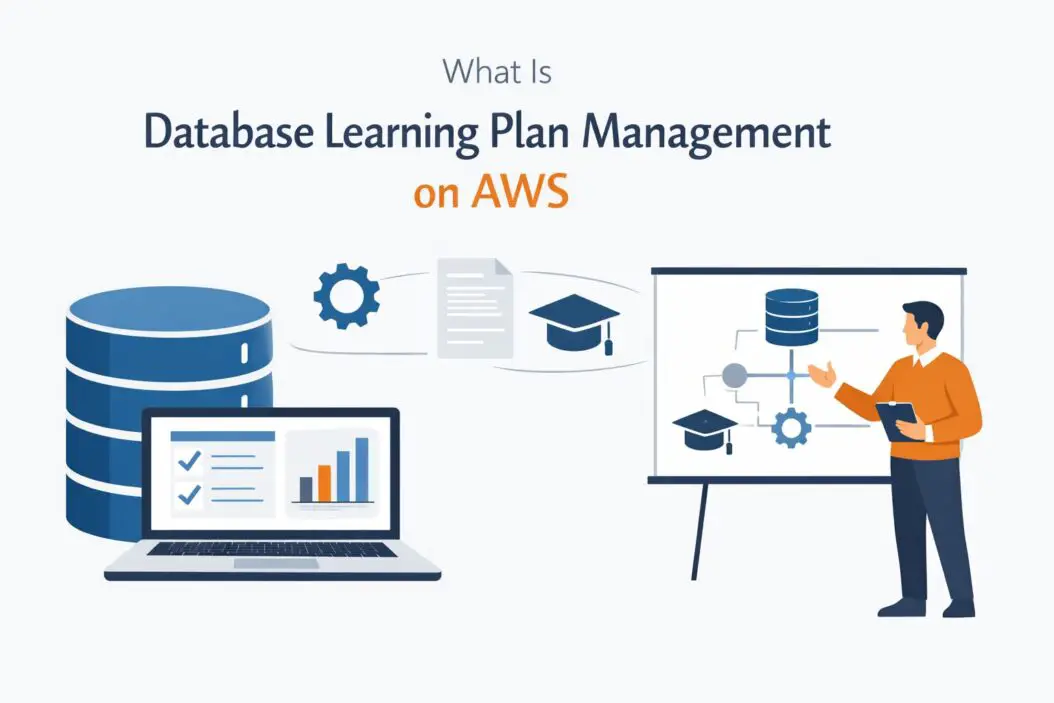
If you are trying to understand database learning plan management on AWS, here is the short answer: it is a structured, self-paced training path offered by AWS that teaches you how to build, manage, optimize, and secure databases using AWS services. AWS organizes this training into learning plans so you do not waste time jumping between random courses. You follow a clear path from beginner to advanced, focused specifically on databases.
This guide breaks down exactly what that means, how it works, what you learn, and how to get started in 2026.
Why Database Skills on AWS Matter in 2026
Cloud databases are now the backbone of almost every modern application. Companies no longer manage physical servers in a basement. They rely on managed database services in the cloud, and AWS holds the largest share of that market.
The demand for people who understand AWS database services is growing fast. Whether you are a developer, a DBA, a solutions architect, or someone switching careers into cloud, knowing how to work with AWS databases is a high-value skill.
The challenge is that AWS offers many database services. There is Amazon RDS, Aurora, DynamoDB, Redshift, ElastiCache, Neptune, DocumentDB, and more. Without a plan, it is easy to get overwhelmed and learn things in the wrong order.
That is exactly the problem database learning plan management on AWS solves.
What Is a Learning Plan on AWS?
AWS Training and Certification offers something called learning plans. A learning plan is a curated collection of courses, videos, labs, and assessments arranged in a specific sequence. Each plan is built around a role or a topic.
For database management, AWS has created learning plans that guide you through everything you need to know to manage databases at a professional level on their platform.
Think of it as a structured roadmap. Instead of randomly picking courses, you follow a path that builds your knowledge progressively. Each module connects to the next. By the end, you have a complete picture of how AWS database management works, not just scattered facts.
AWS delivers these learning plans through AWS Skill Builder, which is their official online training platform. Some content is free. Some requires a paid subscription.
What Does the AWS Database Learning Plan Cover?
Core Database Services You Learn
The learning plan covers the main database services on AWS. Here is a breakdown of what gets covered and what each service is used for.
| AWS Service | Type | Best Used For |
|---|---|---|
| Amazon RDS | Relational | MySQL, PostgreSQL, SQL Server, Oracle workloads |
| Amazon Aurora | Relational | High-performance MySQL and PostgreSQL compatible apps |
| Amazon DynamoDB | NoSQL | High-speed key-value and document storage |
| Amazon Redshift | Data Warehouse | Analytics and large-scale data queries |
| Amazon ElastiCache | In-memory | Caching, session management, real-time leaderboards |
| Amazon DocumentDB | Document | MongoDB-compatible workloads |
| Amazon Neptune | Graph | Social networks, fraud detection, knowledge graphs |
| Amazon Keyspaces | Wide column | Cassandra-compatible workloads |
The learning plan does not expect you to master all of these at once. It starts with foundational concepts and adds complexity as you progress.
Foundational Topics Covered First
Before diving into specific services, the learning plan builds your base knowledge. This includes:
- Understanding relational vs non-relational databases
- How AWS handles database availability and durability
- The shared responsibility model for database security
- Basic networking concepts like VPCs and security groups as they relate to databases
- How to use the AWS Management Console for database tasks
This foundation is important. Many people skip it and then struggle when they try to configure things properly. The learning plan does not let you skip it.
Intermediate Database Management Skills
Once you have the basics, the plan moves into practical management skills. This is where you start working with real AWS services. The topics here include:
- Creating and configuring RDS instances
- Setting up Multi-AZ deployments for high availability
- Configuring automated backups and point-in-time recovery
- Monitoring databases using Amazon CloudWatch
- Managing database users, roles, and permissions
- Using parameter groups and option groups in RDS
- Connecting applications to databases using endpoints
At this stage, you also do hands-on labs. AWS Skill Builder includes lab environments where you practice in a real AWS console without needing your own account or worrying about costs.
Advanced Database Management Topics
The advanced section of the plan covers topics that separate a capable database administrator from an expert. These include:
- Performance tuning and query optimization
- Using Amazon RDS Proxy to manage connection pooling
- Setting up read replicas for horizontal scaling
- Database encryption using AWS KMS
- Migrating databases to AWS using the AWS Database Migration Service (DMS)
- Cost optimization strategies for database workloads
- Disaster recovery planning and cross-region replication
The DMS section is particularly valuable. Many organizations are still running on-premise databases or using databases on other cloud providers. Knowing how to migrate them cleanly to AWS is a skill companies pay well for.
How AWS Organizes Database Learning Plans
AWS does not offer just one database learning plan. They organize content by role. The main ones relevant to database management are:
Database Administrator Learning Path
This path is for people who manage databases day to day. You learn how to provision, configure, maintain, monitor, and troubleshoot AWS database services. It is the most comprehensive path for pure database work.
Solutions Architect Learning Path (Database Components)
Solutions architects need to understand which database to choose for each use case. This path teaches you how to evaluate requirements and select the right AWS database service. It is less about deep administration and more about design decisions.
Data Engineer Learning Path
Data engineers work with data pipelines and large-scale data processing. The database content here focuses on Redshift, DynamoDB streams, and integration with services like AWS Glue and Amazon S3.
Developer Learning Path (Database Integration)
Developers need to know how to connect their applications to AWS databases securely and efficiently. This path covers SDK usage, connection management, and best practices for application-level database interaction.
You can follow more than one path. Many professionals mix them. For example, a developer who wants to move into a more DevOps or cloud engineer role often follows both the developer and the database administrator paths.
Where to Access AWS Database Learning Plans
You access all of this through AWS Skill Builder at skillbuilder.aws. Here is what you get with free vs paid access.
| Feature | Free Tier | Individual Subscription ($29/month) |
|---|---|---|
| Digital course library | Partial access | Full access |
| Hands-on labs | No | Yes |
| Official learning plans | Some | All |
| Practice exams | No | Yes |
| AWS Builder Labs | No | Yes |
| Exam prep courses | No | Yes |
For serious learning, the paid subscription is worth it. The hands-on labs alone justify the cost. You learn far more by doing things in a real environment than by watching videos.
AWS also offers free digital training that covers many database fundamentals. If budget is a concern, start with the free tier to get a feel for the content before subscribing.
For additional context on how AWS structures its training ecosystem, the AWS Training and Certification page gives you a full overview of what is available.
How to Use AWS Database Learning Plans Effectively
Step 1: Identify Your Role and Goal
Before you start, know what you want to achieve. Are you learning databases to pass the AWS Certified Database Specialty exam? Are you upskilling for a new job? Are you trying to solve a specific problem at work, like migrating a database or improving performance?
Your answer determines which learning plan you follow and how deep you need to go.
Step 2: Take the Skill Assessment First
AWS Skill Builder has a skill assessment feature. Take it before starting a learning plan. It tells you where your knowledge gaps are and may recommend skipping content you already know. This saves time.
Step 3: Follow the Plan in Sequence
Do not skip around. The plans are designed to build on each other. If you jump ahead, you will hit gaps that make advanced content harder to understand. Resist the urge to skip the foundational modules even if they feel basic.
Step 4: Do Every Lab
Labs are where real learning happens. When you configure an RDS Multi-AZ instance yourself, you remember it. When you just watch a video about it, you often forget. AWS Skill Builder labs drop you into a real AWS environment with guided instructions. Use them every time they appear in your plan.
Step 5: Review With Practice Questions
After finishing each major section, use the practice questions in Skill Builder. If you get something wrong, go back and revisit that section. Do not move on with gaps in your understanding.
Step 6: Build a Personal Project
Once you finish the learning plan, build something real. Set up a simple web application that uses RDS as the backend. Configure backups. Set up a read replica. Monitor it with CloudWatch. Apply what you learned in a context you control.
This turns theoretical knowledge into practical confidence.
AWS Certified Database Specialty: Should You Pursue It?
If you want to validate your AWS database knowledge professionally, the AWS Certified Database Specialty exam is the credential to aim for. The database learning plans on AWS Skill Builder align closely with the exam domains.
The exam tests you on:
- Workload-specific database design
- Deployment and migration
- Management and operations
- Monitoring and troubleshooting
- Database security
Passing this exam signals to employers that you have verified, professional-level knowledge of AWS database services. It is one of the more respected specialty certifications AWS offers.
According to Global Knowledge and similar salary surveys, certified AWS database professionals often command salaries 20 to 30 percent higher than non-certified peers in equivalent roles. For more on how certifications map to compensation, the AWS Certification FAQ outlines what each certification covers and its target experience level.
Common Mistakes People Make With AWS Database Learning
Many people approach AWS learning incorrectly. Here are the most common mistakes and how to avoid them.
Trying to learn everything at once. AWS has dozens of services. Trying to understand all of them before going deep on databases leads to shallow knowledge across the board. Follow a learning plan. Stay focused.
Skipping security topics. Database security on AWS is not optional knowledge. IAM roles, VPC configurations, encryption settings, and audit logging are things you will encounter in every real job. The learning plan covers them for a reason.
Only watching videos. Passive learning sticks poorly. Labs, projects, and practice exams force active recall, which is how you actually retain information.
Not understanding the billing model. AWS databases cost money. Part of managing AWS databases professionally is understanding how pricing works for each service. RDS charges differently from DynamoDB, which charges differently from Redshift. The learning plan covers cost optimization but pay extra attention to it.
Ignoring hands-on practice before the exam. If you are pursuing the Database Specialty certification, practical experience matters. AWS recommends at least two years of hands-on experience before sitting the exam. Use the labs and build projects to build that experience.
Real-World Use Cases This Training Prepares You For
When you complete an AWS database learning plan, you are prepared for practical situations that come up in actual jobs. Here are a few examples.
Migrating an on-premise MySQL database to Amazon RDS. This involves using AWS DMS, planning the cutover, validating data integrity, and updating application connection strings. The learning plan covers each of these steps.
Improving the performance of a slow DynamoDB table. This might involve analyzing access patterns, adding a Global Secondary Index, or enabling DAX (DynamoDB Accelerator) for caching. The learning plan teaches you how to diagnose and resolve this type of problem.
Setting up disaster recovery for a production Aurora database. This involves configuring cross-region read replicas, testing failover, and verifying recovery time objectives. The plan walks through exactly this type of scenario.
Reducing database costs for a data warehouse running on Redshift. This involves resizing clusters, using Concurrency Scaling smartly, and leveraging Redshift Spectrum for less frequently queried data. The advanced section of the learning plan prepares you for this.
Summary
Database learning plan management on AWS is a structured training approach that takes you from beginner to professional-level knowledge of AWS database services. It is delivered through AWS Skill Builder in the form of curated learning plans organized by role. The plans cover everything from foundational concepts to advanced topics like performance tuning, security, migration, and cost optimization.
In 2026, the ability to manage cloud databases is one of the most in-demand technical skills in the market. Following an AWS database learning plan gives you a clear, organized path to build that skill without wasting time on irrelevant content.
Start with the free content on AWS Skill Builder. Identify your role. Follow the plan in sequence. Do every lab. Build a real project. If you want formal validation, pursue the AWS Certified Database Specialty exam.
Frequently Asked Questions
What is the best AWS database learning plan for beginners?
If you are completely new to AWS databases, start with the AWS Cloud Practitioner Essentials course first to understand basic cloud concepts. Then move into the Database Administrator learning path on AWS Skill Builder. Begin with the foundational modules before touching any service-specific content. AWS Skill Builder will guide you through the correct order.
Is the AWS Certified Database Specialty exam worth it in 2026?
Yes. The Database Specialty certification is recognized by employers as proof of advanced, verified AWS database knowledge. It is harder than associate-level exams, which means it carries more weight. If you are working in a database, data engineering, or cloud architecture role, it is a strong credential to hold.
How long does it take to complete an AWS database learning plan?
It depends on your starting point and how much time you invest per week. For someone new to cloud databases, completing a full database learning plan typically takes three to six months studying five to ten hours per week. If you have existing database experience, you can move faster through foundational sections.
Can I learn AWS database management for free?
Partially. AWS Skill Builder has a free tier that includes digital courses covering many database topics. However, hands-on labs and official learning plans require a paid subscription at $29 per month. AWS also offers free tier access to RDS and DynamoDB in your own AWS account, which lets you practice at low cost if you stay within free tier limits.
What is the difference between Amazon RDS and Amazon Aurora?
Amazon RDS is a managed relational database service that supports MySQL, PostgreSQL, MariaDB, Oracle, and SQL Server. Aurora is also a managed relational database, but it is AWS-built from the ground up for cloud performance. Aurora is MySQL and PostgreSQL compatible but offers better performance, higher availability, and faster failover than standard RDS. Aurora is generally the better choice for new applications unless you have a specific reason to use standard RDS, such as Oracle or SQL Server compatibility.

- How to Fix Overscan on Windows 11/10: Stop Your Screen Getting Cut Off (2026) - April 1, 2026
- How to Disable Lock Screen on Windows 11/10 in 2026 - April 1, 2026
- Top 7 NFT Integration Ideas for Brands in 2026 - March 31, 2026