
Your LinkedIn profile is not just an online resume. It is the first thing a recruiter, client, or hiring manager sees when they search your name. If your profile is half-filled, unclear, or generic, you are invisible. This article walks you through every section of your LinkedIn profile and tells you exactly what to do to fix it, step by step.
I have broken this down by section so you can work through it one part at a time without feeling overwhelmed.
Start With Your Profile Photo and Banner
These two things decide whether someone clicks on your profile or keeps scrolling.
Profile photo:
Your photo should be clear, recent, and professional. You do not need a studio shoot. A plain wall, good natural light, and a decent phone camera work fine. Your face should fill about 60% of the frame. Smile naturally. Avoid group photos, filters, or heavy editing.
LinkedIn data shows that profiles with a photo get 21 times more profile views and 36 times more messages than those without one. That alone should push this to the top of your list.
Banner image:
Most people leave this as the default blue gradient. That is a missed opportunity. Your banner is free advertising space. Use it to reinforce what you do. A software developer can use a code-themed background. A marketing professional can put a short tagline or their area of expertise. Keep it clean and readable. Tools like Canva make this easy in under 10 minutes.
Write a Headline That Actually Says Something
Your headline appears below your name everywhere on LinkedIn, in search results, comment sections, and connection requests. By default, LinkedIn uses your current job title. That is the worst thing you can leave there.
A strong headline tells people three things fast:
- Who you are
- What you do
- Who you help or what value you bring
Weak headline: Marketing Manager at XYZ Corp
Stronger headline: B2B Content Marketer | Helping SaaS brands grow organic traffic | SEO, Email, and Demand Gen
You have 220 characters. Use them. Include your main skill, your niche, and ideally a result or speciality. Do not stuff it with buzzwords like “passionate” or “results-driven.” Those words say nothing.
Your About Section Is Where People Decide to Reach Out or Not
This is the most underused section on LinkedIn. Most people either leave it blank or paste in their resume summary.
Write it like you are talking to one person. Open with what you do and who you help. Then explain your background briefly. Then say what you are open to or looking for.
Structure I recommend:
- First line hook (what you do or a bold result)
- What problems you solve or what work you specialize in
- Your background and key experiences
- A soft call to action (open to work, let’s connect, reach out for X)
Keep paragraphs short. Use line breaks. No one reads walls of text on LinkedIn.
Add relevant keywords naturally. If you are a UX designer, mention UX design, user research, Figma, wireframing, and similar terms in a way that reads naturally. These keywords help your profile appear in recruiter searches.
Your About section can be up to 2,600 characters. You do not need all of them. Around 300 to 500 words is the sweet spot.
Fill Out Experience With Results, Not Job Descriptions
This is where most profiles become a copy-paste from a job application. LinkedIn is not your resume. People scanning your experience want to know what you actually did and what happened because of it.
Instead of listing duties, focus on outcomes.
Before: Managed social media accounts for the brand.
After: Grew Instagram from 4,000 to 22,000 followers in 8 months by shifting to short-form video content and consistent posting schedules.
Use numbers wherever you can. Even rough estimates are better than vague descriptions. Revenue generated, percentage improvements, team size managed, projects shipped, users served. Numbers make your experience concrete.
Formatting tips for each role:
- Write 3 to 6 bullet points per position
- Start each bullet with an action verb
- Include context (what was the situation) and result (what changed)
- Skip internal jargon that outside readers would not understand
If you are early in your career and lack full-time experience, include freelance work, internships, volunteer roles, or significant projects. LinkedIn accepts all of these under Experience.
Skills Section: Choose Carefully, Then Get Endorsed
LinkedIn lets you add up to 50 skills. Do not add 50. Add the 15 to 20 most relevant ones for the type of work you want.
The order matters. Your top 3 skills show on your profile without expanding. Make sure those three are your strongest and most relevant.
Skills also affect how you appear in search. Recruiters filter by skill keywords constantly. If you are a data analyst and do not have “SQL,” “Python,” or “Tableau” listed, you are missing searches you should be appearing in.
Ask colleagues to endorse your top skills. Endorsed skills carry more weight than un-endorsed ones. You can also endorse others and many will return the favor.
Education and Certifications: Do Not Skip These
Fill out your education completely. Even if your degree is unrelated to your current work, it shows you have one. Include your school, degree, field, and years attended.
More importantly, add certifications. In 2026, certifications carry real weight, especially in tech, marketing, project management, and data. If you have completed any courses on platforms like Google, HubSpot, Coursera, AWS, or LinkedIn Learning itself, add them here.
Each certification is indexed by LinkedIn and adds to your keyword footprint. A Google Analytics certification or an AWS Solutions Architect badge can push your profile higher in relevant searches.
Recommendations: Ask Specifically and Make It Easy
A recommendation from a real person is the closest thing to social proof on LinkedIn. Even two or three good ones make your profile significantly more credible.
Most people hesitate to ask. Do not. The key is to make it easy for the other person.
When you reach out, give them specific context:
- What project you worked on together
- What skill you would like them to highlight
- A sentence or two they could use as a starting point
You are not writing their recommendation for them. You are reducing the blank-page problem so they actually follow through.
Aim for at least three recommendations. Ideally, one from a manager, one from a peer, and one from someone you managed or mentored.
LinkedIn URL: Customize It Right Now
Your default LinkedIn URL looks like this: linkedin.com/in/yourname-a37b92
Go to your profile settings and customize it to: linkedin.com/in/yourname
This takes two minutes. It looks cleaner on resumes, in email signatures, and in bios. It also slightly improves how your profile appears in Google search results when someone searches your name.
Creator Mode and Featured Section
If you create content, write posts, publish articles, or share insights, turn on Creator Mode. It changes your profile layout to show your content more prominently and lets you add topics you post about (called hashtags), which improves your discoverability.
The Featured section is where you pin your best work. Use it to link to:
- A portfolio or personal website
- A published article or case study
- A project you are proud of
- A media mention or interview
This section sits right below your About section. Recruiters and clients look at it. If you have anything worth showing, pin it here.
Activity and Posting: Why It Matters for Profile Optimization
Your recent activity shows on your profile. If you have not posted anything in six months, your profile feels dormant.
You do not need to post every day. Posting two to three times per week on topics related to your field is enough to stay visible. Comments on other people’s posts also count and can drive traffic back to your profile.
According to LinkedIn’s own research, members who post weekly get five times more profile views. Consistent activity signals that you are active and engaged in your field, which matters to recruiters and potential clients alike.
Open to Work and Visibility Settings
If you are job searching, use the Open to Work feature. You can set it to show to recruiters only (invisible to your current employer) or to everyone (with the green frame on your photo).
Be specific in the settings. Add the job titles you are open to, preferred work locations, and whether you are open to remote or hybrid work. The more specific you are, the better LinkedIn’s algorithm can surface your profile to relevant recruiters.
If you are not job searching but are open to consulting or freelance work, use the Services section instead. It lets you list what services you offer, and your profile can appear in LinkedIn’s service provider search.
How LinkedIn’s Algorithm Actually Works
Understanding the algorithm helps you optimize smarter. LinkedIn ranks profiles in search based on:
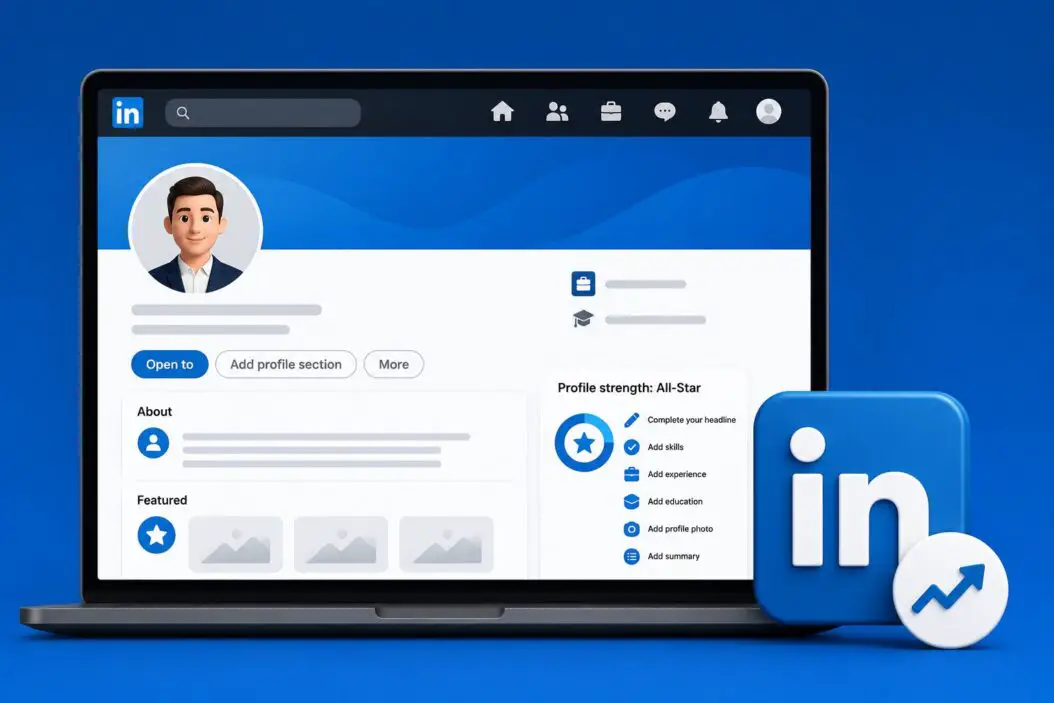
- Completeness: Profiles that are fully filled out rank higher. LinkedIn calls the highest level “All-Star” status.
- Keyword relevance: The words in your headline, About section, and experience determine which searches you appear in.
- Connections: First and second-degree connections are weighted in search results. Having more relevant connections improves your reach.
- Engagement: Active profiles (posting, commenting, receiving engagement) are treated as more authoritative.
Fill every section. Use natural language that includes your real keywords. Connect with people in your industry. Stay active.
Profile Completeness Checklist
Here is a quick reference table to measure where your profile stands:
| Section | Completed? | Priority |
|---|---|---|
| Profile photo | Yes / No | High |
| Custom banner | Yes / No | Medium |
| Optimized headline | Yes / No | High |
| About section written | Yes / No | High |
| Experience with results | Yes / No | High |
| Top 15 skills added | Yes / No | Medium |
| Education filled out | Yes / No | Medium |
| Certifications added | Yes / No | Medium |
| 3+ recommendations | Yes / No | High |
| Custom LinkedIn URL | Yes / No | Low |
| Featured section used | Yes / No | Medium |
| Open to Work set | Yes / No | Depends |
If you have fewer than 8 of these checked, your profile needs work before you start applying anywhere or reaching out to connections.
Common Mistakes That Kill Your LinkedIn Presence
These are the things I see constantly on profiles that otherwise have good content:
- Leaving the headline as the job title only
- Writing the About section in third person (it reads as distant and formal)
- Listing job duties instead of achievements
- Having no recommendations at all
- Not connecting with anyone in their target industry
- Using a photo that is too small, blurry, or informal
- Never posting or engaging, then wondering why no one reaches out
Fix these first before worrying about advanced tactics.
Conclusion
Optimizing your LinkedIn profile is not complicated, but it does require honest effort in every section. Start with your photo, headline, and About section since those three have the highest impact on first impressions. Then move through your experience, skills, and recommendations. Set your URL, turn on Open to Work if relevant, and start showing up consistently through posts and comments.
A complete, keyword-rich, human-written profile will outperform a half-finished one every time. LinkedIn surfaces profiles that look real, active, and relevant. Give it every reason to surface yours.
You do not need to do everything in one sitting. Work through one section per day this week. By the end of it, your profile will be in a completely different place.
FAQs
Does my LinkedIn profile actually show up in Google search results?
Yes, and it is one of the first results when someone searches your full name. This is why a complete profile matters even if you are not actively job hunting. Your public LinkedIn page gets indexed by Google regularly. Having a strong headline and About section with your full name and role helps you control what people see when they look you up.
I have a job. Should I still optimize my profile?
Absolutely. Recruiters reach out to passive candidates constantly. Opportunities in consulting, speaking, collaborations, and partnerships also come through LinkedIn. Keeping your profile updated means you are always ready when something interesting lands in your inbox, even if you are not looking.
How many connections do I actually need?
You need at least 500 connections to show “500+” on your profile, which signals credibility. More importantly, your second-degree network grows with each connection, which means more people can find you in searches. Focus on connecting with real people in your industry rather than chasing a number. Quality over quantity still applies here.
Can I optimize my profile if I am changing careers?
Yes, and LinkedIn is one of the best tools for career pivots. The key is to reframe your experience around the transferable skills that matter in your new field. Update your headline to reflect where you are going, not just where you have been. Use your About section to tell the pivot story directly. Adding certifications in your target field also helps bridge the gap and signals seriousness to recruiters.
How often should I update my LinkedIn profile?
Update it any time something significant changes, such as a new role, a completed certification, a major project, or a shift in your focus. Outside of major changes, review your headline and About section every three to six months to make sure they still reflect what you want to be known for. Profiles that look stale with no activity and outdated information lose credibility fast.
